Mineuniverse
Shaders
SMM Super Light Weight Shaders

SMM Super Light Weight Shaders

SHADER
Lightweight shader designed for low-end hardware.
by Yucufke
Download Claim this project
634 downloads
0 likes
0 followers
Updated Oct 14, 2026
0 hypes
Follow0
Fantasy Vanilla
Advertisement Remove ads with Premium →

 What's Inside In This Shader

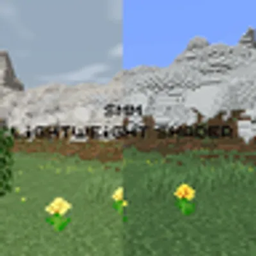
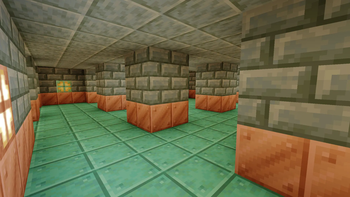
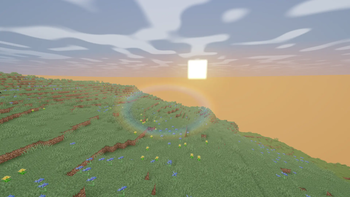
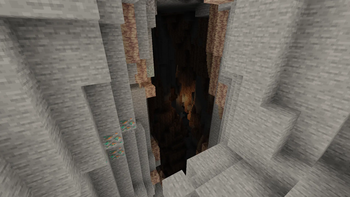
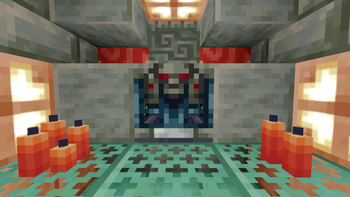
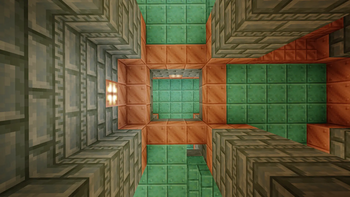
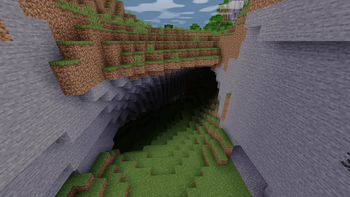
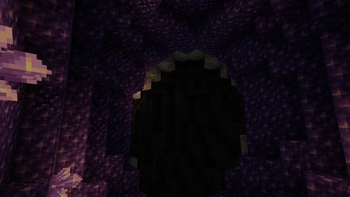
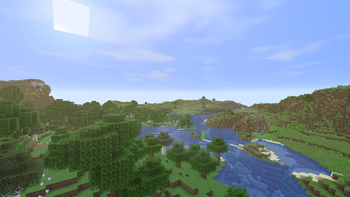
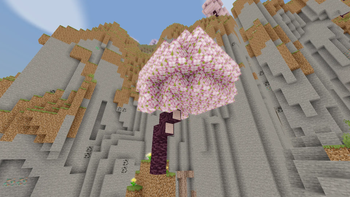
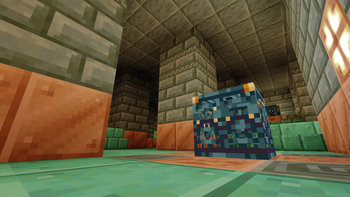
 This shader focuses on subtle lighting improvements, soft color correction, and a clean atmosphere while keeping performance impact extremely low.

   Features:
 - Very low FPS impact
 - Subtle color enhancement
 - Lightweight post-processing
 - No heavy shadows
 - Designed for older and low-end GPUs

 Built on a GT 750M — because old hardware deserves shaders too...

 Perfect for players who want a cleaner and more immersive look without sacrificing performance.

 Compatible with OptiFine and Iris Shader Loader.

 Various versions have been tested, but we recommend version 1.16.5 or higher for the most stable experience.


 Inspired by Half-Life 2


I'm Actively Updating This Shader. Please Install it, At Least To Show Your Support.
 (:


(If you are using version 1.0 Please Disable Clouds)

smmshader.zip
MC 1.16.3, 1.13.1, 1.9.3, 1.8.7, 1.7.7, 1.7.6, 1.16-Snapshot, 1.17.1, 1.9.1, 1.21.2-Snapshot, 1.21, 1.21.6-snapshot, 1.15-Snapshot, 1.16.1, 1.18.1, 1.20.2-Snapshot, 1.20.5-Snapshot
Release 2026-09-03 Get
SMM_1.0.1.zip
MC 1.16.3, 1.13.1, 1.9.3, 1.8.7, 1.7.7, 1.7.6, 1.16-Snapshot, 1.17.1, 1.9.1, 1.21.2-Snapshot, 1.21, 1.21.6-snapshot, 1.15-Snapshot, 1.16.1, 1.18.1, 1.20.2-Snapshot, 1.20.5-Snapshot
Beta 2026-09-03 Get
SMM_1.0.1a.zip
MC 1.16.3, 1.13.1, 1.9.3, 1.8.7, 1.7.7, 1.7.6, 1.16-Snapshot, 1.17.1, 1.9.1, 1.21.2-Snapshot, 1.21, 1.21.6-snapshot, 1.15-Snapshot, 1.16.1, 1.18.1, 1.20.2-Snapshot, 1.20.5-Snapshot
Release 2026-09-03 Get
SMM_1.0.2.zip
MC 1.16.3, 1.13.1, 1.9.3, 1.8.7, 1.7.7, 1.7.6, 1.16-Snapshot, 1.17.1, 1.9.1, 1.21.2-Snapshot, 1.21, 1.21.6-snapshot, 1.15-Snapshot, 1.16.1, 1.18.1, 1.20.2-Snapshot, 1.20.5-Snapshot
Release 2026-09-03 Get
SMM_1.1.1.zip
MC 1.16.3, 1.13.1, 1.9.3, 1.8.7, 1.7.7, 1.7.6, 1.16-Snapshot, 1.17.1, 1.9.1, 1.21.2-Snapshot, 1.21, 1.21.6-snapshot, 1.15-Snapshot, 1.16.1, 1.18.1, 1.20.2-Snapshot, 1.20.5-Snapshot
Release 2026-09-03 Get
SMM1.2Alpha.zip
MC 1.16.3, 1.13.1, 1.9.3, 1.8.7, 1.7.7, 1.7.6, 1.16-Snapshot, 1.17.1, 1.9.1, 1.21.2-Snapshot, 1.21, 1.21.6-snapshot, 1.15-Snapshot, 1.16.1, 1.18.1, 1.20.2-Snapshot, 1.20.5-Snapshot
Alpha 2026-09-03 Get
SMM1.1.8.zip
MC 1.16.3, 1.13.1, 1.9.3, 1.8.7, 1.7.7, 1.7.6, 1.16-Snapshot, 1.17.1, 1.9.1, 1.21.2-Snapshot, 1.21, 1.21.6-snapshot, 1.15-Snapshot, 1.16.1, 1.18.1, 1.20.2-Snapshot, 1.20.5-Snapshot
Release 2026-09-03 Get
SMM_1.1.0b.zip
MC 1.16.3, 1.13.1, 1.9.3, 1.8.7, 1.7.7, 1.7.6, 1.16-Snapshot, 1.17.1, 1.9.1, 1.21.2-Snapshot, 1.21, 1.21.6-snapshot, 1.15-Snapshot, 1.16.1, 1.18.1, 1.20.2-Snapshot, 1.20.5-Snapshot
Beta 2026-09-03 Get

Requirements & install

How to use this shader in Minecraft
Shader loader
Iris or OptiFine
Minecraft
1.16.3 – 1.21.6-snapshot
Install folder
.minecraft/shaderpacks

How to install shaders

  1. Install a shader loader for your Minecraft version: Iris (with Sodium) or OptiFine.
  2. Download the shader pack .zip file (do not extract it).
  3. Put the .zip into the shaderpacks folder (.minecraft/shaderpacks).
  4. In game open Options → Video Settings → Shader Packs, select the pack and apply it.
Browse more: Iris shaders OptiFine shaders Shaders for 1.21.6-snapshot All shaders
Advertisement Remove ads with Premium →

You Might Also Like