Mineuniverse
Shaders
Shaders for  Advanced Rocketry

Shaders for Advanced Rocketry

SHADER
This is a modified complementary shader that turns off in space dimensions
by Marvin_Eckhardt
Download Claim this project
73,360 downloads
0 likes
0 followers
Updated Oct 14, 2026
0 hypes
Follow0
Realistic
Advertisement Remove ads with Premium →

This is a modified complementary shader.


IF YOU ARE NOT PLAYING ADVANCED ROCKETRY, PLEASE DOWNLOAD THE ORIGINAL SHADER FROM THE ORIGINAL DEVELOPERS HERE: Complementary Shaders - Unbound - Minecraft Shaders - CurseForge


If you use this shader, in the main Advanced Rocketry config file change

    B:overworldSkyOverride=true

to

    B:overworldSkyOverride=false


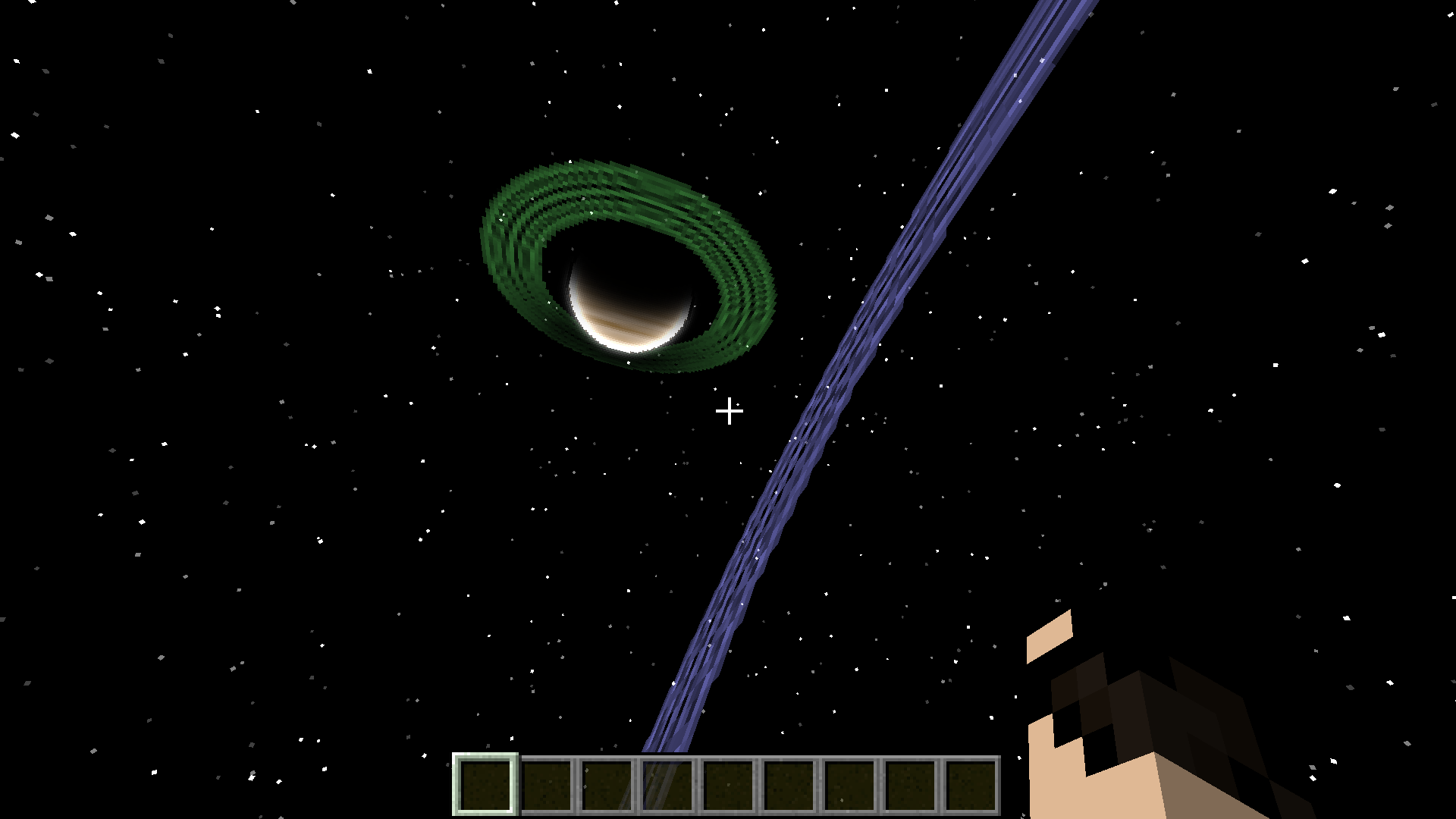
This shader is modified to turn off in the space dimension and planet dimensions added by Advanced Rocketry. It is a common error that shaders destroy the sky in Advanced Rocketry dimensions. Players always have to disable shader when going to space and reenable them when going back to earth. That is very annoying. This is why I modified the shaders to turn off in space dimensions.

I want to share this project because many players wish to have shaders not destroy the sky on planets.


As required by the license, I hereby give credit to the original developers of the shader:

Complementary Shaders | Official Site

ARshadermod.zip
MC 1.12.2
Release 2024-06-19 Get

Requirements & install

How to use this shader in Minecraft
Shader loader
Iris or OptiFine
Minecraft
1.12.2
Install folder
.minecraft/shaderpacks

How to install shaders

  1. Install a shader loader for your Minecraft version: Iris (with Sodium) or OptiFine.
  2. Download the shader pack .zip file (do not extract it).
  3. Put the .zip into the shaderpacks folder (.minecraft/shaderpacks).
  4. In game open Options → Video Settings → Shader Packs, select the pack and apply it.
Browse more: Iris shaders OptiFine shaders Shaders for 1.12.2 All shaders

More from Marvin_Eckhardt

Advertisement Remove ads with Premium →

You Might Also Like