Mineuniverse
Shaders
Doruk's Shader

Doruk's Shader

SHADER
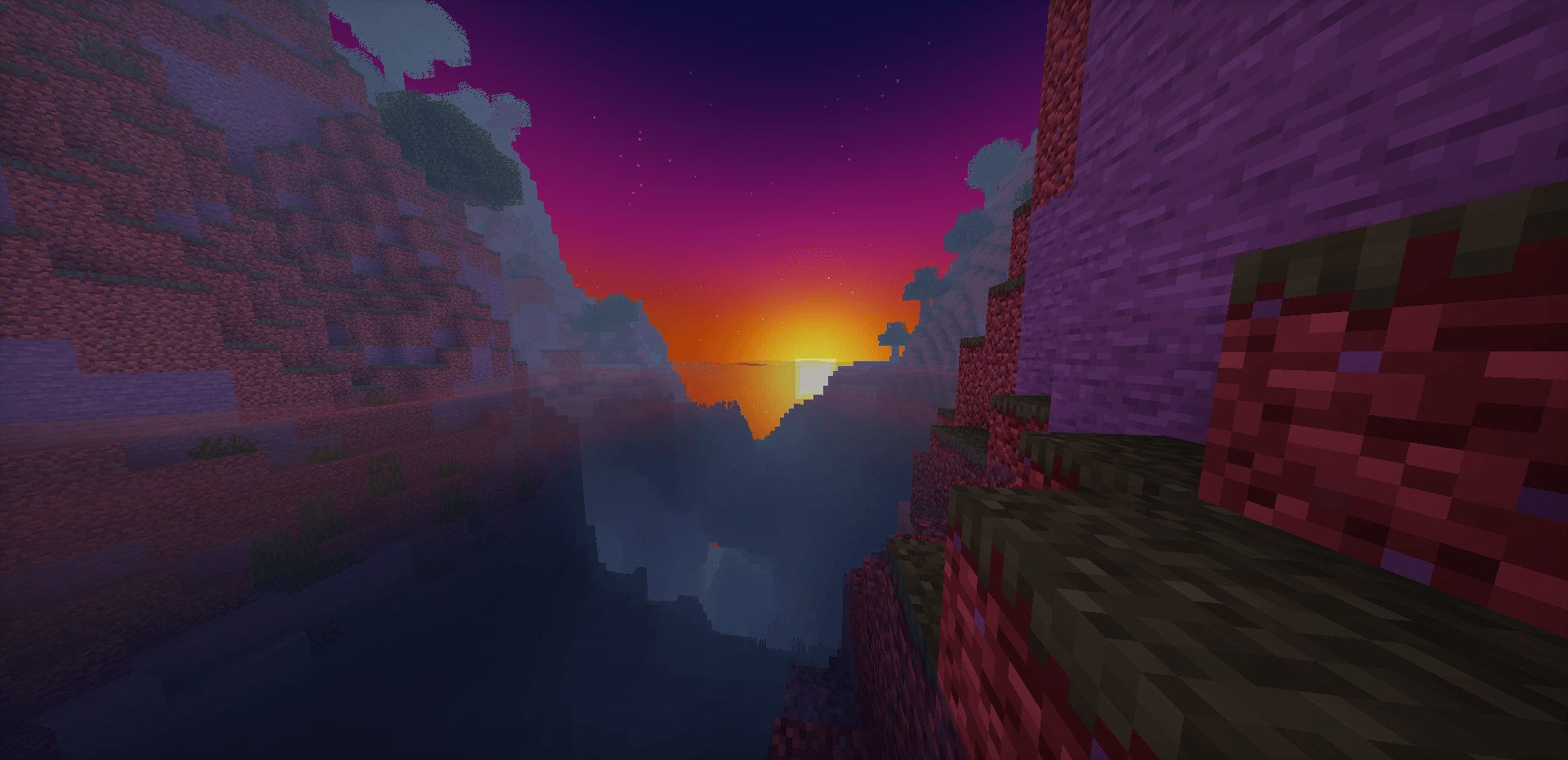
Doruk's Shader is a Semi-Realistic Shader.
by Dorukkdev
Download Claim this project
14,038 downloads
0 likes
0 followers
Updated Oct 14, 2026
0 hypes
Follow0
Realistic
Advertisement Remove ads with Premium →

Tired of shaders that either turn your Minecraft world into a cheap, plastic cartoon or completely melt your GPU just to render a few trees? Say hello to Doruk's Shader, a premium, meticulously optimized semi-realistic shaderpack designed to transform your Minecraft experience into a breathtaking visual masterpiece, all while preserving the game's core vanilla essence.

Whether you are exploring deep caves, building massive bases, or just watching the sunset over a pixelated horizon, Doruk’s Shader delivers next-gen visuals without the next-gen hardware tax.

Doruk's Shader_0.9.0.zip
MC 1.21, 1.20.2, 1.21.8, 1.20.5, 1.21.5, 1.21.4, 1.20.1, 1.20, OptiFine, 1.20.6, 1.21.1, 1.21.6, 1.21.3, 1.21.7, 1.20.4, 1.20.3, Iris, 1.21.2, 1.21.9, 1.21.10, 1.21.11, 26.1
Release 2026-07-08 Get
Doruk's Shader.zip
MC 1.21, 1.20.2, 1.21.8, 1.20.5, 1.21.5, 1.21.4, 1.20.1, 1.20, OptiFine, 1.20.6, 1.21.1, 1.21.6, 1.21.3, 1.21.7, 1.20.4, 1.20.3, Iris, 1.21.2, 1.21.9, 1.21.10, 1.21.11, 26.1
Release 2026-06-21 Get

Requirements & install

How to use this shader in Minecraft
Shader loader
Iris OptiFine
Minecraft
1.21.5 – 26.1
Install folder
.minecraft/shaderpacks

How to install shaders

  1. Install a shader loader for your Minecraft version: Iris (with Sodium) or OptiFine.
  2. Download the shader pack .zip file (do not extract it).
  3. Put the .zip into the shaderpacks folder (.minecraft/shaderpacks).
  4. In game open Options → Video Settings → Shader Packs, select the pack and apply it.
Browse more: Iris shaders OptiFine shaders Shaders for 26.1 All shaders

More from Dorukkdev

Advertisement Remove ads with Premium →

You Might Also Like