Mineuniverse
Shaders
Cartoon Dreams Shader

Cartoon Dreams Shader

SHADER
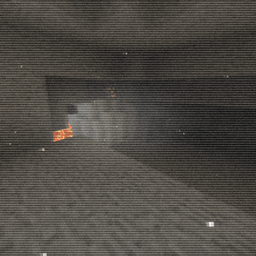
A stylized cartoon shader pack with cel-shading, dynamic shadows, god rays, bloom, water effects, and waving foliage for Minecraft (OptiFine)
by bebonaiem
Download Claim this project
Add a badge to your pageLink to Cartoon Dreams Shader from a README, website or forum post.
Preview: Badge

Badges update automatically and link to the shader page on MineUniverse.

9,858 downloads
0 likes
0 followers
Updated Oct 14, 2026
0 hypes
Follow0
Fantasy Realistic Vanilla
Advertisement Remove ads with Premium →

Cartoon Dreams Shader

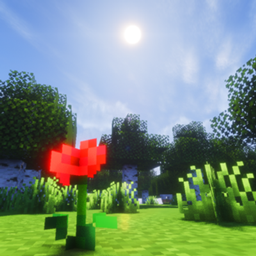
A stylized cartoon shader pack for Minecraft (OptiFine) that transforms your world into a vibrant, hand-painted dreamscape with cel-shading and bold lighting.

Features

  • Cel-Shading — Discrete lighting bands give everything a cartoon/illustrated look
  • Dynamic Shadows — Soft PCF shadow mapping that follows the sun
  • God Rays — Volumetric light shafts streaming from the sun
  • Bloom — Subtle glow on bright surfaces
  • Ambient Occlusion — Soft contact shadows in corners and crevices
  • Edge Outlines — Subtle depth-based outlines on geometry
  • Water Effects — Fresnel reflections, animated caustics, and specular highlights
  • Waving Foliage — Grass, leaves, flowers, crops, and lava all sway in the breeze
  • Dynamic Torch Lighting — Warm flickering torchlight
  • Day/Night Cycle — Smooth sunrise, sunset, and starry night sky with twinkling stars
  • Underwater Effects — Distortion and blue tint when submerged
  • Distance Fog — Atmospheric haze on the horizon
  • Film Grain & Vignette — Subtle post-processing for a cinematic feel

Requirements

  • Minecraft Java Edition
  • OptiFine (any recent version)

Supported Versions

1.12.2 through 1.21.5+ and 26.1.x

Cartoon Dreams Shader
MC 1.16.3, 1.13.1, 1.16-Snapshot, 1.17.1, 1.21.2-Snapshot, 1.21, 1.21.6-snapshot, 1.15-Snapshot, 1.16.1, 1.18.1, 1.20.2-Snapshot, 1.20.5-Snapshot, 1.14.3, 1.15, 1.16, 1.13
Release 2026-06-17 Get

Requirements & install

How to use this shader in Minecraft
Shader loader
Iris or OptiFine
Minecraft
1.16.3 – 1.21.6-snapshot
Install folder
.minecraft/shaderpacks

How to install shaders

  1. Install a shader loader for your Minecraft version: Iris (with Sodium) or OptiFine.
  2. Download the shader pack .zip file (do not extract it).
  3. Put the .zip into the shaderpacks folder (.minecraft/shaderpacks).
  4. In game open Options → Video Settings → Shader Packs, select the pack and apply it.
Browse more: Iris shaders OptiFine shaders Shaders for 1.21.6-snapshot All shaders

More from bebonaiem

Advertisement Remove ads with Premium →

You Might Also Like