Mineuniverse
Shaders
Better Pipeline

Better Pipeline

SHADER
Minecraft Shaders - BetterPipeline - Vannila-like
by RenPT23
Download Claim this project
Add a badge to your pageLink to Better Pipeline from a README, website or forum post.
Preview: Badge

Badges update automatically and link to the shader page on MineUniverse.

7,343 downloads
0 likes
0 followers
Updated Oct 14, 2026
0 hypes
Follow0
Fantasy Vanilla
Advertisement Remove ads with Premium →

WARNING:

If you find this shaderpack on KLauncher, BBSMC, MC Mods Hub, MetaMods or other Non-CurseForge sources download it from the official source in CurseForge: https://www.curseforge.com/minecraft/shaders/betterpipeline/

THIS SHADERPACK USES THE GPLv3 LICENSE AND WILL NEVER USE ARR OR OTHER LICENSE

Vannila-like minecraft shaders!

Thanks to Witt for solving a problem on version 2.1.0

Thanks to JoaquiX for pointing out a problem on version 2.1.0

Wont be found on modrinth due to they not accepting my request of the shaderpack XD

What better pipeline v2.1.0 does:

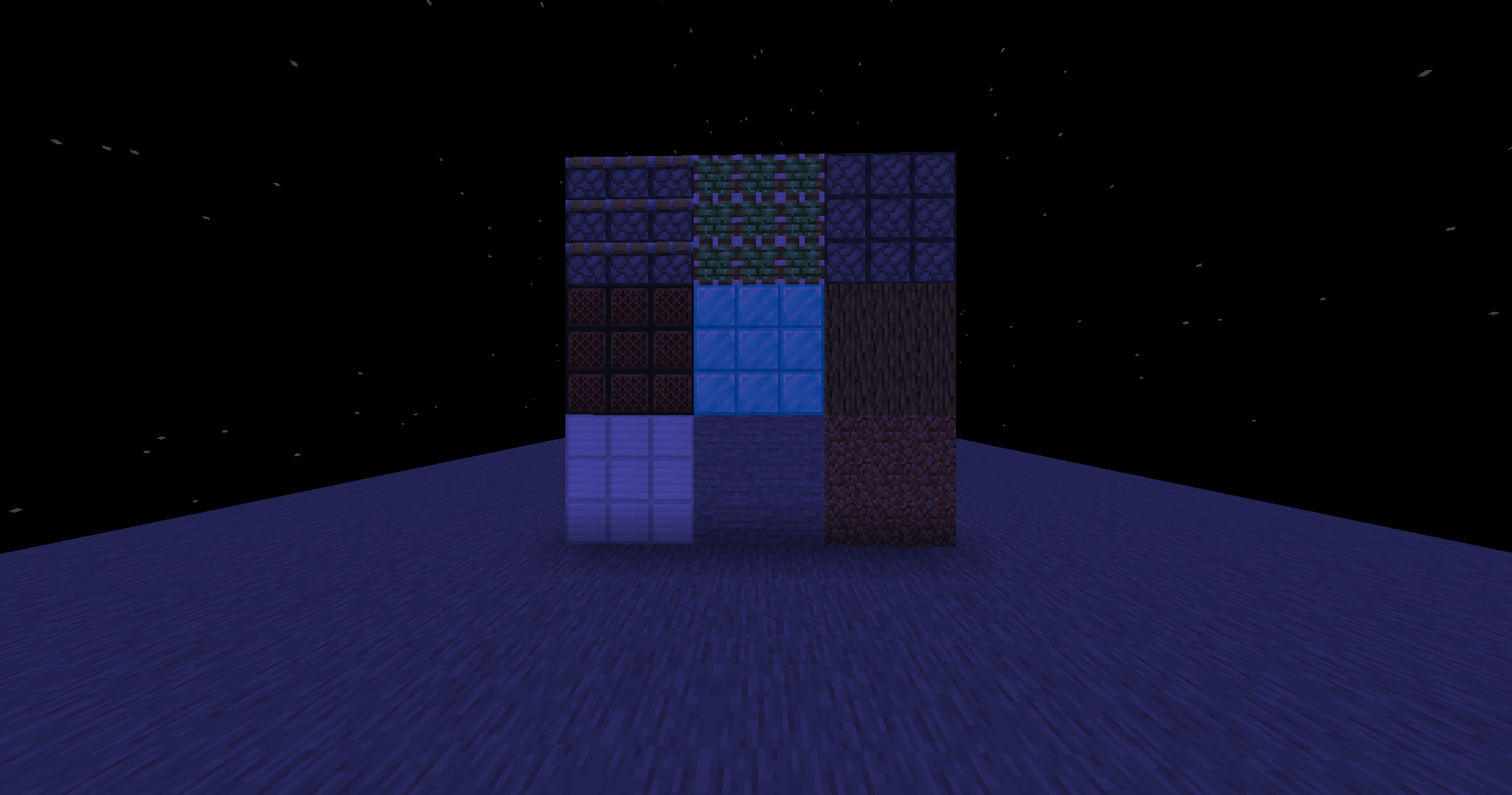
Adds Dynamic lighting, doesnt have shadow maps (yet…) doesnt have a better lighting system (yet…) horrible to see in the dark but beatiful

What better pipeline v1 does:

Doesnt give a duck about lighting making the player see in the dark, doesnt change almost anything and principally doesnt change almost nothing

With BetterPipeline v2.1.0: With BetterPipeline v2.1.0 With BetterPipeline v1: With BetterPipeline v1 Without any BetterPipeline Version: Without any BetterPipeline

BetterPipeline v2.1.0
MC 1.21.2-Snapshot, 1.21, 1.20.2-Snapshot, 1.20.5-Snapshot, 1.21.1-Snapshot, 1.20.2, 1.21.8, 1.20.5, 1.21.5, 1.21.4, 1.21.5-Snapshot, 1.20.1, 1.20.6, 1.21.1, 1.21.3, 1.21.7, 1.20.4
Release 2025-05-04 Get
BetterPipeline v1
MC 1.20.1, OptiFine, Iris
Release 2025-05-03 Get

Requirements & install

How to use this shader in Minecraft
Shader loader
Iris OptiFine
Minecraft
1.21.1 – 1.21.8
Install folder
.minecraft/shaderpacks

How to install shaders

  1. Install a shader loader for your Minecraft version: Iris (with Sodium) or OptiFine.
  2. Download the shader pack .zip file (do not extract it).
  3. Put the .zip into the shaderpacks folder (.minecraft/shaderpacks).
  4. In game open Options → Video Settings → Shader Packs, select the pack and apply it.
Browse more: Iris shaders OptiFine shaders Shaders for 1.21.8 All shaders

More from RenPT23

Advertisement Remove ads with Premium →

You Might Also Like