Mineuniverse
Shaders
AetherVisuals

AetherVisuals

SHADER
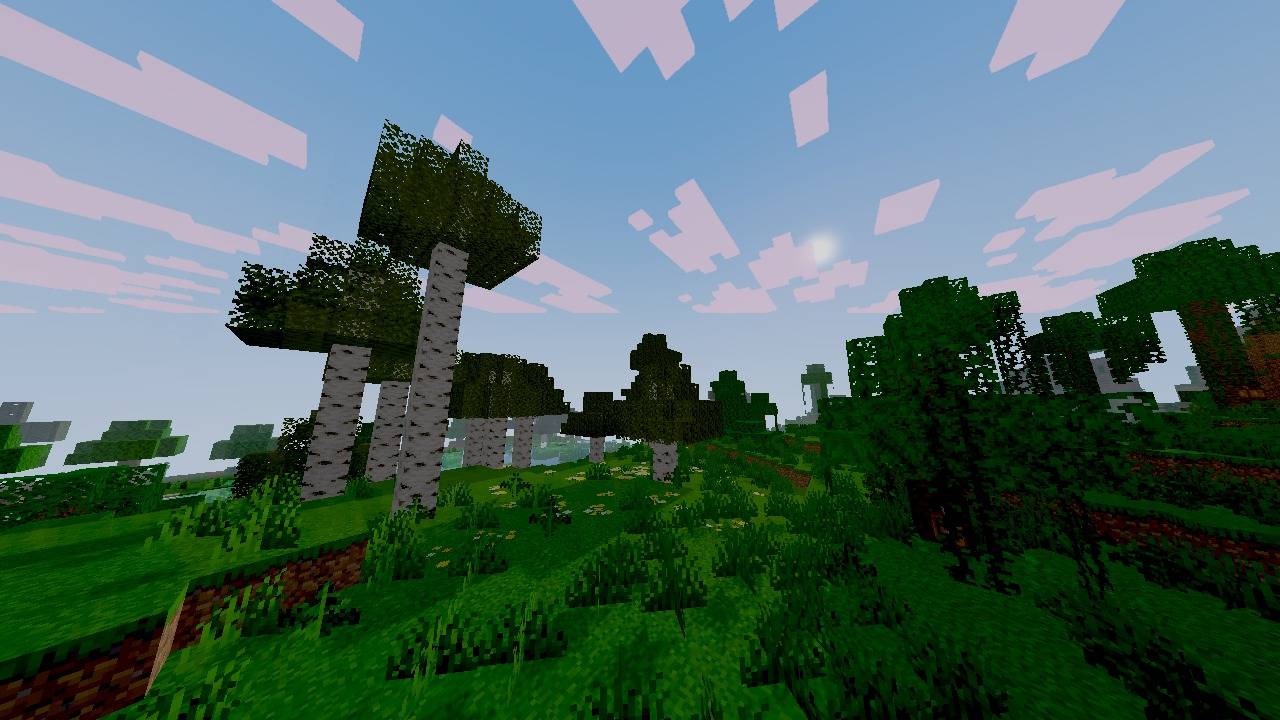
AetherVisuals is a inspired with vibrant visuals for Minecraft Java shaderpack with colorful lighting, realistic waving water, atmospheric skies, soft shadows, and immersive day and night visuals.
by naumaan0756
Download Claim this project
1,849 downloads
0 likes
Updated Oct 14, 2026
0 hypes
Fantasy Vanilla
Advertisement Remove ads with Premium →

## AetherVisuals

A vibrant and cinematic Minecraft Java Edition shaderpack focused on colorful visuals, realistic water, atmospheric skies, soft shadows, and immersive day/night lighting.

### Features

* Vibrant color grading
* Realistic waving water
* Water reflections and refraction
* Fresnel water effects and caustics
* Pink/lavender atmospheric clouds
* Dynamic sunlight and moonlight
* Soft PCF shadows
* SSAO
* Atmospheric fog
* Optimized performance settings
* Improved nighttime visuals

### Compatibility

Minecraft Java Edition **1.21.11**
Fabric + **Iris 1.10.7** + **Sodium 0.8.7**

### Performance

AetherVisuals includes quality settings designed to balance visual quality and FPS.

AetherVisuals is an independent shaderpack inspired by vibrant, cinematic Minecraft visuals.

AetherVisuals-v4.17.zip
MC 1.21, 1.21.8, 1.21.5, 1.21.4, OptiFine, 1.21.1, 1.21.6, 1.21.3, 1.21.7, Iris, 1.21.2, 1.21.9, 1.21.10, 1.21.11, 26.1, 26.1.1, 26.1.2, 26.2
Release 2026-08-19 Get

Requirements & install

How to use this shader in Minecraft
Shader loader
Iris OptiFine
Minecraft
1.21.8 – 26.2
Install folder
.minecraft/shaderpacks

How to install shaders

  1. Install a shader loader for your Minecraft version: Iris (with Sodium) or OptiFine.
  2. Download the shader pack .zip file (do not extract it).
  3. Put the .zip into the shaderpacks folder (.minecraft/shaderpacks).
  4. In game open Options → Video Settings → Shader Packs, select the pack and apply it.
Browse more: Iris shaders OptiFine shaders Shaders for 26.2 All shaders

More from naumaan0756

Advertisement Remove ads with Premium →

You Might Also Like