Looking for resource packs in 256x for Minecraft 1.6.1? MineUniverse ranks 11 of them by downloads, led by R3D CRAFT 256px, Smooth Entity Shadows and Reduce the Vignette Effect.


Makes the Shadows under Entities Smooth. The closest you can get without shaders and optifine!

Reduces the Vignette Effect (The dark corners effect of the screen).
Removes the annoying blur effect when wearing a carved pumpkin, giving you a clear and unobstructed view.


Texture pack that changes all of the inventory containers GUI into clear glass style/theme
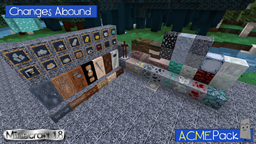
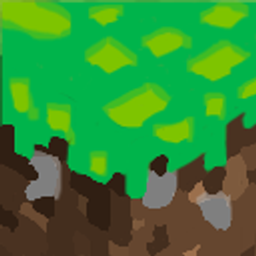
A custom hand-drawn doodle resource pack that brings a fresh, vibrant, and playful comic-sketch art style to your Minecraft blocks and items.
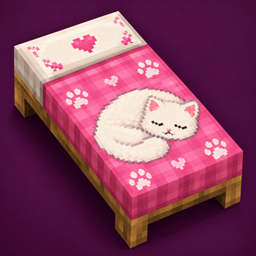
A cozy resource pack that gives all 16 bed colors adorable cat-themed designs with paw prints, playful details, and sleeping feline artwork.
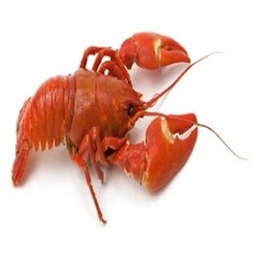
changes lapis and totem into... lobster? why? idk im just bored
Catnap Beds
A cozy resource pack that gives all 16 bed colors adorable cat-themed designs with paw prints, playful details, and sleeping feline artwork. updated Oct 7, 2026
Doodlee
A custom hand-drawn doodle resource pack that brings a fresh, vibrant, and playful comic-sketch art style to your Minecraft blocks and item… updated Sep 11, 2026
lobster lazuli
changes lapis and totem into... lobster? why? idk im just bored updated Aug 12, 2026
No More Pumpkin Blur and R3D CRAFT: Default Realism 256px round out the top five. Within the past 30 days, one of these resource packs was updated for 1.6.1. The latest updates include Catnap Beds, Doodlee and lobster lazuli. Altogether, these resource packs in 256x have more than 1.5 million downloads.
Released on June 28, 2013, Minecraft 1.6.1 has 5 fewer resource packs in 256x than 1.6.2 (16).
Overall, 2% of the 691 resource packs for 1.6.1 are resource packs in 256x. If you prefer a different resolution, Minecraft 1.6.1 also offers resource packs in 16x (486), 32x (67), 512x+ (45), 64x (38) and 128x (13).
The most downloaded resource packs in 256x for Minecraft 1.6.1 on MineUniverse are R3D CRAFT 256px, Smooth Entity Shadows, Reduce the Vignette Effect, No More Pumpkin Blur and R3D CRAFT: Default Realism 256px.
There are 11 resource packs in 256x for Minecraft 1.6.1 on MineUniverse. Within the past 30 days, one of these resource packs was updated for 1.6.1. Together they have more than 1.5 million downloads.
1. Download the resource pack .zip file (do not extract it). 2. In Minecraft open Options → Resource Packs → Open Pack Folder. 3. Drop the .zip into the resourcepacks folder (.minecraft/resourcepacks). 4. Move the pack to the Selected column and click Done. 5. Packs from 128x upwards need more video memory: install a performance mod such as Sodium for smooth frame rates.
16x has more: 486 resource packs for Minecraft 1.6.1 come in 16x, compared with 11 in 256x.
Yes. All 11 resource packs in 256x for Minecraft 1.6.1 on MineUniverse are free to download.
