Mineuniverse
Resource Packs
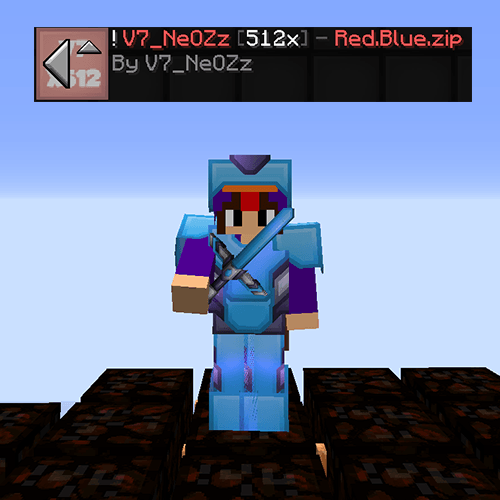
Red.Blue [x512]

Red.Blue [x512]

RESOURCE PACK
Texture pack for the SkillPvP server that enhances the game's visuals with high-definition textures for a sharper, more detailed, and realistic Minecraft experience.
by V7_NeOZz
Download Claim this project
6 downloads
0 likes
Updated Oct 14, 2026
0 hypes
512x and Higher
Advertisement Remove ads with Premium →

HD Texture Pack (Designed for SkillPvP)

Designed for SkillPvP players, Red.Blue [x512] delivers a high-definition visual experience that transforms Minecraft with incredibly detailed textures and a sharper, more refined look.

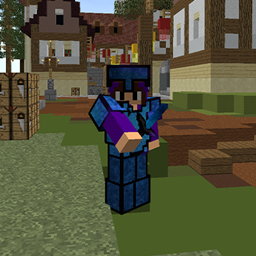
Featuring an impressive x512 resolution, this pack enhances the game's visual quality, bringing a new level of detail to textures and creating a more immersive atmosphere. Its distinctive red and blue aesthetic adds a striking visual identity while giving Minecraft a fresh, high-definition appearance.

Whether you're exploring the world, grinding your stats, or competing in intense PvP battles, Red.Blue [x512] offers a visually enhanced Minecraft experience with a bold and modern style.

🔹 Ultra-high-resolution x512 textures
🔹 Enhanced visual quality with HD-inspired details
🔹 Distinctive red and blue aesthetic
🔹 Designed for an immersive SkillPvP experience

Give it a try and experience Minecraft with a whole new level of visual detail!

🎥 Pack Showcase Video: https://www.youtube.com/watch?v=sL34ThMzaNk
📌 More packs & updates on Discord: https://discord.gg/xUQwpKs9hf

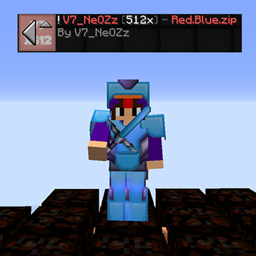
V7_NeOZz [x512] - Red.Blue.zip
MC 1.8.7, 1.7.4, 1.7.7, 1.7.6, 1.7.5, 1.7.3, 1.7.2, 1.8.8, 1.8.4, 1.7.9, 1.8-Snapshot, 1.8.3, 1.7.10, 1.8, 1.7.8, 1.8.6, 1.8.9, 1.8.1, 1.8.5, 1.8.2
Release 2026-10-09 Get

Requirements & install

How to use this resource pack in Minecraft
Resolution
512x+
Minecraft
1.8.2 – 1.8.9
Install folder
.minecraft/resourcepacks

How to install resource packs

  1. Download the resource pack .zip file (do not extract it).
  2. In Minecraft open Options → Resource Packs → Open Pack Folder.
  3. Drop the .zip into the resourcepacks folder (.minecraft/resourcepacks).
  4. Move the pack to the Selected column and click Done.

512x packs need a strong GPU and at least 4 GB of RAM for Minecraft; a performance mod such as Sodium is strongly recommended.

Browse more: 16x resource packs 32x resource packs 64x resource packs 128x resource packs 256x resource packs 512x+ resource packs Resource Packs for 1.8.9 All resource packs

More from V7_NeOZz

Advertisement Remove ads with Premium →

You Might Also Like