Mineuniverse
Resource Packs
Nether Structure Highlighter (Updated for 26.3!)

Nether Structure Highlighter (Updated for 26.3!)

RESOURCE PACK
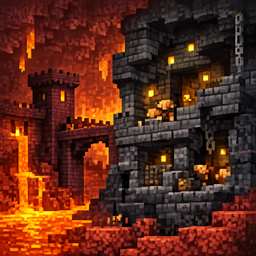
This project makes nether fortress blocks green and bastions and bastion remnants blocks yellow. It can help in spotting structures easily.A hundred downloads and I will do another cool texture pack! credit: Planet_Guy122
by BoarTheSecond
Download Claim this project
Add a badge to your pageLink to Nether Structure Highlighter (Updated for 26.3!) from a README, website or forum post.
Preview: Badge

Badges update automatically and link to the resource pack page on MineUniverse.

1,444 downloads
0 likes
0 followers
Updated Oct 14, 2026
0 hypes
Follow0
16x
Advertisement Remove ads with Premium →

Spot Nether structures instantly! This pack highlights bastions and nether fortresses by subtly enhancing key blocks, making survival exploration faster and easier without cheating. It makes nether fortresses green and bastions and bastion remnants yellow. I personally tried it myself and it saves 10x more time than manually finding one.
credits:**PlanetGuy_122**

NSH_26.3.zip
MC 1.21.2-Snapshot, 1.21, 1.21.6-snapshot, 1.18.1, 1.20.2-Snapshot, 1.20.5-Snapshot, 1.19-Snapshot, 1.21.1-Snapshot, 1.19.3, 1.20.2, 1.19.4, 1.21.8, 1.19.4-Snapshot, 1.20.5, 1.21.5
Release 2026-09-21 Get
NSH.zip
MC 1.21.2-Snapshot, 1.21, 1.21.6-snapshot, 1.18.1, 1.20.2-Snapshot, 1.20.5-Snapshot, 1.19-Snapshot, 1.21.1-Snapshot, 1.19.3, 1.20.2, 1.19.4, 1.21.8, 1.19.4-Snapshot, 1.20.5, 1.21.5
Release 2026-02-02 Get
NetherStructureHighlighter
MC 1.21.2-Snapshot, 1.21, 1.21.6-snapshot, 1.20.2-Snapshot, 1.20.5-Snapshot, 1.21.1-Snapshot, 1.20.2, 1.21.8, 1.20.5, 1.21.5, 1.21.4, 1.21.5-Snapshot, 1.20.1, 1.20, 1.20.6
Release 2026-01-30 Get

Requirements & install

How to use this resource pack in Minecraft
Resolution
16x
Minecraft
1.21 – 1.21.8
Install folder
.minecraft/resourcepacks

How to install resource packs

  1. Download the resource pack .zip file (do not extract it).
  2. In Minecraft open Options → Resource Packs → Open Pack Folder.
  3. Drop the .zip into the resourcepacks folder (.minecraft/resourcepacks).
  4. Move the pack to the Selected column and click Done.
Browse more: 16x resource packs 32x resource packs 64x resource packs 128x resource packs 256x resource packs 512x+ resource packs Resource Packs for 1.21.8 All resource packs

More from BoarTheSecond

Advertisement Remove ads with Premium →

You Might Also Like