Badges update automatically and link to the resource pack page on MineUniverse.
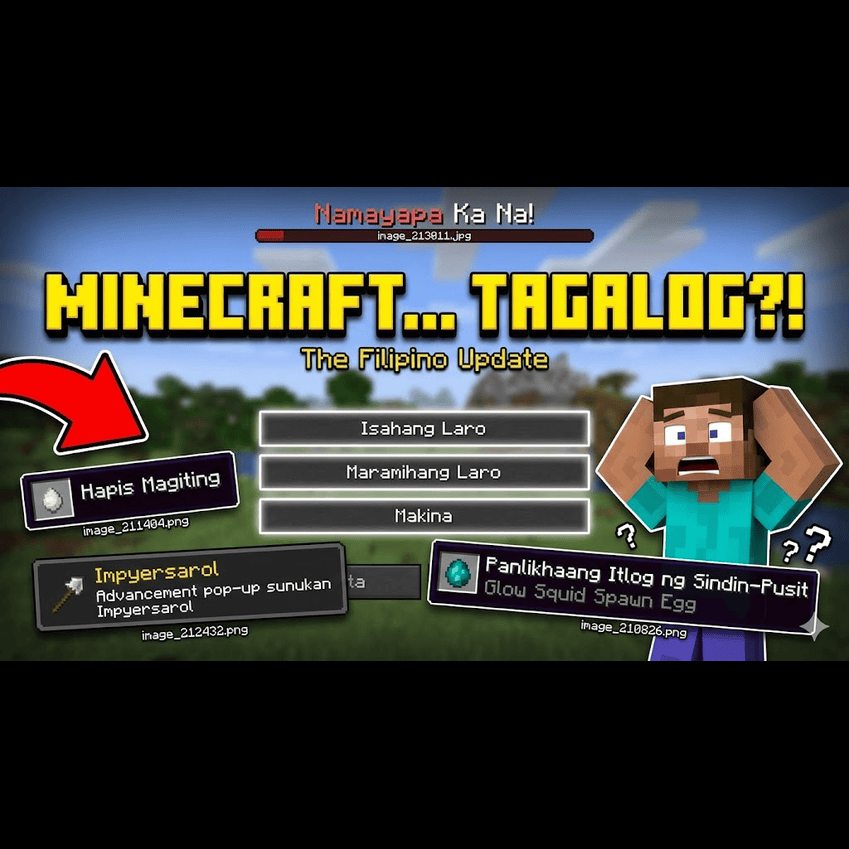
Welcome to Minat'Likha.
This isn't just a boring, direct translation put through an online translator. This is a complete overhaul that turns Minecraft into a deeper, cooler Filipino RPG experience. If you're tired of the same old game, this pack makes everything feel new again. You'll have to re-learn how to play because everything has changed.
📜 A Note on Legacy: While Minat'Likha introduces hundreds of new, deep words, we pay respect to the roots. Some foundational translations in this pack are adapted from the classic community translations of Minecraft Version 1.5, refined and expanded to fit our new "Fusion" mythos.
Can you beat the Ender Dragon when you have to craft an "Impyerspada" instead of a Netherite Sword? Can you survive the Deep Dark when you are being hunted by the "Gimbal" (The Terror) instead of just a Warden? This pack forces you to rediscover the game.
We said goodbye to boring, literal translations. From the main menu to the death screen ("Namayapa Ka Na!"), the entire game uses a consistent, deep fantasy dialect.
Enchantments are now "Engkanto".
Potions are "Gayuma".
Data Packs are "Kaban-Diwa" (Chest of Spirit).
We used a unique "Fusion" technique to name items, blending deep Tagalog with descriptive action words to create names that sound like ancient artifacts.
Shulker → "Taklim" (Fusion of Takip + Dilim)
Jukebox → "Musikahon" (Fusion of Musika + Kahon)
Trident → "Salapang" (Traditional Fishing Spear)
Here is a glimpse of how the world has changed.
We reimagined mobs as mythical creatures from a forgotten Filipino bestiary.
Ghast → "Hapis" (The Sorrow/Grief)
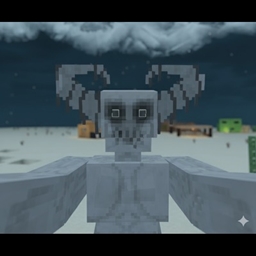
Phantom → "Lagim" (The Dread/Terror)
Evoker → "Mangkukulam" (The Living Curse)
Creeper → "Kilabot" (The Shivers/Horror)
Sniffer → "Sina-Amo" (The Ancient Gentle One)
Breeze → "Ipo-Ipo" (The Whirlwind)
Creaking → "Balete" (The Haunted Tree)
Materials follow a strict hierarchy to sound more professional and less repetitive.
Wood Types: Instead of "Oak Wood," we use specific tree names like Roble, Betis, Pustura, and Seresa.
Copper Cycle: Tanso → Bilad (Exposed) → Kupas (Weathered) → Kalawang (Oxidized).
Stone Types: Batumlalim (Deepslate), Batumusok (Blackstone), and Batong-Bulkan (Tuff).
Magic sounds like something an Albularyo or ancient Babaylan would use.
Smite → "Hampas-Langit" (Heaven's Strike)
Unbreaking → "Walang-Kupas" (Timeless/Fadeless)
Mending → "Panunumbalik" (Restoration)
Instant Health → "Agad-Lunas" (Instant Cure)
Version: Java Edition 1.21+ Resolution: 16x (Native Style)
How to Install:
Download the .zip file.
Open Minecraft and go to Options (Makina) > Resource Packs (Kaban-Anyo).
Click "Open Pack Folder" and drag the file in.
Select Minat'Likha and prepare to re-learn the game!
💬 Comment Below: If you try it, what was the hardest item to recognize with its new name? Was it the "Taklim" or the "Impyersarol"? Let us know!
#MinecraftPH #MinatLikha #FilipinoGamer #ResourcePack #PinoyMinecraft #MinecraftJava #PhilippineMythology