Mineuniverse
Resource Packs
TextureRevamp 64x

TextureRevamp 64x

RESOURCE PACK
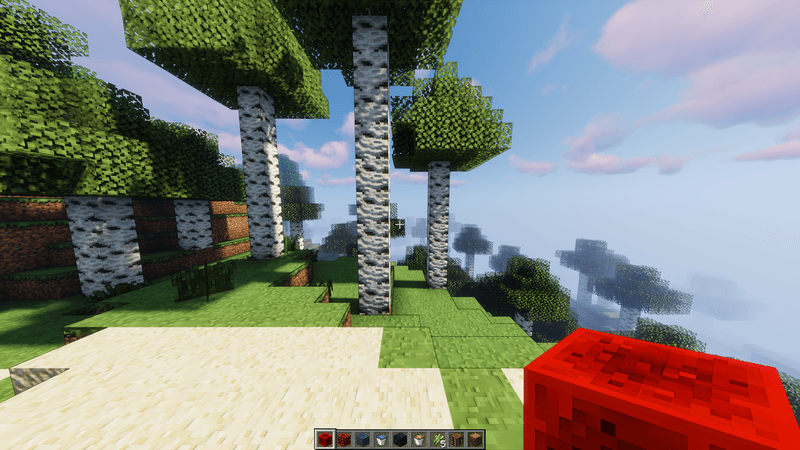
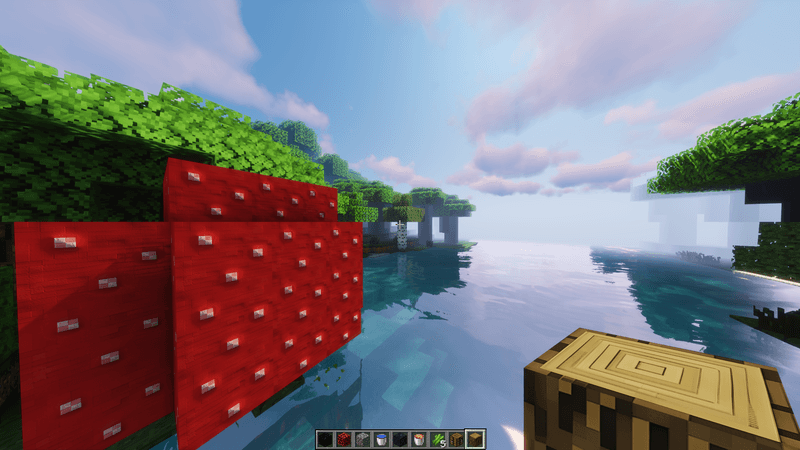
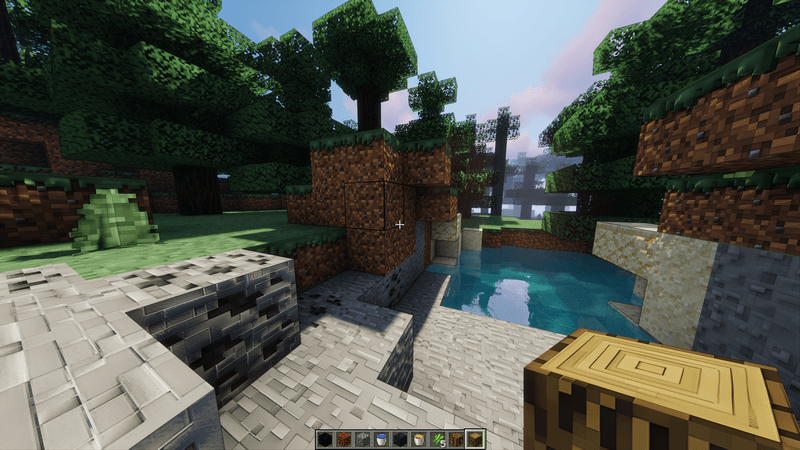
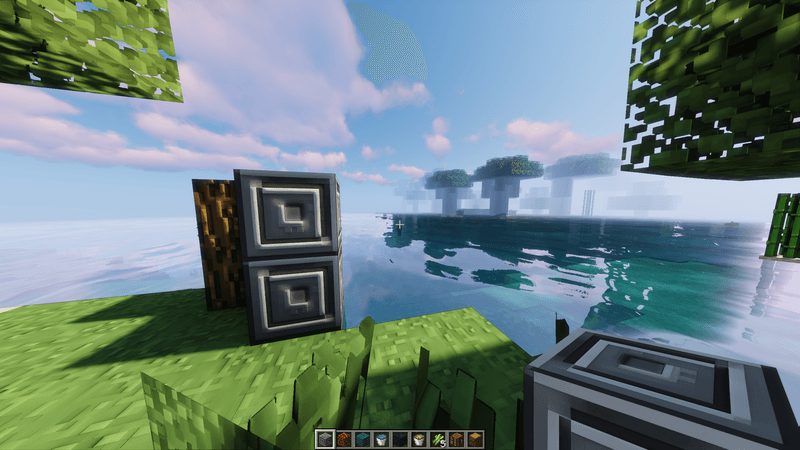
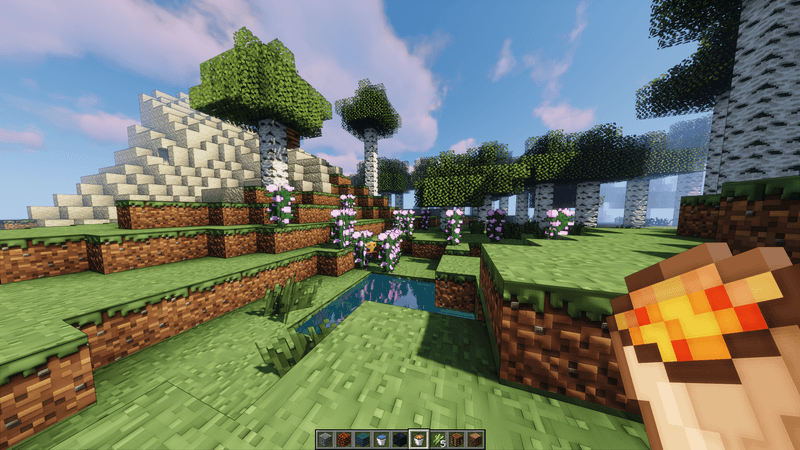
TextureRevamp 64x is an upscaled texture pack for Minecraft, enhancing the original visuals while maintaining the classic feel. It supports parallax effects, adding depth and detail to the game environment.
by RealPix
Download Claim this project
9,967 downloads
0 likes
Updated Oct 14, 2026
0 hypes
64x Traditional
Advertisement Remove ads with Premium →

TextureRevamp 64x is a texture pack designed to enhance the visual experience of Minecraft by upscaling the original vanilla textures to a higher resolution of 64x. This pack maintains the classic look and feel of the game while providing sharper and more detailed graphics. Additionally, TextureRevamp 64x supports parallax mapping, which adds depth and a three-dimensional effect to surfaces, further enriching the immersive experience. This combination of upscaled textures and parallax support makes TextureRevamp 64x an excellent choice for players who want to enjoy a visually enhanced version of Minecraft without straying too far from its original aesthetic.

More versions of Minecraft, more content and more resolutions (128x, 256x and 512x) available at this link: https://patreon.com/HrcoGaming?utm_medium=unknown&utm_source=join_link&utm_campaign=creatorshare_creator&utm_content=copyLink
 

TextureRevamp.zip
MC 1.19.3, 1.20.2, 1.21.2-Snapshot, 1.21, 1.18.1, 1.19.4-Snapshot, 1.20.5, 1.20.2-Snapshot, 1.20.5-Snapshot, 1.19.4, 1.19-Snapshot, 1.21.1-Snapshot, 1.21.4, 1.21.5-Snapshot, 1.18.2
Release 2025-01-26 Get
TextureRevamp.zip
MC 1.19.3, 1.20.2, 1.21.2-Snapshot, 1.21, 1.19.4-Snapshot, 1.20.5, 1.20.2-Snapshot, 1.20.5-Snapshot, 1.19.4, 1.19-Snapshot, 1.21.1-Snapshot, 1.19.2, 1.20.3-Snapshot, 1.20.3, 1.20.1
Release 2024-11-04 Get
TextureRevamp 64x (All versions from 1.19 to 1.21.1 supported).zip
MC 1.19.3, 1.20.2, 1.21, 1.20.5, 1.19.4, 1.19.2, 1.20.3, 1.20.1, 1.20, 1.20.6, 1.19.1, 1.20.4, 1.21.1, 1.19
Beta 2024-08-24 Get

Requirements & install

How to use this resource pack in Minecraft
Resolution
64x
Minecraft
1.20.5 – 1.21.5-Snapshot
Install folder
.minecraft/resourcepacks

How to install resource packs

  1. Download the resource pack .zip file (do not extract it).
  2. In Minecraft open Options → Resource Packs → Open Pack Folder.
  3. Drop the .zip into the resourcepacks folder (.minecraft/resourcepacks).
  4. Move the pack to the Selected column and click Done.
Browse more: 16x resource packs 32x resource packs 64x resource packs 128x resource packs 256x resource packs 512x+ resource packs Resource Packs for 1.21.5-Snapshot All resource packs

More from RealPix

Advertisement Remove ads with Premium →

You Might Also Like