Mineuniverse
Resource Packs
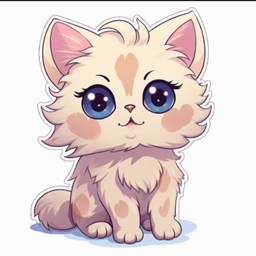
Kawaii World Cats

Kawaii World Cats

RESOURCE PACK
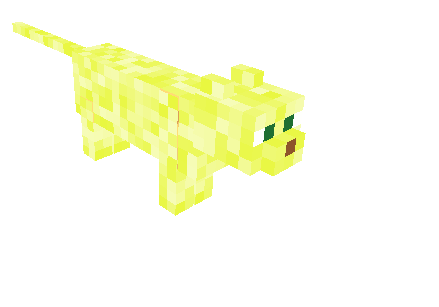
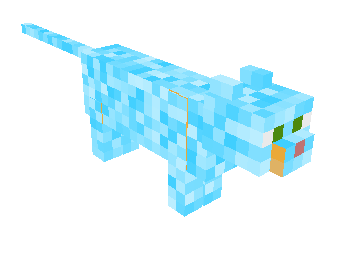
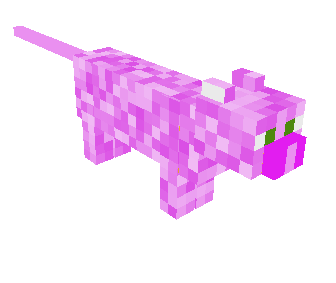
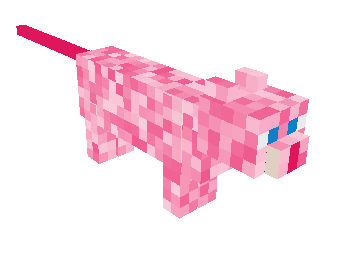
Kawaii World Cats perfect for everyone also for great cat lovers!
by RadientPrincess
Download Claim this project
1,795 downloads
0 likes
0 followers
Updated Oct 14, 2026
0 hypes
Follow0
64x Animated Miscellaneous Modern Traditional
Advertisement Remove ads with Premium →

Catastic Fun in Kawaii World!

Cats are awesome companions, and Kawaii World is the perfect place to create a world filled with feline friends. Here are some ideas to get you started:

Catify Your World!

  • Kitty Companions: Populate your world with adorable cat mobs! Kawaii World has a variety of adorable animals, and some creative players have even made resource packs that include custom cat mobs.
  • A Pawsome Playground: Build structures specifically designed for your cat companions to enjoy. Think climbing towers, scratching posts, and cozy cat houses. Use colorful blocks and fun shapes to make it visually interesting!
  • Cat Cafes & Cat Condos: Design and build elaborate cat cafes or cozy cat condos filled with amenities for your feline friends. You can even create different themed cat areas, like a jungle gym room or a spa room.

Kawaii Kitty Crafts

  • Cat Mosaics: Create giant cat portraits or murals using colored blocks.
  • Pixel Art Kitties: Design pixel art representations of your favorite cat breeds using colored blocks.
  • Cat-tastic Clothing: Design clothes for your avatar that feature adorable cat motifs!

Remember! The most important thing is to use your imagination and have fun! Kawaii World is all about creativity, so build the cat world of your dreams!

Cats.zip
MC 1.7.6, 1.17.1, 1.9.1, 1.5.3, 1.16.3, 1.13.1, 1.9.3, 1.8.7, 1.7.4, 1.7.7, 1.19.3, 1.20.2, 1.7.5, 1.4.6, 1.6.1, 1.0, 1.16.1, 1.18.1, 1.9.4, 1.9.2, 1.8.4, 1.7.9, 1.14.4, 1.14.1
Release 2024-03-18 Get

Requirements & install

How to use this resource pack in Minecraft
Resolution
64x
Minecraft
1.14.1 – 1.20.2
Install folder
.minecraft/resourcepacks

How to install resource packs

  1. Download the resource pack .zip file (do not extract it).
  2. In Minecraft open Options → Resource Packs → Open Pack Folder.
  3. Drop the .zip into the resourcepacks folder (.minecraft/resourcepacks).
  4. Move the pack to the Selected column and click Done.
Browse more: 16x resource packs 32x resource packs 64x resource packs 128x resource packs 256x resource packs 512x+ resource packs Resource Packs for 1.20.2 All resource packs

More from RadientPrincess

Advertisement Remove ads with Premium →

You Might Also Like