Mineuniverse
Resource Packs
Kawaii World Green Weapons

Kawaii World Green Weapons

RESOURCE PACK
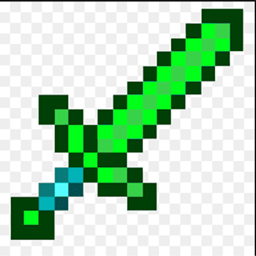
Kawaii World Green Weapons is perfect for people who love the color green!
by RadientPrincess
Download Claim this project
Add a badge to your pageLink to Kawaii World Green Weapons from a README, website or forum post.
Preview: Badge

Badges update automatically and link to the resource pack page on MineUniverse.

638 downloads
0 likes
0 followers
Updated Oct 14, 2026
0 hypes
Follow0
16x Animated Modern Traditional
Advertisement Remove ads with Premium →

Kawaii World: Emerald Armory

The sun sprinkles sparkles across Kawaii World as you skip towards the glistening Emerald Armory! This whimsical shop specializes in tools that shimmer with verdant magic.

Here's what you might find inside:

  • Spring Wand: This vibrant green wand topped with a fluffy white puff doles out bursts of refreshing energy, invigorating your teammates and maybe even slowing down enemies.
  • Moss Mitts: These mossy green mittens aren't just for keeping your hands warm! They let you climb sheer surfaces with ease, perfect for reaching hidden areas or scaling trees to gather special ingredients.
  • Jade Boomerang: This beautifully carved jade boomerang slices through the air, returning to you after disarming any mischievous creatures who might get in your way.
  • Froggy Flute: This emerald flute plays a melody so sweet, it can charm nearby critters, making them temporary followers or helpful companions!

These are just a few of the delightful tools you might find at the Emerald Armory. With a bit of imagination and these verdant gadgets, you can explore every corner of Kawaii World and discover its many secrets!

Green Weapons.zip
MC 1.7.6, 1.17.1, 1.9.1, 1.5.3, 1.16.3, 1.13.1, 1.9.3, 1.8.7, 1.7.4, 1.7.7, 1.19.3, 1.20.2, 1.7.5, 1.4.6, 1.6.1, 1.0, 1.16.1, 1.18.1, 1.9.4, 1.9.2, 1.8.4, 1.7.9, 1.14.4, 1.14.1
Release 2024-03-17 Get

Requirements & install

How to use this resource pack in Minecraft
Resolution
16x
Minecraft
1.14.1 – 1.20.2
Install folder
.minecraft/resourcepacks

How to install resource packs

  1. Download the resource pack .zip file (do not extract it).
  2. In Minecraft open Options → Resource Packs → Open Pack Folder.
  3. Drop the .zip into the resourcepacks folder (.minecraft/resourcepacks).
  4. Move the pack to the Selected column and click Done.
Browse more: 16x resource packs 32x resource packs 64x resource packs 128x resource packs 256x resource packs 512x+ resource packs Resource Packs for 1.20.2 All resource packs

More from RadientPrincess

Advertisement Remove ads with Premium →

You Might Also Like