CdrGates
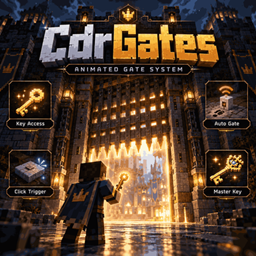
CdrGates is a lightweight standalone animated gate system for Paper servers.
Create custom gates directly in-game, configure their blocks, animate them opening and closing, and control how players interact with them.
FEATURES
• Animated gate opening and closing
• In-game gate editor
• Custom CLOSED and OPEN block states
• Right-click, left-click, or both click triggers
• Automatic proximity gate sensors
• Multiple sensors can control the same gate
• Per-gate access control
• Item-based access
• Secure Gate Keys
• Master Key support
• Key revocation / secret rotation
• Persistent gate data
• Lightweight native Java implementation
• No Skript, SkBee, or SkQuery required
ACCESS MODES
none
Gate can be activated normally without requiring an access item.
item
Players must hold the configured Minecraft item.
key
Players must use a secure CdrGates key assigned specifically to that gate.
Secure keys use PersistentDataContainer (PDC), making them safer than simple renamed items.
MAIN COMMANDS
/gate <name>
Create or edit a gate.
/gate
Exit gate editor.
/togglegate <gate>
Open or close a gate manually.
/deletegate <gate>
Delete a gate.
/gatetype <gate> <block>
Change the default gate material.
/gates
List available gates.
/gateviewall
View all registered gates.
/clickgate <right|left|both> <gate>
Bind a block as a click trigger.
/clickremover [gate]
Remove click triggers.
/gateauto <gate> <radius>
Create an automatic proximity sensor.
/gatesauto
List automatic gate sensors.
/delgateauto [gate]
Remove an automatic sensor.
/gateaccess <gate> <none|item|key> [item]
Configure gate access mode.
/gateaccessinfo <gate>
View current access configuration.
/gatekey give <player> <gate> [amount]
Give a secure key for a specific gate.
/gatekey master <player>
Give a Master Key.
/gatekey revoke <gate>
Invalidate previously issued keys for a gate.
/gatehelp
Show the command help menu.
PERMISSIONS
gate.add
Create and edit gates.
gate.toggle.command
Toggle gates using commands.
gate.remove
Delete gates.
gate.type
Change gate materials.
gate.list
View gate lists.
gate.access.admin
Configure gate access.
gate.key.admin
Manage secure and master keys.
gate.toggle.click.set
Create click triggers.
gate.click.removal
Remove click triggers.
gate.toggle.click.right
Use right-click gate triggers.
gate.toggle.click.left
Use left-click gate triggers.
gate.toggle.click.both
Use dual click triggers.
gate.automation
Create automatic gate sensors.
gate.automation.list
View automatic sensors.
gate.automation.deletion
Delete automatic sensors.
REQUIREMENTS
• Paper 1.21.x
• Java 21
DATA STORAGE
Gate data is stored locally in:
plugins/CdrGates/data.yml
CdrGates is completely standalone and does not require Skript or any Skript addons.
Developed by MenkiPlugcore / CADERA.