Badges update automatically and link to the mod page on MineUniverse.
Swivel is a small client-side mod for Minecraft on Fabric, NeoForge and Forge, compatible with Mod Menu on Fabric. It works with controllers through Controlify on Fabric and NeoForge.
Supported versions: 1.20 to 26.3 on Fabric, 1.21 to 26.3 on NeoForge, 1.20.1 on Forge.
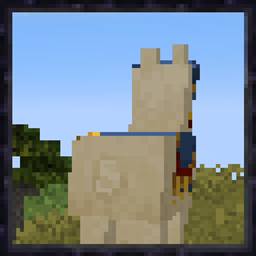
Third person
Free look
Controller support
Swivel is client-side only: there is nothing to install on a server.
| Key | Default | What it does |
|---|---|---|
| Free Look (hold) | Left Alt | Look around without turning your character |
| Toggle Orbit Camera | not bound | Switch the orbit camera on or off |
| Recenter Camera | not bound | Swing the camera back behind your character |
| Camera Closer | not bound | Move the camera closer (hold to keep moving) |
| Camera Further | not bound | Move the camera further away (hold to keep moving) |
Change them in Options > Controls > Key Binds, or with the Key Binds… button in Swivel's settings. On a controller, set them in Controlify's controller settings under Swivel.
Fabric
mods folder.Optional: add Mod Menu to get a settings screen (Mods > Swivel > Configure).
NeoForge
mods folder.Forge
mods folder.Controller (optional)
Add Controlify for your version (Fabric or NeoForge) to play with a controller.
| Setting | Range | Default | What it does |
|---|---|---|---|
| Orbit Camera | on / off | on | Swing the third-person camera around your character. Off gives Minecraft's normal third-person view |
| Turn Speed | 1 - 10 | 6 | How quickly your character turns toward where it walks. 10 turns instantly |
| Camera Distance | 2 - 12 | 4 | How far behind your character the camera sits, in blocks |
| Smooth Collisions | on / off | on | Glide back out after a wall pushes the camera in |
| Raise Camera | on / off | on | Lift the camera above your character's eyes |
| Camera Height | 0 - 1.5 | 0.5 | How far above the eyes the raised camera sits, in blocks |
| Strafe While Walking | on / off | off | Keep facing the camera direction and sidestep |
| Swivel While Running | on / off | off | Keep running the same way while the mouse swings the camera |
| Show Crosshair | on / off | on | Show the crosshair in third person |
| Keep View in First Person | on / off | on | Look where the camera looked when you switch back to first person |
| First-Person Spyglass | on / off | on | Switch to first person while you look through a spyglass |
| Hide Crosshair (Free Look) | on / off | on | Hide the crosshair while you free look |
With the settings screen (Mod Menu on Fabric, the Mods list on NeoForge and Forge), changes apply straight away and are saved when you close the screen. The screen also has a Reset to Defaults button.
Without Mod Menu you can edit config/swivel.json in your game folder and restart the game:
{
  "enabled": true,
  "turnSpeed": 6,
  "distance": 4.0,
  "raiseCamera": true,
  "height": 0.5,
  "strafe": false,
  "swivelWhileRunning": false,
  "smoothCollisions": true,
  "crosshair": true,
  "alignOnExit": true,
  "hideCrosshairInFreeLook": true,
  "spyglassFirstPerson": true
}
Values that are out of range are corrected automatically. If the file is broken, the game still starts with the defaults and your old file is kept as swivel.json.broken.