Mineuniverse
Data Packs · Vanilla-friendly

Tech Data Packs for Minecraft

14 data packs · most popular: BedXP, Stone drops and One Heart

BedXP

BedXP

This mod allows for the gaining of experience during nighttime rest, meaning you will have more opportunities to develop your character.

42.5K
DOWNLOADS
0
LIKES
Download
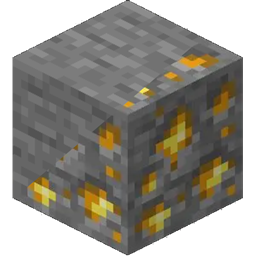
Stone drops

Stone drops

Adds mineral drops from stone.

13.7K
DOWNLOADS
0
LIKES
Download
One Heart

One Heart

Datapack changes the amount of health to one heart.

9.1K
DOWNLOADS
0
LIKES
Download
No Build Limit

No Build Limit

by Jodek

Increased build height limit! Build from -64 to +2032

5.1K
DOWNLOADS
0
LIKES
Download
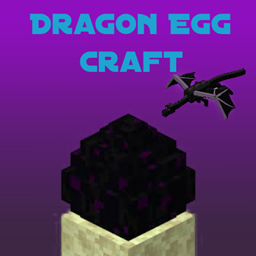
Dragon Egg Craft

Dragon Egg Craft

Adds ability to duplicate dragon egg

941
DOWNLOADS
0
LIKES
Download
MultiObsidian

MultiObsidian

Gives the properties of obsidian to crying obsidian

811
DOWNLOADS
0
LIKES
Download
Wither skull Cannon

Wither skull Cannon

Similar to Orbital strike cannon but spawns wither skull instead of TNT capable of breaking obsidian
439
DOWNLOADS
0
LIKES
Download
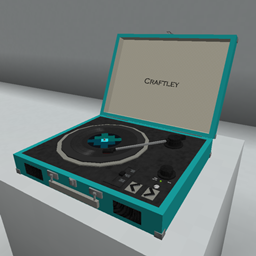
Record Players - The Jukebox Reimagined

Record Players - The Jukebox Reimagined

by Euph3y

Adds functioning record players that can play 7" singles and 12" LPs containing music within the game.

710
DOWNLOADS
0
LIKES
Download
Render Distance+

Render Distance+

Boosts your Render Distance

549
DOWNLOADS
0
LIKES
Download
Video Playback Engine

Video Playback Engine

Video Player driven by DataPack and Resource Pack

294
DOWNLOADS
0
LIKES
Download
PfantomaBG's More Music

PfantomaBG's More Music

Adding New Music Discs

60
DOWNLOADS
0
LIKES
Download
Nyx's QuikRedstone

Nyx's QuikRedstone

Quick redstone component crafting

34
DOWNLOADS
0
LIKES
Download
Balloonatic

Balloonatic

Balloonatic brings the hot air balloon to Minecraft: an aircraft that needs no engine to fly, invented by brothers Joseph and Jacques Montgolfier in …
47
DOWNLOADS
0
LIKES
Download
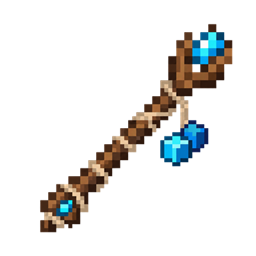
Ja'sCopy Wand

Ja'sCopy Wand

by HazVax

Ja’sCopy Wand lets players copy a block with Sneak + Right Click and paste it anywhere with Right Click. Hold Right Click to rapidly place copied blo…

10
DOWNLOADS
0
LIKES
Download
How to install data packs
  1. Download the data pack .zip file (do not extract it).
  2. New world: click Data Packs on the world creation screen and drop the .zip in. Existing world: open .minecraft/saves/<world>/datapacks.
  3. Put the .zip into the datapacks folder of the world (servers: world/datapacks).
  4. Run /reload in game (or rejoin the world) and check it with /datapack list.