Mineuniverse
Data Packs
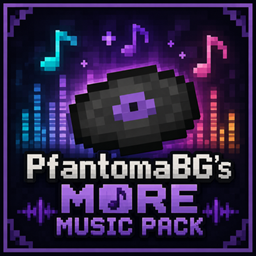
PfantomaBG's More Music

PfantomaBG's More Music

DATA PACK
Adding New Music Discs
by PfantomaBG
Download Claim this project
Add a badge to your pageLink to PfantomaBG's More Music from a README, website or forum post.
Preview: Badge

Badges update automatically and link to the data pack page on MineUniverse.

60 downloads
0 likes
0 followers
Updated Oct 14, 2026
0 hypes
Follow0
Tech
Advertisement Remove ads with Premium →

!!!IMPORTANT!!! These music discs will only work if the resource pack is downloaded.

https://www.curseforge.com/minecraft/texture-packs/pfantomabgs-more-music-resource-pack/preview

This is a list of commands to give all the songs from the datapack.

/give @s minecraft:music_disc_13[minecraft:jukebox_playable="adventure_awaits",minecraft:item_model="adventure_awaits"]

/give @s minecraft:music_disc_13[minecraft:jukebox_playable="amethyst_fever",minecraft:item_model="amethyst_fever"]

/give @s minecraft:music_disc_13[minecraft:jukebox_playable="ascent",minecraft:item_model="ascent"]

/give @s minecraft:music_disc_13[minecraft:jukebox_playable="axolotl_paradise",minecraft:item_model="axolotl_paradise"]

/give @s minecraft:music_disc_13[minecraft:jukebox_playable="celebration",minecraft:item_model="celebration"]

/give @s minecraft:music_disc_13[minecraft:jukebox_playable="chaos_reigns",minecraft:item_model="chaos_reigns"]

/give @s minecraft:music_disc_13[minecraft:jukebox_playable="christmas_wonder",minecraft:item_model="christmas_wonder"]

/give @s minecraft:music_disc_13[minecraft:jukebox_playable="empire",minecraft:item_model="empire"]

/give @s minecraft:music_disc_13[minecraft:jukebox_playable="fading_memories",minecraft:item_model="fading_memories"]

/give @s minecraft:music_disc_13[minecraft:jukebox_playable="final_stage",minecraft:item_model="final_stage"]

/give @s minecraft:music_disc_13[minecraft:jukebox_playable="gold_rush",minecraft:item_model="gold_rush"]

/give @s minecraft:music_disc_13[minecraft:jukebox_playable="haunted_mansion",minecraft:item_model="haunted_mansion"]

/give @s minecraft:music_disc_13[minecraft:jukebox_playable="heave_ho",minecraft:item_model="heave_ho"]

/give @s minecraft:music_disc_13[minecraft:jukebox_playable="horizons",minecraft:item_model="horizons"]

/give @s minecraft:music_disc_13[minecraft:jukebox_playable="kung_fu",minecraft:item_model="kung_fu"]

/give @s minecraft:music_disc_13[minecraft:jukebox_playable="nightfall",minecraft:item_model="nightfall"]

/give @s minecraft:music_disc_13[minecraft:jukebox_playable="no_escape",minecraft:item_model="no_escape"]

/give @s minecraft:music_disc_13[minecraft:jukebox_playable="northen_lights",minecraft:item_model="northen_lights"]

/give @s minecraft:music_disc_13[minecraft:jukebox_playable="not_dead_yet",minecraft:item_model="not_dead_yet"]

/give @s minecraft:music_disc_13[minecraft:jukebox_playable="sailors_of_the_sea",minecraft:item_model="sailors_of_the_sea"]

/give @s minecraft:music_disc_13[minecraft:jukebox_playable="sakura_valley",minecraft:item_model="sakura_valley"]

/give @s minecraft:music_disc_13[minecraft:jukebox_playable="shared_fate",minecraft:item_model="shared_fate"]

/give @s minecraft:music_disc_13[minecraft:jukebox_playable="silent_hero",minecraft:item_model="silent_hero"]

/give @s minecraft:music_disc_13[minecraft:jukebox_playable="soulless",minecraft:item_model="soulless"]

/give @s minecraft:music_disc_13[minecraft:jukebox_playable="the_end",minecraft:item_model="the_end"]

/give @s minecraft:music_disc_13[minecraft:jukebox_playable="tiny_paws",minecraft:item_model="tiny_paws"]

/give @s minecraft:music_disc_13[minecraft:jukebox_playable="to_outrun_time",minecraft:item_model="to_outrun_time"]

/give @s minecraft:music_disc_13[minecraft:jukebox_playable="undead",minecraft:item_model="undead"]

PfantomaBG_s_More_Music_Data_Pack.zip
MC 26.3
Release 2026-10-03 Get
PfantomaBG's More Music Data Pack.zip
MC 26.2
Release 2026-07-12 Get

Requirements & install

How to use this data pack in Minecraft
Mods needed
None, works in vanilla
Minecraft
26.2 – 26.3
Install folder
saves/<world>/datapacks

How to install data packs

  1. Download the data pack .zip file (do not extract it).
  2. New world: click Data Packs on the world creation screen and drop the .zip in. Existing world: open .minecraft/saves/<world>/datapacks.
  3. Put the .zip into the datapacks folder of the world (servers: world/datapacks).
  4. Run /reload in game (or rejoin the world) and check it with /datapack list.
Browse more: Data Packs for 26.3 All data packs

More from PfantomaBG

Advertisement Remove ads with Premium →

You Might Also Like