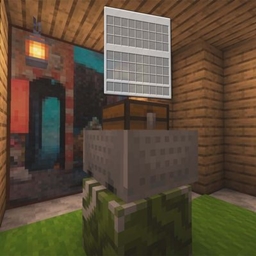
You must load both the Data Pack and the Resource Pack to use them
Resource Pack
https://www.curseforge.com/minecraft/data-packs/video-playback-engine/files/7914632
This project is based on a datapack and provides pseudo-video playback in vanilla Minecraft by displaying image sequences.
Main purposes of this datapack:
It also provides several variables for quickly adding image-sequence videos through resource packs.
This datapack uses the head equipment slot by default to trigger the camera overlay.
If you do not want to use the head slot, you can modify it inside the datapack manually (currently required in V2.0).
The resource pack includes a transparent model used as the equipped overlay item, creating a pseudo "no item equipped" playback effect.
Image Sequence means saving every frame of a video or animation as an independent static image file, arranged in order by frame number. It is widely used in post-production, 3D animation, visual effects, and other fields due to high compatibility and lossless quality.
You can download this package from:
Videos must be converted into PNG image sequences.
20 FPS videos are recommended.
If using a 60 FPS video, set the tick rate to 60:
/tick rate 60`
This sets the target game tick speed.
Set the original frame rate in the config:
frame_rate:60You can open the menu by pressing G or through command:
/dialog show @s animations:open_menuPlayers need to choose the video resolution.
If you want to use the playback page, please select a language first in settings.
Number of leading zeros before the frame number.
Example:
video0000.png
Then:
{frame_zero:"000"}Current frame number.
{frame:1}Output file path.
{path:"animation:school/"}Video prefix name.
Example:
video0000.png
Then:
{name:"video"}Shorter names are recommended for better macro performance.
Enable if the sequence was exported from Blender.
{blender:true}Leave empty when using Blender.
{blender_name:""}Original frame rate of the video.
Used for adaptive frame rate.
For servers:
function-permission-level=3Audio event name defined in sounds.json.
Enable or disable sound playback.
{sound_switch:true}Maximum frame count.
Equipment slot used for overlay.
Supported values:
Whether the video is shown in the menu.
{video_list_show:true}Used for multiple aspect ratio support.
Path format:
path/resolution/frame.pngExample:
animation:school/16:9/0001.pngEnable multi-resolution mode.
true / falseDefault ratio key.
default_size:1Used for translated names in the dialog menu.
1: en-us
2: zh-cn
3: zh-hk
4: zh-mo
5: zh-sg
6: zh-tw
7: en-au
8: en-ca
9: en-in
10: en-gb
11: fr-fr
12: de-de
13: ja
14: kn
15: es-es
16: ar
17: ko
18: in-inFormat:
language_code:"Translated Text"Example:
en-us:"School"data merge storage video:school \
{video:\
{\
frame_zero:"000",\
frame:"0",\
path:"animation:school/",\
name:"school",\
blender_name:"",\
frame_rate:"60",\
sound:"",\
sound_switch:false,\
max_frame:740,\
blender:true,\
slot:"head",\
dialog:{\
video_list_show:true\
},\
resolution:{\
switch:false,\
default_size:1,\
size_list:{\
1:true,\
2:false,\
3:false,\
4:false\
}\
},\
language:{\
default_language:"en-us",\
en-us:"School",\
zh-cn:"学校"\
}\
}\
}
function animations:video_add/main with storage video:school videoThe last
functionline must be placed at the end of the config file, and the name aftervideo:must match thenamevalue.
{
  "video_text": {
    "sounds": [
      {
        "name": "animation:video/video_text",
        "stream": true,
        "volume": 0.8,
        "weight": 1
      }
    ]
  }
}
Then use:
{sound:"video_text"}Based on Minecraft's camera_overlay equipment component.
/function animations:start {video_name:"video_name"}/function animations:stop/function animations:pause/function animations:continue_play/function animations:player_video_play/storages/delete/delete_player {name:"player"}/function animations:player_video_play/storages/delete/all_storages/run/function animations:video_list/delete_only {name:"video"}/function animations:video_list/delete_allYou can export image sequences with:
Export them as PNG sequences.
Minecraft supports adaptive textures.
Recommended size:
960 × 540
This reduces storage usage and resource pack size.
Due to a Mojang issue, played textures may remain in memory and cannot be fully cleared.
This may cause memory overflow on low-memory systems.
Bug Report:
Enable Debug Mode with:
/scoreboard players set #debug video_setting 1Only use Debug Mode when troubleshooting datapack issues or developing with this datapack.