Mineuniverse
Data Packs
Warping Carrots: Teleport to Friends

Warping Carrots: Teleport to Friends

DATA PACK
The most vanilla-friendly way to teleport to your Friends!
by fishbowlforever
Download Claim this project
Add a badge to your pageLink to Warping Carrots: Teleport to Friends from a README, website or forum post.
Preview: Badge

Badges update automatically and link to the data pack page on MineUniverse.

186 downloads
0 likes
0 followers
Updated Oct 14, 2026
0 hypes
Follow0
Magic Miscellaneous Utility
Advertisement Remove ads with Premium →

Warping Carrots

image of discord invite link badge image of modrinth download badge CurseForge Downloads

Teleport to your Friends with ease! Intended for small servers (up to 10 Friends) where you play Together! It tries to offer a more Survival-Friendly and Balanced approach compared to having access to an /tpa command.

How does it work?

Ender Warp

Every Player can open an Ender Warp by right clicking with the Ender Warp Item. It can be crafted with a Gold Ingot and an Ender Pearl (Shape does not matter):
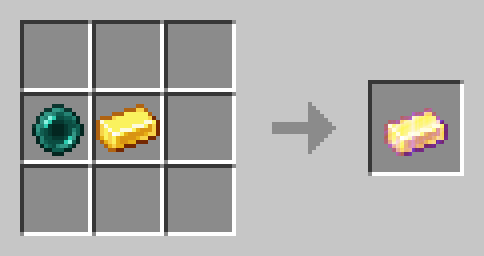
Image Displaying how to Craft an Ender Warp with a Gold Ingot and an Ender Pearl

There can only be one Ender Warp open at all times. Ender warps automatically close after 60 seconds. When someone opens an Ender Warp the previously open one gets closed.

Warping Carrot

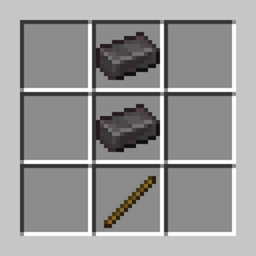
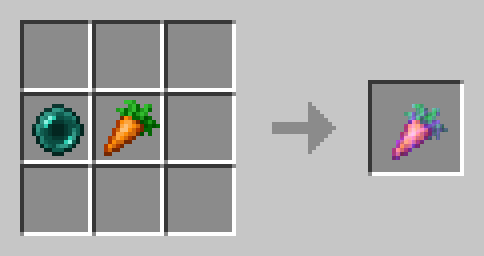
Eat Warping Carrots to teleport to the player who is currently opening an Ender Warp. It will damage you as much as an Ender Pearl. Warping Carrots are crafted with an Ender Pearl and a Carrot (Shape does not matter): An Image Displaying how to craft a Warping Carrot
Golden Warping Carrot

The Golden Warping Carrot has the same functionality as the Warping Carrot, but will not deal Damage when Teleporting.
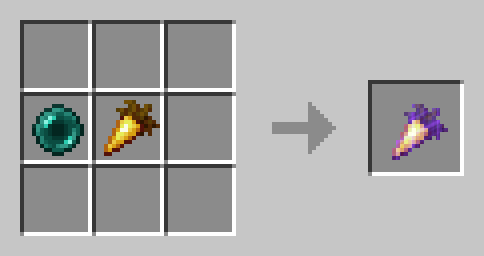
An Image Displaying how to craft a Golden Warping Carrot

⚙️ Compatibility

/

❗Issues and Suggestions

Report issues immediately on my Discord.

v1.3 for 1.21
MC 1.21, 1.21.1
Release 2024-10-05 Get

Requirements & install

How to use this data pack in Minecraft
Mods needed
None, works in vanilla
Minecraft
1.21 – 1.21.1
Install folder
saves/<world>/datapacks

How to install data packs

  1. Download the data pack .zip file (do not extract it).
  2. New world: click Data Packs on the world creation screen and drop the .zip in. Existing world: open .minecraft/saves/<world>/datapacks.
  3. Put the .zip into the datapacks folder of the world (servers: world/datapacks).
  4. Run /reload in game (or rejoin the world) and check it with /datapack list.
Browse more: Data Packs for 1.21.1 All data packs

More from fishbowlforever

Advertisement Remove ads with Premium →

You Might Also Like