Mineuniverse
Data Packs
Utilities Datapack

Utilities Datapack

DATA PACK
A datapack that I made to test macros, data storage and more, that you can use just for fun or to learn something from it.
by seefer
Download Claim this project
316 downloads
0 likes
0 followers
Updated Oct 14, 2026
0 hypes
Follow0
Tech Utility
Advertisement Remove ads with Premium →

This datapack for 1.21.5+ was made for testing purposes, and has some cool functionalities that include macros, data storage, and loot tables. 

In this datapack you can:

- Duplicate items that are in mainhand (make sure to select if the item is enchanted or not)

- Get the UUID of the nearest entity automatically (says it in chat)

- Give yourself a random item in the game

- Generate a set of random numbers (you can select the range and how much numbers you want to generate)

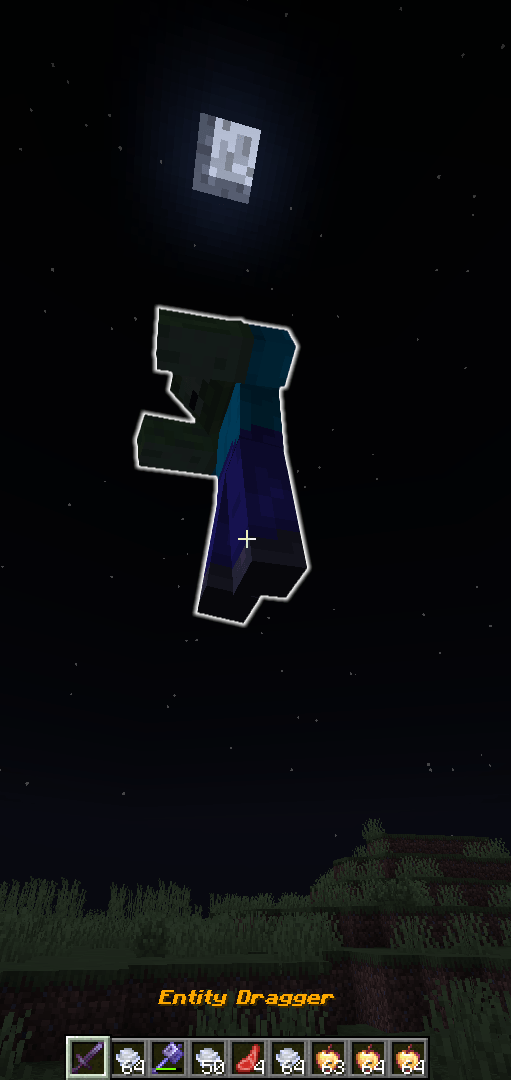
- Drag entities. With a special sword given to you by running a function you can drag the nearest entity wherever you want

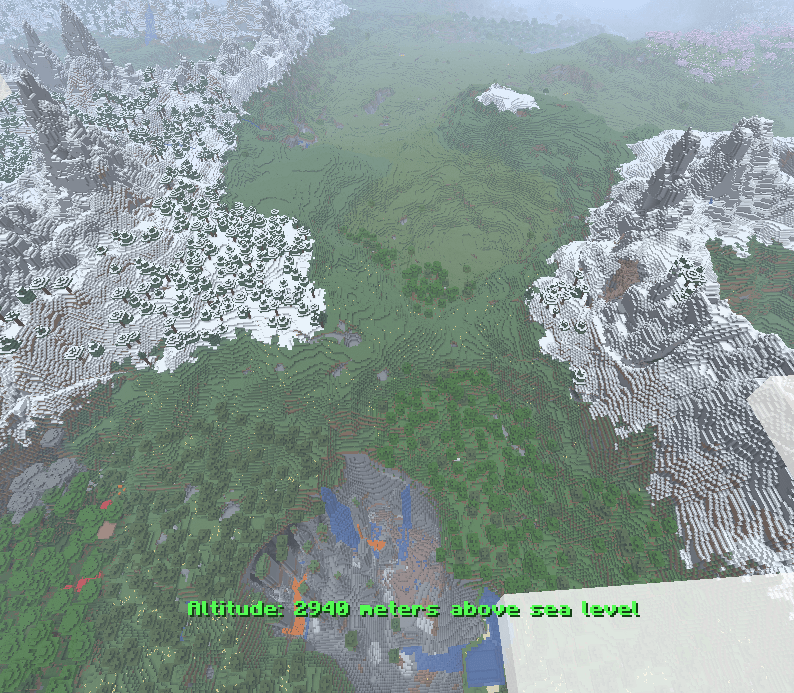
- Display your altitude level in proportion to real life (ex. Sea Level (63 blocks) = 0 meters, Top of a Mountain (256 blocks) = 1930 meters).
 

TWISTED MIND: INSANITY HORROR MAP AVAILABLE NOW ON MY PROFILE!

UtilitiesDatapack v2 1.21.11
MC 1.21.11
Release 2025-12-20 Get
UtilitiesDatapackv2_1.21.5.zip
MC 1.21.5
Release 2025-10-26 Get
UtilitiesDatapackv2_1.21.6.zip
MC 1.21.6
Release 2025-10-26 Get
UtilitiesDatapackv2_1.21.7-8.zip
MC 1.21.8, 1.21.7
Release 2025-10-26 Get
UtilitiesDatapackv2_1.21.9-10.zip
MC 1.21.9, 1.21.10
Release 2025-10-26 Get
UtilitiesDatapack_1.21.5.zip
MC 1.21.5
Release 2025-10-24 Get
UtilitiesDatapack_1.21.6.zip
MC 1.21.6
Release 2025-10-24 Get
UtilitiesDatapack_1.21.7-8.zip
MC 1.21.8, 1.21.7
Release 2025-10-24 Get
UtilitiesDatapack_1.21.9-10.zip
MC 1.21.9, 1.21.10
Release 2025-10-24 Get

Requirements & install

How to use this data pack in Minecraft
Mods needed
None, works in vanilla
Minecraft
1.21.5 – 1.21.11
Install folder
saves/<world>/datapacks

How to install data packs

  1. Download the data pack .zip file (do not extract it).
  2. New world: click Data Packs on the world creation screen and drop the .zip in. Existing world: open .minecraft/saves/<world>/datapacks.
  3. Put the .zip into the datapacks folder of the world (servers: world/datapacks).
  4. Run /reload in game (or rejoin the world) and check it with /datapack list.
Browse more: Data Packs for 1.21.11 All data packs

More from seefer

Advertisement Remove ads with Premium →

You Might Also Like