Mineuniverse
Data Packs
Bone Items: Tools and Armor

Bone Items: Tools and Armor

DATA PACK
A Datapack for 1.21.5+ that adds Bone Tools and Armor to your game
by seefer
Download Claim this project
3,332 downloads
0 likes
Updated Oct 14, 2026
0 hypes
Adventure Miscellaneous Tech Utility
Advertisement Remove ads with Premium →

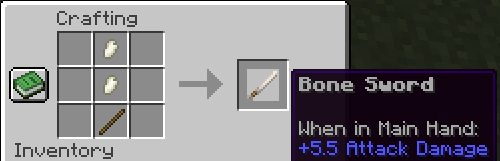
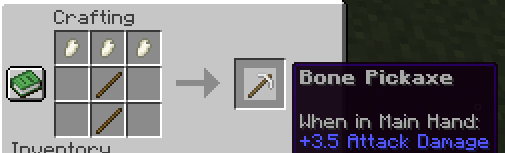
This Datapack adds Bone Tools and Armor, that are stronger than iron and weaker than diamond.

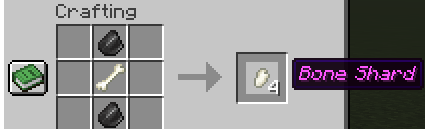
To Craft Tools, you need Bone Shards, that you can craft like this:


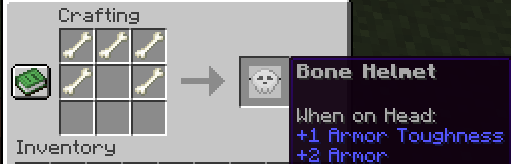
To Craft Armor, you need to use normal bones:
 

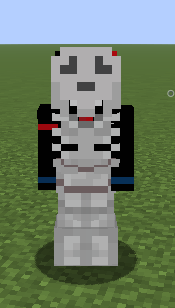
How Bone Armor Appears on a player:
 

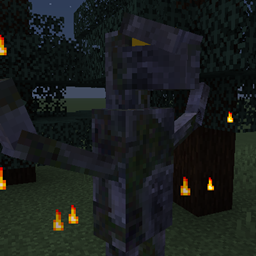
Zombie Villagers also have a slight chance to drop a human skull, which gives the same protection as a netherite helmet and affects all nearby players with regeneration:
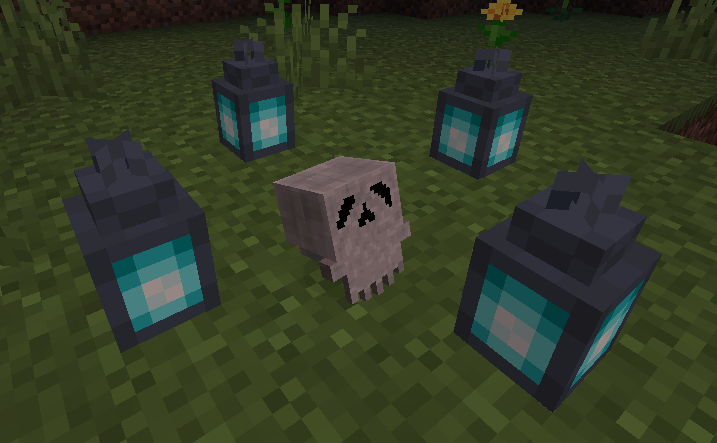
 

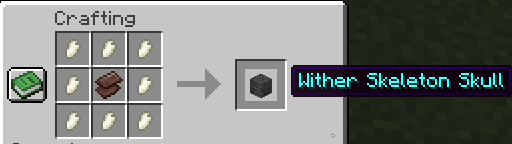
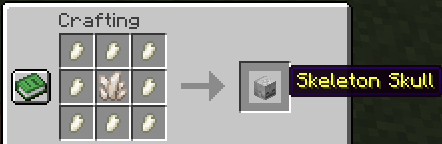
With Bone Shards you can also craft skulls!
 

Feel free to leave a comment if you any suggestions!

!While playing make sure the datapack is installed correctly with the related texture pack in the files page!

TWISTED MIND: INSANITY HORROR MAP AVAILABLE NOW ON MY PROFILE!

BoneItemsTexturePack 1.21.11
MC 1.21.11
Release 2025-12-20 Get
BoneItemsDatapack 1.21.11
MC 1.21.11
Release 2025-12-20 Get
BoneItemsDatapack_1.21.5.zip
MC 1.21.5
Release 2025-11-20 Get
BoneItemsDatapack_1.21.6.zip
MC 1.21.6
Release 2025-11-20 Get
BoneItemsDatapack_1.21.7-8.zip
MC 1.21.8, 1.21.7
Release 2025-11-20 Get
BoneItemsDatapack_1.21.9-10.zip
MC 1.21.9, 1.21.10
Release 2025-11-20 Get
BoneItemsTexturePack_1.21.5.zip
MC 1.21.5
Release 2025-11-20 Get
BoneItemsTexturePack_1.21.6.zip
MC 1.21.6
Release 2025-11-20 Get
BoneItemsTexturePack_1.21.7-8.zip
MC 1.21.8, 1.21.7
Release 2025-11-20 Get
BoneItemsTexturePack_1.21.9-10.zip
MC 1.21.9, 1.21.10
Release 2025-11-20 Get

Requirements & install

How to use this data pack in Minecraft
Mods needed
None, works in vanilla
Minecraft
1.21.5 – 1.21.11
Install folder
saves/<world>/datapacks

How to install data packs

  1. Download the data pack .zip file (do not extract it).
  2. New world: click Data Packs on the world creation screen and drop the .zip in. Existing world: open .minecraft/saves/<world>/datapacks.
  3. Put the .zip into the datapacks folder of the world (servers: world/datapacks).
  4. Run /reload in game (or rejoin the world) and check it with /datapack list.
Browse more: Data Packs for 1.21.11 All data packs

More from seefer

Advertisement Remove ads with Premium →

You Might Also Like