Mineuniverse
Data Packs
Space's Day Counter

Space's Day Counter

DATA PACK
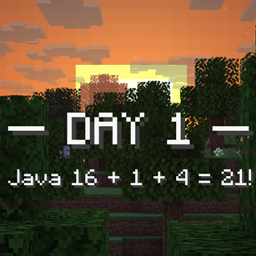
Track your progress with the Day Counter Datapack, which displays the number of days you've survived in your world right on your scoreboard!
by StaticLabs
Download Claim this project
Add a badge to your pageLink to Space's Day Counter from a README, website or forum post.
Preview: Badge

Badges update automatically and link to the data pack page on MineUniverse.

3,156 downloads
0 likes
0 followers
Updated Oct 14, 2026
0 hypes
Follow0
Utility
Advertisement Remove ads with Premium →

⏳ Day Counter: World Chronometer
Ever wonder just how long you've survived the blocky wilds? The Day Counter is a lightweight but impactful mod/datapack that brings a persistent timeline to your Minecraft experience.

Key Features:
- Always Visible: A clear, non-intrusive HUD element displays the current in-game day count.
 
- Accurate Tracking: Records the true age of your world, starting from day 1, even if you leave and return.
  
- Survival Milestone Tracking: Ideal for challenge runs! Set goals like "Survive for 100 days" or "Beat the Ender Dragon before day 50."
  
- Simple Setup: Install it and forget it—it works seamlessly and unobtrusively with your existing setup.
  
Whether you're building a massive kingdom, starting a new hardcore challenge, or simply want to document your journey, this Day Counter is the essential tool for any Minecraft chronologist!

day-counter-1.21.x.zip
MC 1.21.2-Snapshot, 1.21, 1.21.6-snapshot, 1.21.1-Snapshot, 1.21.8, 1.21.5, 1.21.4, 1.21.5-Snapshot, 1.21.1, 1.21.6, 1.21.3, 1.21.7, 1.21-Snapshot, 1.21.4-Snapshot, 1.21.2
Release 2025-11-15 Get
day-counter-1.13-1.20.x.zip
MC 1.16.3, 1.13.1, 1.17.1, 1.16.1, 1.18.1, 1.14.3, 1.15, 1.16, 1.13, 1.16.5, 1.19.3, 1.20.2, 1.19.4, 1.14.4, 1.14.1, 1.17, 1.20.5, 1.18, 1.20.1, 1.20, 1.20.6, 1.15.2, 1.14
Release 2025-11-13 Get

Requirements & install

How to use this data pack in Minecraft
Mods needed
None, works in vanilla
Minecraft
1.21.4-Snapshot – 1.21.8
Install folder
saves/<world>/datapacks

How to install data packs

  1. Download the data pack .zip file (do not extract it).
  2. New world: click Data Packs on the world creation screen and drop the .zip in. Existing world: open .minecraft/saves/<world>/datapacks.
  3. Put the .zip into the datapacks folder of the world (servers: world/datapacks).
  4. Run /reload in game (or rejoin the world) and check it with /datapack list.
Browse more: Data Packs for 1.21.8 All data packs

More from StaticLabs

Advertisement Remove ads with Premium →

You Might Also Like