Mineuniverse
Data Packs
Leather Crafting Recipe

Leather Crafting Recipe

DATA PACK
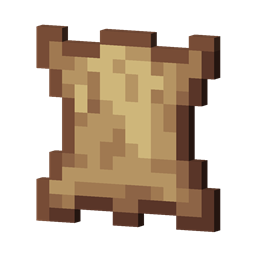
A survival-friendly utility that allows players to refine rotten flesh into high-quality leather through a simple smelting or curing process.
by StaticLabs
Download Claim this project
Add a badge to your pageLink to Leather Crafting Recipe from a README, website or forum post.
Preview: Badge

Badges update automatically and link to the data pack page on MineUniverse.

972 downloads
0 likes
0 followers
Updated Oct 14, 2026
0 hypes
Follow0
Utility
Advertisement Remove ads with Premium →

Tired of having chests overflowing with Rotten Flesh while you struggle to find enough cows for your enchanting setup? This lightweight, vanilla-plus utility solves that problem by introducing a logical tanning process to Minecraft.

This project allows players to recycle mob drops into high-value materials, making it an essential addition to any survival world or modpack focused on realism and resource management.

✨ Features

  • Simple Integration: No new items or complex machines. It fits seamlessly into the vanilla gameplay loop.
  • Modpack Friendly: Works perfectly alongside other mods; if you have a mod that adds "Dried Kelp" or "Jerky," this fills the same niche for leather.

🛠️ How to Use

  • Collect Rotten Flesh from zombies or husks.
  • Place the flesh into crafting table
  • Retrieve your Leather and get crafting!

Note: This is a server-side compatible utility. If running as a datapack, it does not need to be installed by joining players!

craftable-leather-1.21.9.-1.21.11.zip
MC 1.21.9, 1.21.10, 1.21.11-snapshot, 1.21.11, 26.1-snapshot, 26.1, 26.1.1, 26.1.2
Release 2026-01-25 Get
craftable-leather-1.21-1.21.8.zip
MC 1.21, 1.21.8, 1.21.5, 1.21.4, 1.21.1, 1.21.6, 1.21.3, 1.21.7, 1.21.2
Release 2026-01-25 Get
craftable-leather-1.16-1.20.x.zip
MC 1.16.3, 1.17.1, 1.16.1, 1.18.1, 1.16, 1.16.5, 1.19.3, 1.20.2, 1.19.4, 1.17, 1.20.5, 1.18, 1.20.1, 1.20, 1.20.6, 1.19.1, 1.20.4, 1.18.2, 1.19.2, 1.20.3, 1.16.2, 1.16.4, 1.19
Release 2026-01-25 Get

Requirements & install

How to use this data pack in Minecraft
Mods needed
None, works in vanilla
Minecraft
1.21.9 – 26.1.2
Install folder
saves/<world>/datapacks

How to install data packs

  1. Download the data pack .zip file (do not extract it).
  2. New world: click Data Packs on the world creation screen and drop the .zip in. Existing world: open .minecraft/saves/<world>/datapacks.
  3. Put the .zip into the datapacks folder of the world (servers: world/datapacks).
  4. Run /reload in game (or rejoin the world) and check it with /datapack list.
Browse more: Data Packs for 26.1.2 All data packs

More from StaticLabs

Advertisement Remove ads with Premium →

You Might Also Like