Mineuniverse
Data Packs
Sapling Tweaks [Data Pack]

Sapling Tweaks [Data Pack]

DATA PACK
Adds the ability to craft and crossbreed for saplings
by auuruum
Download Claim this project
1,952 downloads
0 likes
Updated Oct 14, 2026
0 hypes
Miscellaneous Utility
Advertisement Remove ads with Premium →

Sapling Tweaks Datapack

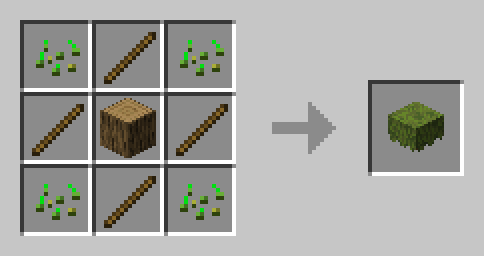
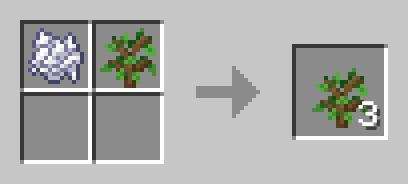
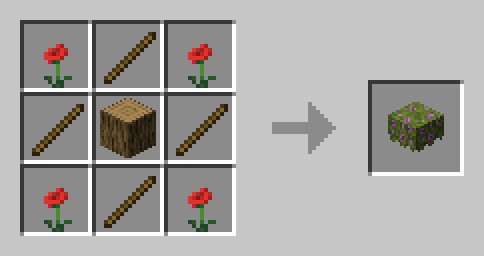
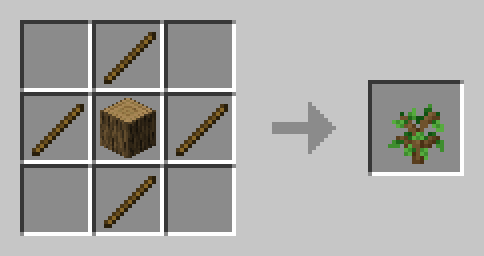
Elevate your Minecraft arboreal adventures with Sapling Tweaks, a datapack designed to revolutionize your sapling interactions. Bid farewell to waiting for drops – now you can easily enhance your sapling experiences.
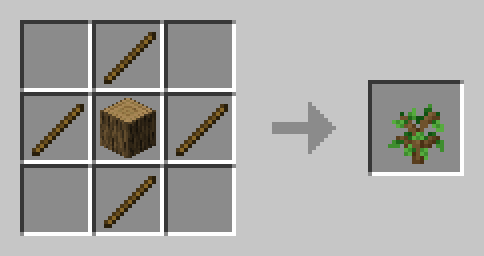
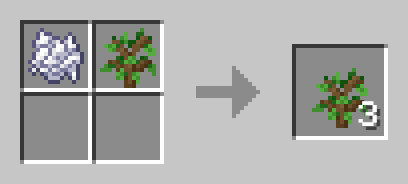
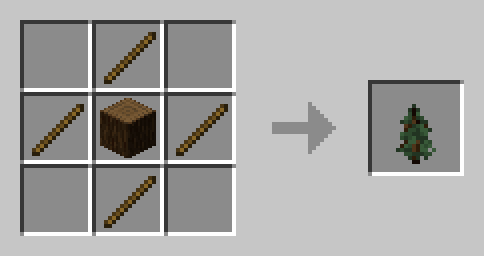
Crafts

Oak sapling craft Oak sapling crossbread

  • Works with all saplings
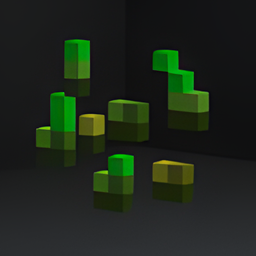
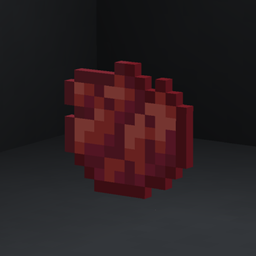
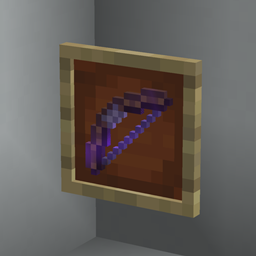
  • See galery for more

How to Use:

  1. Download the Sapling Tweaks Datapack.
  2. Place the downloaded file into the "datapacks" folder in your Minecraft world save.
  3. Dive into the enhanced world of sapling customization!

Transform Your Grove:

Immerse yourself in a world where sapling customization is at your fingertips. Sapling Tweaks empowers you to personalize your tree-filled landscape effortlessly, whether you're a seasoned planter or a casual adventurer. Cultivate, and let your green paradise flourish!

Sapling Tweaks (1.21.2-26.1.x)
MC 1.21.2-Snapshot, 1.21.6-snapshot, 1.21.8, 1.21.5, 1.21.4, 1.21.5-Snapshot, 1.21.6, 1.21.3, 1.21.7, 1.21.4-Snapshot, 1.21.2, 1.21.9, 1.21.10, 1.21.11, 26.1, 26.1.1, 26.1.2, 26.2
Release 2024-12-23 Get
Sapling Tweaks (1.21-1.21.1)
MC 1.21, 1.21.1-Snapshot, 1.21-Snapshot, 1.21.1
Release 2024-07-03 Get
Sapling Tweaks (1.13-1.20.6)
MC 1.16-Snapshot, 1.17.1, 1.16.3, 1.13.1, 1.19.3, 1.20.2, 1.15-Snapshot, 1.16.1, 1.18.1, 1.19.4-Snapshot, 1.20.5, 1.14.4, 1.14.1, 1.17, 1.20.2-Snapshot, 1.20.5-Snapshot, 1.14.3, 1.15
Release 2024-06-08 Get

Requirements & install

How to use this data pack in Minecraft
Mods needed
None, works in vanilla
Minecraft
1.21.8 – 26.2
Install folder
saves/<world>/datapacks

How to install data packs

  1. Download the data pack .zip file (do not extract it).
  2. New world: click Data Packs on the world creation screen and drop the .zip in. Existing world: open .minecraft/saves/<world>/datapacks.
  3. Put the .zip into the datapacks folder of the world (servers: world/datapacks).
  4. Run /reload in game (or rejoin the world) and check it with /datapack list.
Browse more: Data Packs for 26.2 All data packs

More from auuruum

Advertisement Remove ads with Premium →

You Might Also Like