Mineuniverse
Data Packs
QuickEquip

QuickEquip

DATA PACK
Automatically equips the best replacement tool when one breaks — ranked by tier, durability, and enchantments.
by StaticLabs
Download Claim this project
1,043 downloads
0 likes
0 followers
Updated Oct 14, 2026
0 hypes
Follow0
Utility
Advertisement Remove ads with Premium →

🛠️ QuickEquip

Never stop mining again. When your pickaxe breaks, QuickEquip instantly finds the best replacement from your inventory — no clicks, no delays.


🧩 What It Does

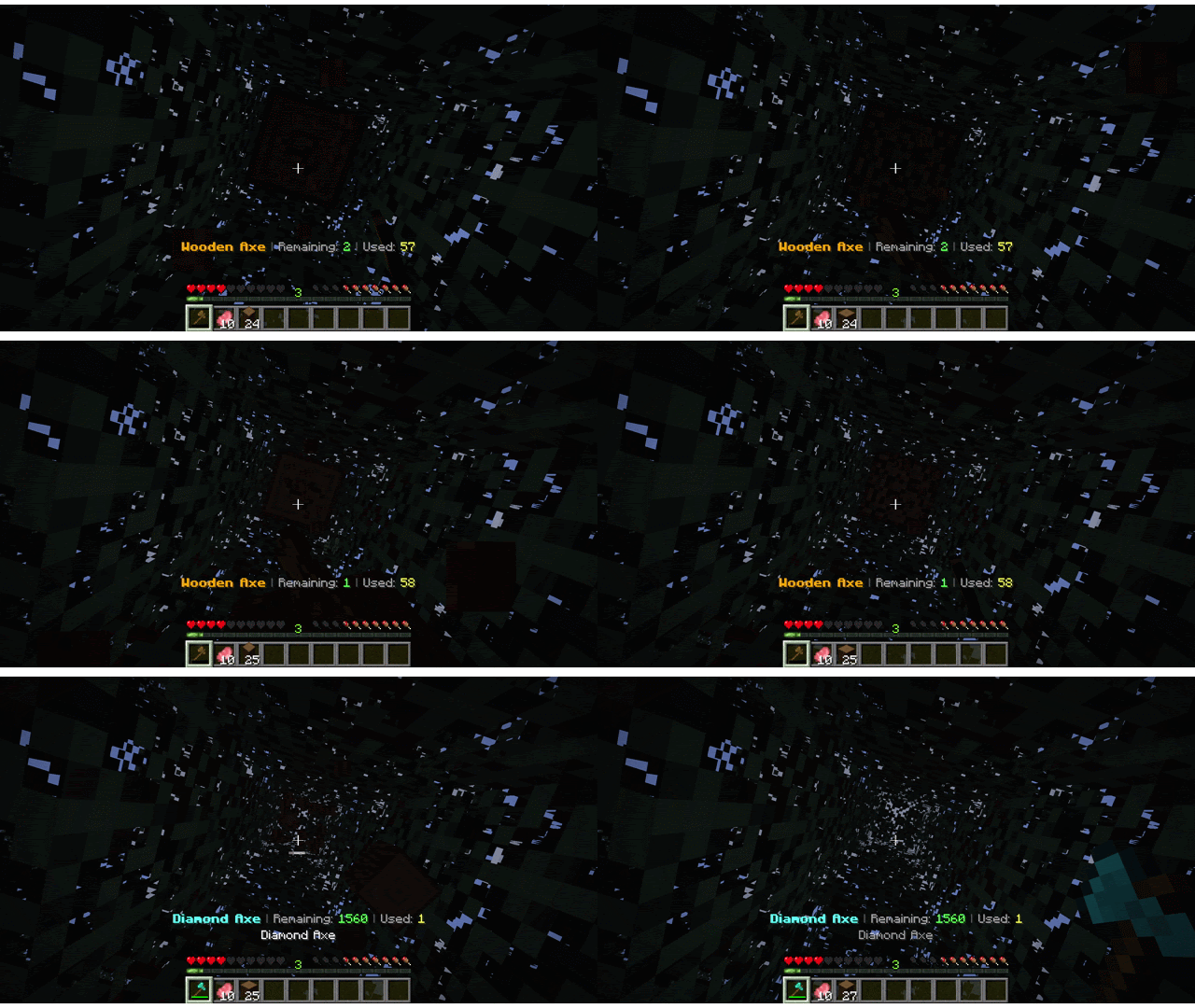
QuickEquip is a small Minecraft Forge mod that helps you keep moving. When one of your tools breaks (like a pickaxe or axe), this mod automatically finds a similar tool in your inventory and puts it in your hand.

It chooses the best tool based on:

  • 🔼 Tool Tier (Netherite > Diamond > Iron > Stone > Wood)
  • 💎 Enchantments (like Efficiency or Unbreaking)
  • 💚 Durability Left

You don’t have to pause or open your inventory. It just works.


🎮 How to Use

  • ✅ Install the mod like any other Forge mod
  • 🧱 Put backup tools of the same type in your inventory
  • 🔨 Break your current tool… and watch it get auto-replaced!
  • 🔁 Press R to toggle the feature ON or OFF anytime

You’ll see a clear message: 🟢 “Auto-equip enabled” 🔴 “Auto-equip disabled”


⚙️ Compatibility

  • ✅ Works on Minecraft Forge 1.20.1
  • ✅ Safe to add or remove anytime
  • 🚫 Doesn’t affect servers unless installed client-side

📦 Perfect For

  • Builders who hate stopping
  • Miners who carry extra tools
  • Players who love smooth gameplay
  • Modpacks that want more QoL features

Note: The 1.21.x version of this datapack is currently in beta and only supports core features. More features will be added in future updates. Showcased media includes the Advanced Tool Stats Datapack.

QuickEquip_1.21-1.21.11.zip
MC 1.21.2-Snapshot, 1.21, 1.21.6-snapshot, 1.21.1-Snapshot, 1.21.8, 1.21.5, 1.21.4, 1.21.5-Snapshot, 1.21.1, 1.21.6, 1.21.3, 1.21.7, 1.21-Snapshot, 1.21.4-Snapshot, 1.21.2
Release 2026-02-15 Get

Requirements & install

How to use this data pack in Minecraft
Mods needed
None, works in vanilla
Minecraft
1.21.4-Snapshot – 1.21.8
Install folder
saves/<world>/datapacks

How to install data packs

  1. Download the data pack .zip file (do not extract it).
  2. New world: click Data Packs on the world creation screen and drop the .zip in. Existing world: open .minecraft/saves/<world>/datapacks.
  3. Put the .zip into the datapacks folder of the world (servers: world/datapacks).
  4. Run /reload in game (or rejoin the world) and check it with /datapack list.
Browse more: Data Packs for 1.21.8 All data packs

More from StaticLabs

Advertisement Remove ads with Premium →

You Might Also Like