More Advancements
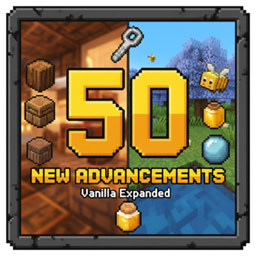
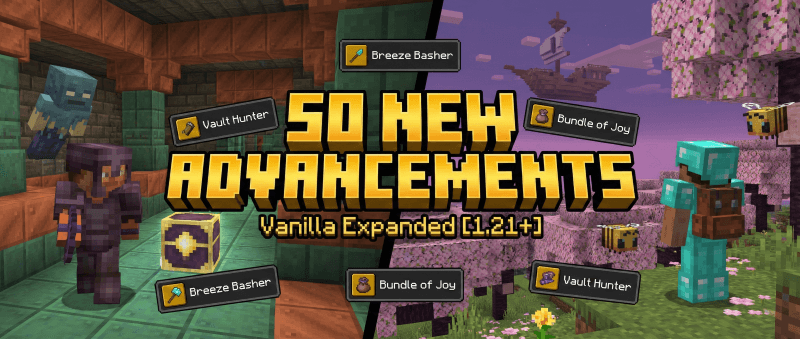
Looking for new goals in your survival world? This datapack seamlessly integrates 50 brand new advancements into Minecraft 1.21, designed to bridge the gap between existing vanilla challenges. Whether you are exploring the new Trial Chambers or simply tending to your farm, this pack rewards you for every step of your journey.
These advancements are designed to be Vanilla-Friendly, meaning they fit the style, difficulty, and progression of the base game. They are organized into 5 exclusive new tabs so they don't clutter your standard advancement screens.
✨ Key Features
- 50 New Goals: A wide variety of challenges ranging from easy crafting tasks to end-game exploration.
- 1.21 Ready: Specific advancements for Trial Chambers, The Breeze, Vaults, and Bundles.
- Organized UI: Adds 5 neat tabs: More General, More Adventure, More Husbandry, More Nether, and More End.
- Wide Compatibility: Supports Minecraft versions 1.21+
🏆 Advancement List
🌲 General
- Wood Age: Collect a Log
- Stone Age: Mine Stone
- Benchmarking: Craft a Crafting Table
- Hot Stuff: Craft a Furnace
- Storage Solution: Craft a Chest
- Sweet Dreams: Sleep in a Bed
- Iron Man: Equip Full Iron Armor
- Golden Boy: Equip Full Gold Armor
- Shield Up: Equip a Shield
- Bundle of Joy: Craft a Bundle
🗺️ Adventure
- Spelunker: Reach Y -50
- Top of the World: Reach Y 319
- Oceanographer: Visit a Deep Ocean biome
- Trial Goer: Enter a Trial Chamber
- Breeze Basher: Kill a Breeze
- Vault Hunter: Open a Vault using a Trial Key
- Archaeologist: Brush Suspicious Sand or Gravel
- Disc Jockey: Play a Music Disc
- I Spy: Use a Spyglass
- Villager Trader: Trade with a Villager
🌾 Husbandry
- Green Thumb: Harvest Wheat
- Baker: Craft Bread
- Cookie Monster: Eat a Cookie
- Cake Day: Craft a Cake
- Shear Luck: Shear a Sheep
- Cow Tipper: Collect Milk
- Equestrian: Tame a Horse
- Dog Lover: Tame a Wolf
- Cat Person: Tame a Cat
- Bee Keeper: Collect Honey
🔥 Nether
- Quartz Miner: Mine Nether Quartz
- Glow Up: Collect Glowstone
- Golden Pig: Mine Nether Gold Nuggets
- Strider Rider: Ride a Strider
- Magma Master: Kill a Magma Cube
- Skeleton Crew: Kill a Wither Skeleton
- Piglin Barter: Barter with a Piglin
- Crimson Traveller: Visit a Crimson Forest
- Warped Walker: Visit a Warped Forest
- Bastion Looter: Loot a Bastion Chest
🌌 The End
- End Stone Miner: Mine End Stone
- End Rod: Craft an End Rod
- Pearl Harbor: Throw an Ender Pearl
- Fruit Salad: Eat Chorus Fruit
- Shulker Hunter: Kill a Shulker
- Dragon's Breath: Collect Dragon's Breath
- End City Visitor: Enter an End City
- Elytra Flyer: Fly with Elytra
- Boxed Up: Craft a Shulker Box
- The End… Again… Again: Respawn the Ender Dragon
📥 How to Install
Download the .zip file.
Open your Minecraft world folder (Singleplayer: Edit World -> Open World Folder).
Place the zip file into the datapacks folder.
If the world is running, type /reload.