Mineuniverse
Data Packs
Invis item frame  [Data Pack]

Invis item frame [Data Pack]

DATA PACK
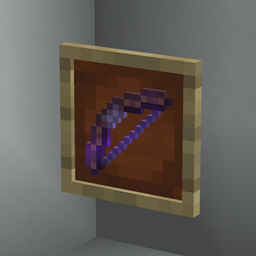
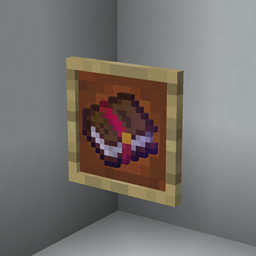
Adds craft for invisible item frame and glow item frame
by auuruum
Download Claim this project
Add a badge to your pageLink to Invis item frame [Data Pack] from a README, website or forum post.
Preview: Badge

Badges update automatically and link to the data pack page on MineUniverse.

34,634 downloads
0 likes
0 followers
Updated Oct 14, 2026
0 hypes
Follow0
Miscellaneous Utility
Advertisement Remove ads with Premium →

Invis Item Frame Datapack

Description

Welcome to the Invis Item Frame datapack, where creativity meets functionality in the world of Minecraft! This datapack introduces a unique twist to item frames, allowing you to seamlessly integrate them into your builds without compromising aesthetics.
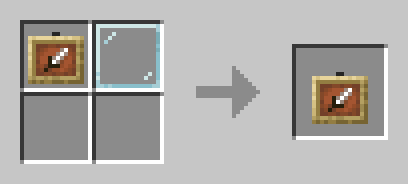
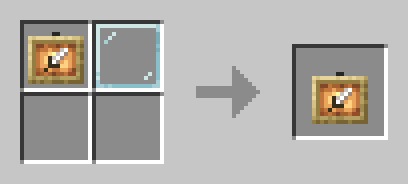
Invisible item frame Invisible glow item frame

Features

  1. Invisible Elegance: Say goodbye to bulky item frames disrupting your designs. Our datapack enables you to make item frames invisible, letting your items take center stage in your builds.

  2. Immersive Display: Create immersive environments by hiding item frames while still maintaining the ability to showcase your favorite items. Perfect for adventure maps, puzzle games, or any scenario where a sleek look is essential.

Installation

  1. Download the datapack zip file.
  2. Drop the zip file into the "datapacks" folder in your world save.
  3. Reload or restart your world/server.

Invis item frame

Invis item frame (1.21.7-26.1.x)
MC 1.21.8, 1.21.7, 1.21.9, 1.21.10, 1.21.11, 26.1, 26.1.1, 26.1.2, 26.2, 26.3
Release 2025-08-03 Get
Invis item frame (1.21.2-1.21.6)
MC 1.21.2-Snapshot, 1.21.6-snapshot, 1.21.5, 1.21.4, 1.21.5-Snapshot, 1.21.3, 1.21.6, 1.21.4-Snapshot, 1.21.2
Release 2024-12-22 Get
Invis item frame (1.21-1.21.1)
MC 1.21, 1.21.1-Snapshot, 1.21-Snapshot, 1.21.1
Release 2024-07-03 Get
Invis item frame (1.13-1.20.6)
MC 1.16-Snapshot, 1.17.1, 1.16.3, 1.13.1, 1.19.3, 1.20.2, 1.15-Snapshot, 1.16.1, 1.18.1, 1.19.4-Snapshot, 1.20.5, 1.14.4, 1.14.1, 1.17, 1.20.2-Snapshot, 1.20.5-Snapshot, 1.14.3, 1.15
Release 2024-06-08 Get

Requirements & install

How to use this data pack in Minecraft
Mods needed
None, works in vanilla
Minecraft
1.21.9 – 26.3
Install folder
saves/<world>/datapacks

How to install data packs

  1. Download the data pack .zip file (do not extract it).
  2. New world: click Data Packs on the world creation screen and drop the .zip in. Existing world: open .minecraft/saves/<world>/datapacks.
  3. Put the .zip into the datapacks folder of the world (servers: world/datapacks).
  4. Run /reload in game (or rejoin the world) and check it with /datapack list.
Browse more: Data Packs for 26.3 All data packs

More from auuruum

Advertisement Remove ads with Premium →

You Might Also Like