Mineuniverse
Data Packs
Elytra Crafting Recipe

Elytra Crafting Recipe

DATA PACK
Elytra are now craftable, but are still a end game item. requires dragon's breath and nether star to craft
by StaticLabs
Download Claim this project
Add a badge to your pageLink to Elytra Crafting Recipe from a README, website or forum post.
Preview: Badge

Badges update automatically and link to the data pack page on MineUniverse.

2,934 downloads
0 likes
0 followers
Updated Oct 14, 2026
0 hypes
Follow0
Utility
Advertisement Remove ads with Premium →

Tired of endless hunting for that last End Ship on your server? This mod solves the scarcity problem by adding a balanced, late-game crafting recipe for the Elytra using only Vanilla Minecraft items.

No new blocks or materials are added! The recipe is designed to be a true end-game challenge, requiring players to conquer all three dimensions:

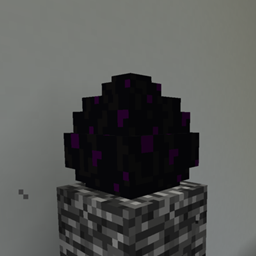
  • The End: Requires Dragon's Breath and.
  • The Nether: Requires a Nether Star.
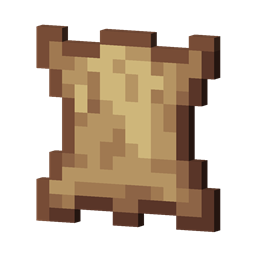
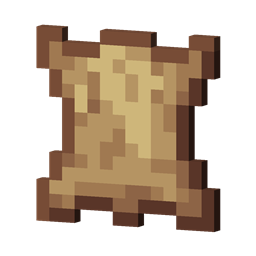
  • The Overworld: Requires Phantom Membranes.

Achieve flight without breaking world boundaries! Perfect for large multiplayer servers and non-linear progression.

Note: Minecraft might give an error while trying to use the datapack, because it is built for an older version of minecraft. However, it is still fully functional in all minecraft versions starting from 1.13

elytra-1.13-1.20.x.zip
MC 1.16.3, 1.13.1, 1.17.1, 1.16.1, 1.18.1, 1.14.3, 1.15, 1.16, 1.13, 1.16.5, 1.19.3, 1.20.2, 1.19.4, 1.14.4, 1.14.1, 1.17, 1.20.5, 1.18, 1.20.1, 1.20, 1.20.6, 1.15.2, 1.14
Release 2025-12-16 Get
elytra-1.21.x.zip
MC 1.21, 1.21.8, 1.21.5, 1.21.4, 1.21.1, 1.21.6, 1.21.3, 1.21.7, 1.21.2, 1.21.9, 1.21.10, 1.21.11, 26.1, 26.1.1, 26.1.2
Release 2025-12-16 Get

Requirements & install

How to use this data pack in Minecraft
Mods needed
None, works in vanilla
Minecraft
1.21.7 – 26.1.2
Install folder
saves/<world>/datapacks

How to install data packs

  1. Download the data pack .zip file (do not extract it).
  2. New world: click Data Packs on the world creation screen and drop the .zip in. Existing world: open .minecraft/saves/<world>/datapacks.
  3. Put the .zip into the datapacks folder of the world (servers: world/datapacks).
  4. Run /reload in game (or rejoin the world) and check it with /datapack list.
Browse more: Data Packs for 26.1.2 All data packs

More from StaticLabs

Advertisement Remove ads with Premium →

You Might Also Like