
Immersive Aircraft needs no machines: every part, aircraft, upgrade and weapon is made on a normal crafting table. All of its recipes are unlocked in the recipe book as soon as you pick up an Iron Ingot. You build a few parts first and then combine them into the aircraft you want.
1. The basic parts
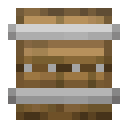 Hull: six logs around three
 Iron Ingots. Any log or wood block works, nether stems too.
 Boiler: seven
 Copper Ingots around a
 Furnace. It is only an ingredient.
 Engine: the Boiler with a
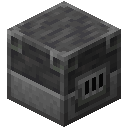 Blast Furnace, two
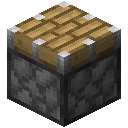 Pistons and three
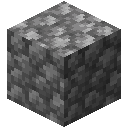 Cobblestone.
 Sail: six
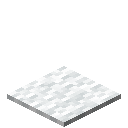 White Carpets and three
 String.
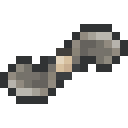 Propeller: five Iron Ingots.
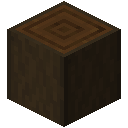
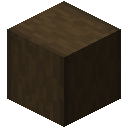
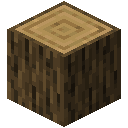
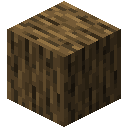
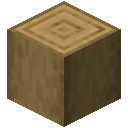
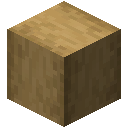 Any #minecraft:logs
- Dark Oak Log
- Dark Oak Wood
- Stripped Dark Oak Log
- Stripped Dark Oak Wood
- Oak Log
- Oak Wood
- Stripped Oak Log
- Stripped Oak Wood
- Acacia Log
- Acacia Wood
- Stripped Acacia Log
- Stripped Acacia Wood
- + 28 more
Any #minecraft:logs- Dark Oak Log
- Dark Oak Wood
- Stripped Dark Oak Log
- Stripped Dark Oak Wood
- Oak Log
- Oak Wood
- Stripped Oak Log
- Stripped Oak Wood
- Acacia Log
- Acacia Wood
- Stripped Acacia Log
- Stripped Acacia Wood
- + 28 more
Any #minecraft:logs- Dark Oak Log
- Dark Oak Wood
- Stripped Dark Oak Log
- Stripped Dark Oak Wood
- Oak Log
- Oak Wood
- Stripped Oak Log
- Stripped Oak Wood
- Acacia Log
- Acacia Wood
- Stripped Acacia Log
- Stripped Acacia Wood
- + 28 more
Any #minecraft:logs- Dark Oak Log
- Dark Oak Wood
- Stripped Dark Oak Log
- Stripped Dark Oak Wood
- Oak Log
- Oak Wood
- Stripped Oak Log
- Stripped Oak Wood
- Acacia Log
- Acacia Wood
- Stripped Acacia Log
- Stripped Acacia Wood
- + 28 more
Any #minecraft:logs- Dark Oak Log
- Dark Oak Wood
- Stripped Dark Oak Log
- Stripped Dark Oak Wood
- Oak Log
- Oak Wood
- Stripped Oak Log
- Stripped Oak Wood
- Acacia Log
- Acacia Wood
- Stripped Acacia Log
- Stripped Acacia Wood
- + 28 more
Any #minecraft:logs- Dark Oak Log
- Dark Oak Wood
- Stripped Dark Oak Log
- Stripped Dark Oak Wood
- Oak Log
- Oak Wood
- Stripped Oak Log
- Stripped Oak Wood
- Acacia Log
- Acacia Wood
- Stripped Acacia Log
- Stripped Acacia Wood
- + 28 more
6 × any Dark Oak Log (#minecraft:logs) + 3 × Iron Ingot → Hull
7 × Copper Ingot + Furnace → Boiler
3 × Cobblestone + 2 × Piston + Blast Furnace + Boiler → Engine
6 × White Carpet + 3 × String → Sail
5 × Iron Ingot → Propeller
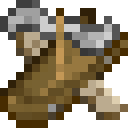 Gyrodyne is the only aircraft without one.
2. The seven aircraft
The table counts the slots each aircraft has in its data file. Fuel is the fuel slot, upgrade and weapon slots take the items from sections 5 and 6, and storage is a normal inventory that travels with the aircraft.
| Aircraft | Made from | Seats | Fuel slots | Upgrade slots | Weapon slots | Storage slots |
|---|---|---|---|---|---|---|
| Gyrodyne | 2 Sails, 2 Hulls, Propeller | 2 | none (muscle-powered) | 3 | 1 | 18 |
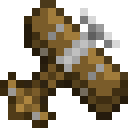 Biplane | 3 Hulls, Engine, Propeller | 1 | 1 | 4 | 1 | 16 |
 Quadrocopter | 4 Propellers, 4 Bamboo, Engine | 1 | 1 | 1 | 1 | 6 |
 Airship | 6 Sails, 2 Hulls, Engine | 2 | 1 | 3 | 1 | 16 |
 Cargo Airship | Airship, 4 Chests, Hull | 2 | 1 | 4 | none | 80 |
 Warship | Cargo Airship, 2 Sails, 3 Hulls, 2 Engines, Industrial Gears | 4 | 3 | 6 | 2 | 66 |
 Bamboo Hopper | 2 Biplanes, Hull, Engine, 5 Blocks of Bamboo | 3 | 1 | 4 | 2 | 16 |
The mod describes them like this: the Airship is slow but easy to maneuver; the Cargo Airship is slow and fuel hungry but carries an entire storage; the Warship is a flying fortress, slow but heavily armed. The Biplane is fast and rather reliable, but needs a long enough runway. The Gyrodyne is a muscle-powered copter that you give a good push, the Quadrocopter is meant for building, and the Bamboo Hopper has three seats and pontoons to land safely on water.
2 × Sail + 2 × Hull + Propeller → Gyrodyne
3 × Hull + Engine + Propeller → Biplane

4 × Propeller + 4 × Bamboo + Engine → Quadrocopter
6 × Sail + 2 × Hull + Engine → Airship
4 × Chest + Airship + Hull → Cargo Airship

2 × Sail + 3 × Hull + 2 × Engine + Cargo Airship + Industrial Gears → Warship
2 × Biplane + Hull + 5 × Block of Bamboo + Engine → Bamboo Hopper
The Biplane, the Bamboo Hopper and the Warship also have a Boost rockets slot and a Boost key. The Biplane, Airship and Cargo Airship have a banner slot, and the Airship, Cargo Airship and Warship have a dye slot and can be dyed.
3. Placing and flying
- Use the aircraft item on the ground. It must be placed on the floor (“Needs to be assembled on the floor!”) and needs free space around it (“Not enough space!”).
- Put fuel into the fuel slot (not needed for the Gyrodyne), then get in.
- Fly with the mod's own key bindings: throttle up and down, pull and push, left and right, up and down, boost and use weapon. Mouse steering can be toggled, and free look works while you hold its key.
- Press the dismount key to get out. In the air the mod asks you to press it a second time (“Press again to jump out!”).
The Gyrodyne has no engine. You push it until the rotor turns fast enough: the mod shows the power in percent (“… Power, keep pushing!”) until “Minimum rotor speed reached, ready for takeoff!”. It has no fuel slot; when you are hungry the mod says “You are too hungry to fly!”.
4. Fuel
With the option “Accept vanilla fuel” the fuel slot takes normal furnace fuel, and the mod's own fuel list adds Blaze Powder, which is not a furnace fuel in vanilla Minecraft. When fuel runs low the mod warns “You are low on fuel!” and later “You ran out of fuel!”. The option “Burn fuel in creative mode” decides whether fuel is used up in creative mode.
Upgrades change the fuel requirement (section 5), and the mod's settings have a “Fuel burn rate” option. The aircraft data files also give each aircraft a fuel value: the Quadrocopter has the lowest (0.5), the Warship 0.8, the Airship the default of 1, the Biplane and the Cargo Airship 1.25 and the Bamboo Hopper 1.5. The Warship has three fuel slots.
5. Upgrades
Upgrades go into the upgrade slots of an aircraft. Their tooltip lists what they change, in green when it helps and in red when it costs something. These are the values from the mod's upgrade data (for example 0.08 engine power for the Sturdy Pipes), written as percentages like the tooltips:
| Upgrade | Effect | Main ingredients |
|---|---|---|
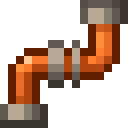 Sturdy Pipes | +8% engine power | 3 Copper Ingots, 2 Iron Ingots |
 Enhanced Propeller | +5% engine power, -75% air friction | Propeller, 4 Copper Ingots |
 Steel Boiler | +20% engine power, +50% fuel requirement | Boiler, Blast Furnace, 7 Iron Ingots |
 Nether Engine | +30% engine power, +30% fuel requirement | Engine, Netherite Ingot, Blaze Rods, Magma Cream, Nether Bricks |
 Eco Engine | -20% engine power, -75% fuel requirement | Engine, 3 Gold Ingots, 2 Slimeballs, 3 Bricks |
| Industrial Gears | -20% fuel requirement | 3 Iron Ingots, 3 Copper Ingots, Lever |
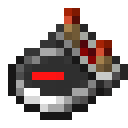 Gyroscope | -100% wind effect, +3% stabilizing | 2 Comparators, Compass |
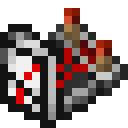 Advanced Gyroscope | Like the Gyroscope, plus a mechanical dashboard | Gyroscope, 3 Clocks, Note Block, Lever |
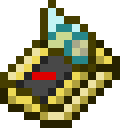 Electronic Gyroscope | Like the Gyroscope, plus an electronic dashboard | Gyroscope, gold, Redstone Lamp, Glass Pane, Note Block, Lever |
 Hull Reinforcement | +100% durability | 3 Hulls, 6 Iron Ingots |
 Improved Landing Gear | +75% takeoff speed | 3 Iron Ingots, 4 Coal |
3 × Copper Ingot + 2 × Iron Ingot → Sturdy Pipes
3 × Iron Ingot + 3 × Copper Ingot + Lever → Industrial Gears

2 × Redstone Comparator + Compass → Gyroscope
3 × Iron Ingot + 4 × Coal → Improved Landing Gear


2 × Slimeball + 3 × Gold Ingot + Engine + 3 × Brick → Eco Engine
6. Weapons
Weapons go into the weapon slots and fire with the Use weapon key. When the ammunition is used up the mod says “Out of ammo!”. A setting decides whether some weapons can destroy blocks.
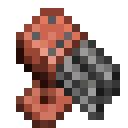 Rotary Cannon: a fast-firing cannon that uses gunpowder. A
 Dispenser, Industrial Gears and a copper ingot.
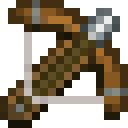 Heavy Crossbow: shoots arrows, tipped arrows or spectral arrows. A
 Crossbow, a
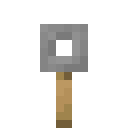 Tripwire Hook and a log.
 Bomb Bay: drops
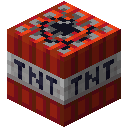 TNT; the mod says it does not destroy blocks but deals heavy damage. Four Iron Ingots and a TNT.
 Telescope: a bulkier
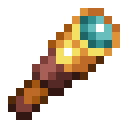 Spyglass for the weapon slot. A Spyglass and a copper ingot.
Dispenser + Industrial Gears + Copper Ingot → Rotary Cannon
Any #minecraft:logs- Dark Oak Log
- Dark Oak Wood
- Stripped Dark Oak Log
- Stripped Dark Oak Wood
- Oak Log
- Oak Wood
- Stripped Oak Log
- Stripped Oak Wood
- Acacia Log
- Acacia Wood
- Stripped Acacia Log
- Stripped Acacia Wood
- + 28 more
Crossbow + Tripwire Hook + any Dark Oak Log (#minecraft:logs) → Heavy Crossbow
4 × Iron Ingot + TNT → Bomb Bay
Spyglass + Copper Ingot → Telescope
7. Damage, crashes and repair
- Aircraft take damage from collisions. The Warship has three times the base durability, and a Hull Reinforcement adds 100%.
- The mod's settings control what a crash does: whether it explodes, how big the explosion is, whether it destroys blocks or starts fires, whether it damages the player, and an option that will not kill the player on a crash.
- Damaged aircraft are repaired by clicking on them; the mod shows how far the repair has come (“… repaired!”). The mod's settings have options for the repair per click and the player exhaustion per click, and with “Only repair when holding shift” switched on, normal clicks just let you get in.
- Two options of the mod decide whether an aircraft that turns back into an item drops its inventory and its upgrades and customization, or saves them within the aircraft item.