This page describes a MinecraftEdu feature.
This feature is only available in MinecraftEdu, an edition of the game that has been officially discontinued and succeeded by Minecraft Education.
Home Block


| Renewable | No |
|---|---|
| Stackable | Yes (64) |
| Tool | Any tool |
| Blast resistance | ? |
| Hardness | ? |
| Luminous | No |
| Transparent | No |
| Flammable | No |
| Catches fire from lava |
No |
| Note block instrument | Default (Harp) |
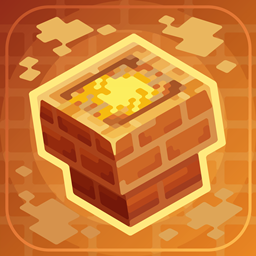
A home block is a kind of individual teleport station that the player who owns the block can easily teleport to.
How to use
The home block can be placed anywhere within a world by teachers or students. Once placed, the player may teleport back to the home block any time they wish by accessing the student menu. Home blocks can be broken only by teachers and the students who originally placed them. For detailed usage instructions refer to this to use Home Blocks article.
Usage
Home blocks can be used to teleport players to their homes.
Behavior
- Home blocks do not affect spawn points.
- Placing a second home block removes the first one automatically.
- Students cannot destroy home blocks placed by other players.
- Teachers can break the block at any time.
Availability
- Block can be found in Creative inventory. Only teachers can see this block in their inventory.
- Can also be given in Teacher menu "give" section.
- Can be distributed by console command or with a command block.
Data values
ID of this block is 3751.
| Name | Identifier | Translation key |
|---|---|---|
 Home Block Home Block | blockHome |
block |
History
| MinecraftEdu | |||||||
|---|---|---|---|---|---|---|---|
| 1.6.4 Build 17 |  Added home blocks. Added home blocks. | ||||||
| 1.7.10 Build 4 | Students are now able to break their own home blocks. | ||||||