Mineuniverse
Shaders
VTXS Screen Space Demo

VTXS Screen Space Demo

SHADER
Fast and very sharp shader with Screen Space Path Tracing
by lipesto
Download Claim this project
7,941 downloads
0 likes
0 followers
Updated Oct 14, 2026
0 hypes
Follow0
Realistic
Advertisement Remove ads with Premium →


The VTXS project was born to challenge the modern graphics trend of smearing everything with TAA and upscaling. The philosophy behind VTXS is that everything stays perfectly sharp, regardless of camera speed.
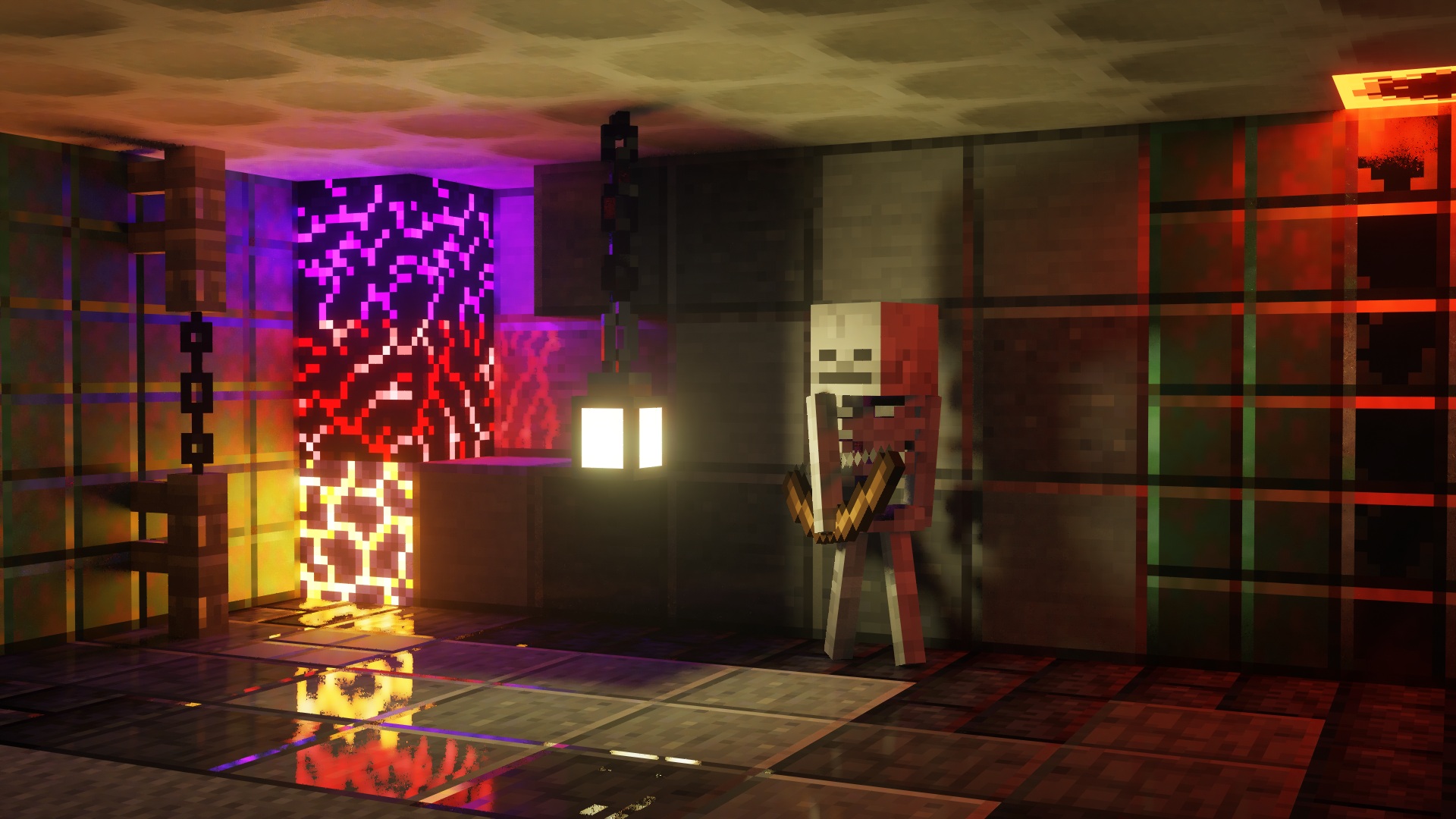
Screen Space Demo

VTXS
This shader introduces a lighting system developed exclusively for VTXS.

Each emissive pixel visible on screen illuminates the scene and casts shadows.
The noise level is low enough for real time gameplay without requiring denoising. However, a denoiser is still present as an optional feature.


While being a demo this shader is intended to be used for gameplay, so all features necessary for a complete and playable experience are planned.

Implemented Features

  • Screen Space Path Tracing
  • Physically Based Atmosphere
  • Full roughness range specular reflections
  • Volumetric clouds
  • Godrays
  • Subsurface Scattering
  • Variable penumbra shadows
  • Bloom
  • Eye adaptation
  • Screen Space Raytraced Refraction
  • GBAA Anti-aliasing

Big thanks to jbritain for making vloumetric clouds for VTXS!

It is highly recommended to use a PBR resource pack, as the integrated PBR system is very limited.

The shader now works on Intel GPUs, however, there may still be issues. Please report any issues in my Discord server.

VTXS_Screen_Space_Demo_1.0.3.zip
MC 1.21.2-Snapshot, 1.21, 1.21.6-snapshot, 1.20.2-Snapshot, 1.20.5-Snapshot, 1.19-Snapshot, 1.21.1-Snapshot, 1.19.3, 1.20.2, 1.19.4, 1.21.8, 1.19.4-Snapshot, 1.20.5, 1.21.5, 1.21.4
Beta 2026-03-12 Get

Requirements & install

How to use this shader in Minecraft
Shader loader
Iris or OptiFine
Minecraft
1.20.5 – 1.21.8
Install folder
.minecraft/shaderpacks

How to install shaders

  1. Install a shader loader for your Minecraft version: Iris (with Sodium) or OptiFine.
  2. Download the shader pack .zip file (do not extract it).
  3. Put the .zip into the shaderpacks folder (.minecraft/shaderpacks).
  4. In game open Options → Video Settings → Shader Packs, select the pack and apply it.
Browse more: Iris shaders OptiFine shaders Shaders for 1.21.8 All shaders
Advertisement Remove ads with Premium →

You Might Also Like




