Mineuniverse
Shaders
Sundial Lite Vivid

Sundial Lite Vivid

SHADER
An edited version of Sundial Lite with various color adjustments.
by Dominokorean
Download Claim this project
2,931 downloads
0 likes
0 followers
Updated Oct 14, 2026
0 hypes
Follow0
Realistic
Advertisement Remove ads with Premium →

Sundial Lite Vivid

What is Sundial Lite Vivid?

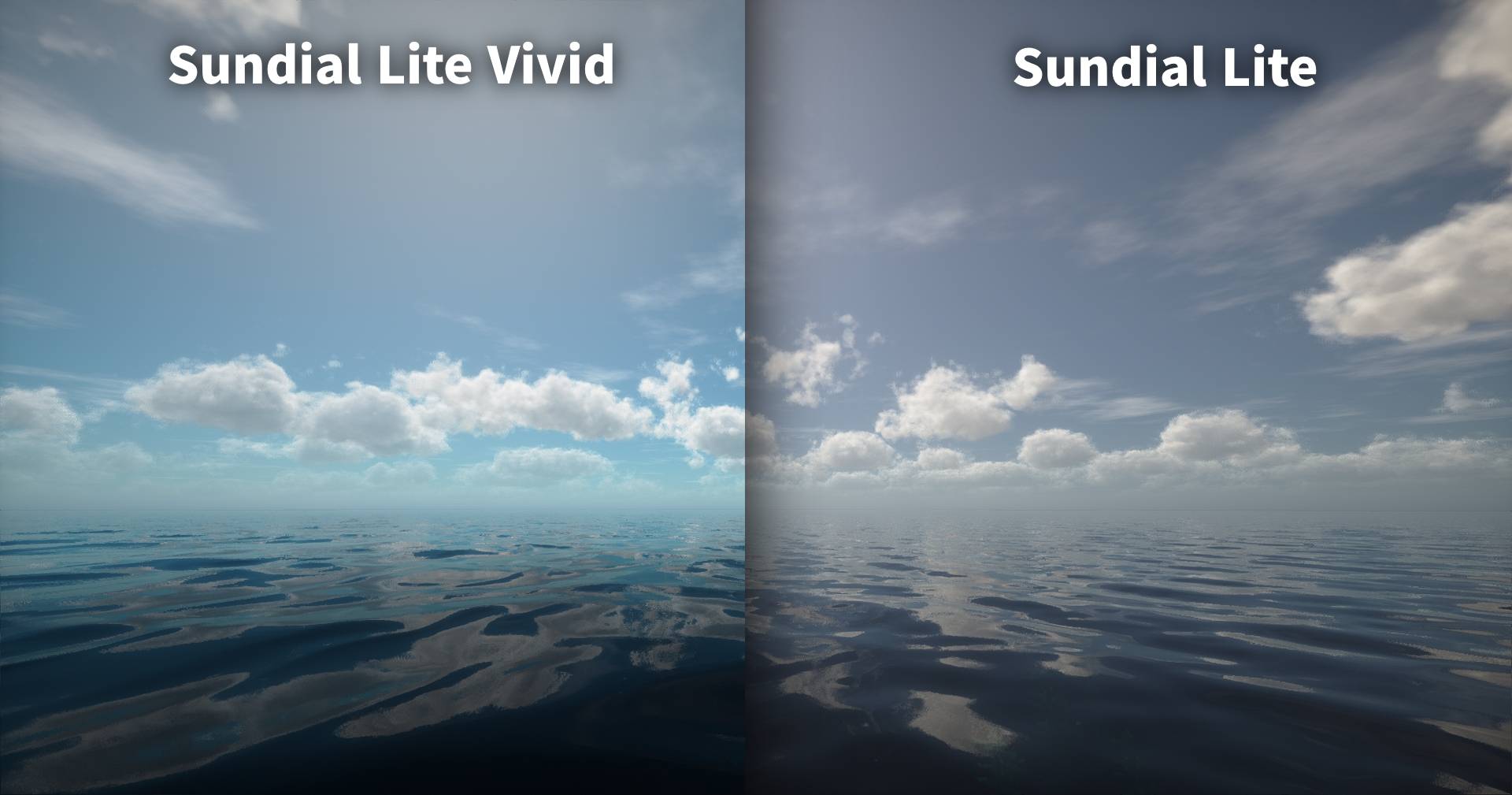
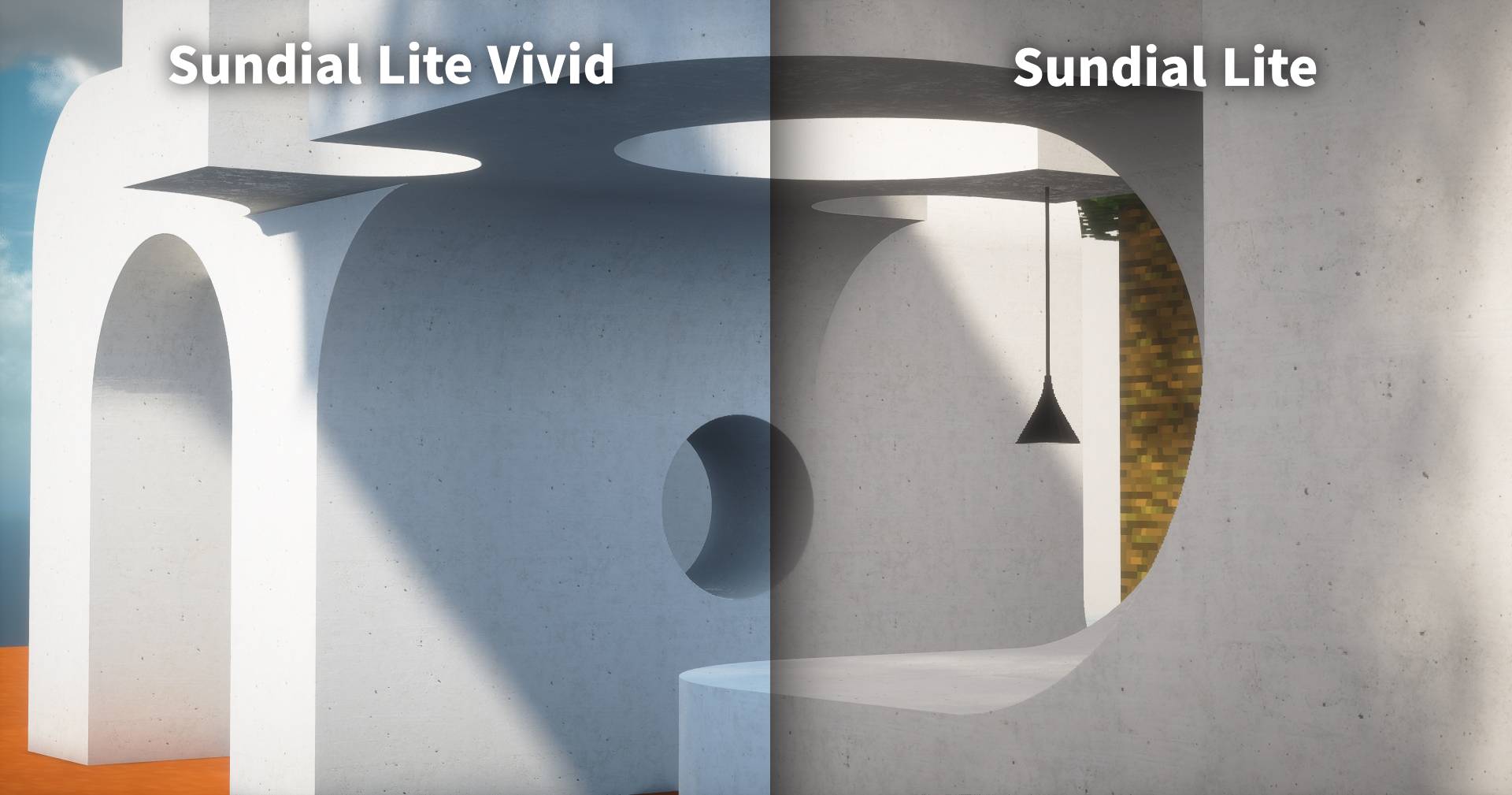
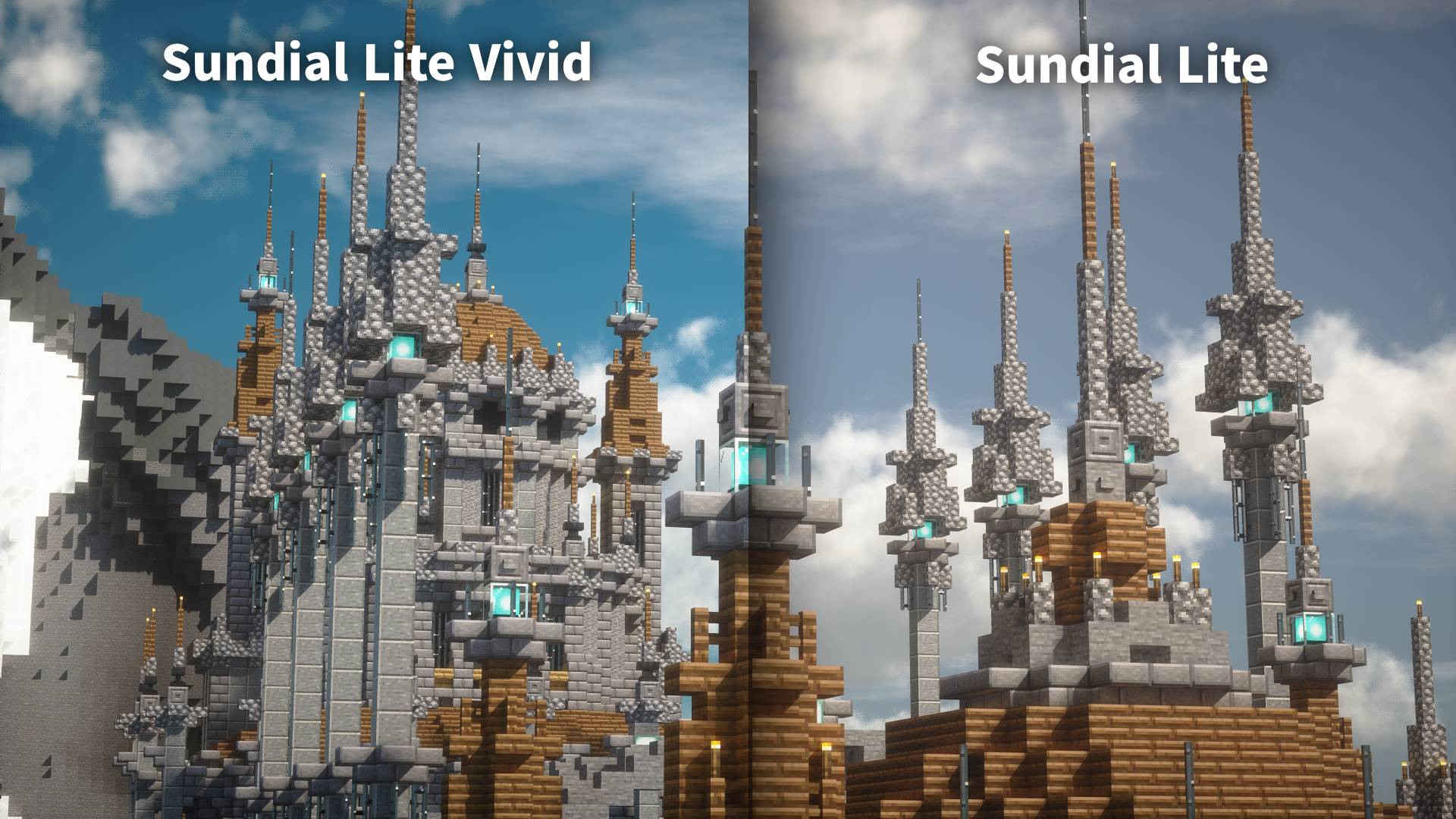
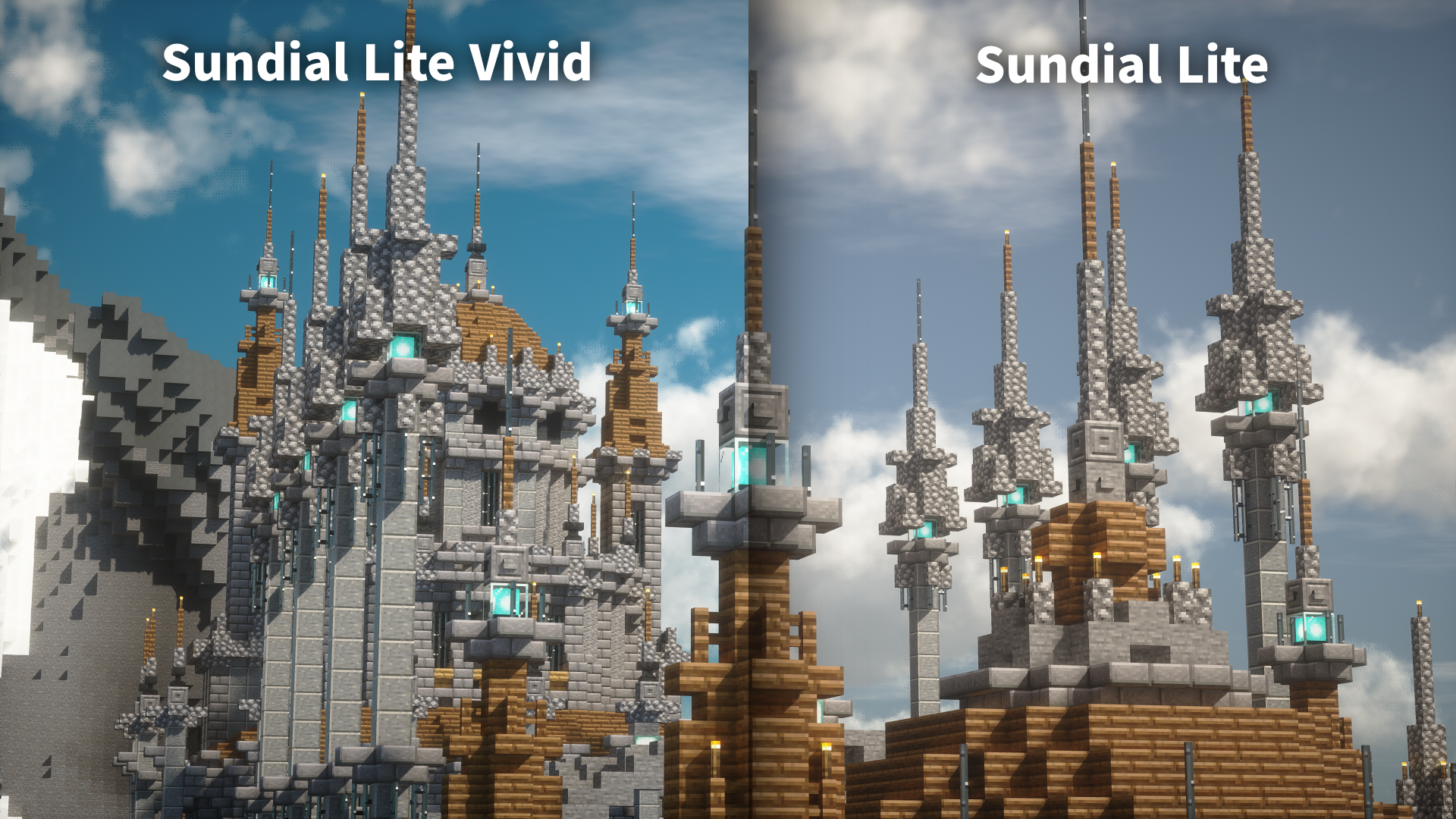
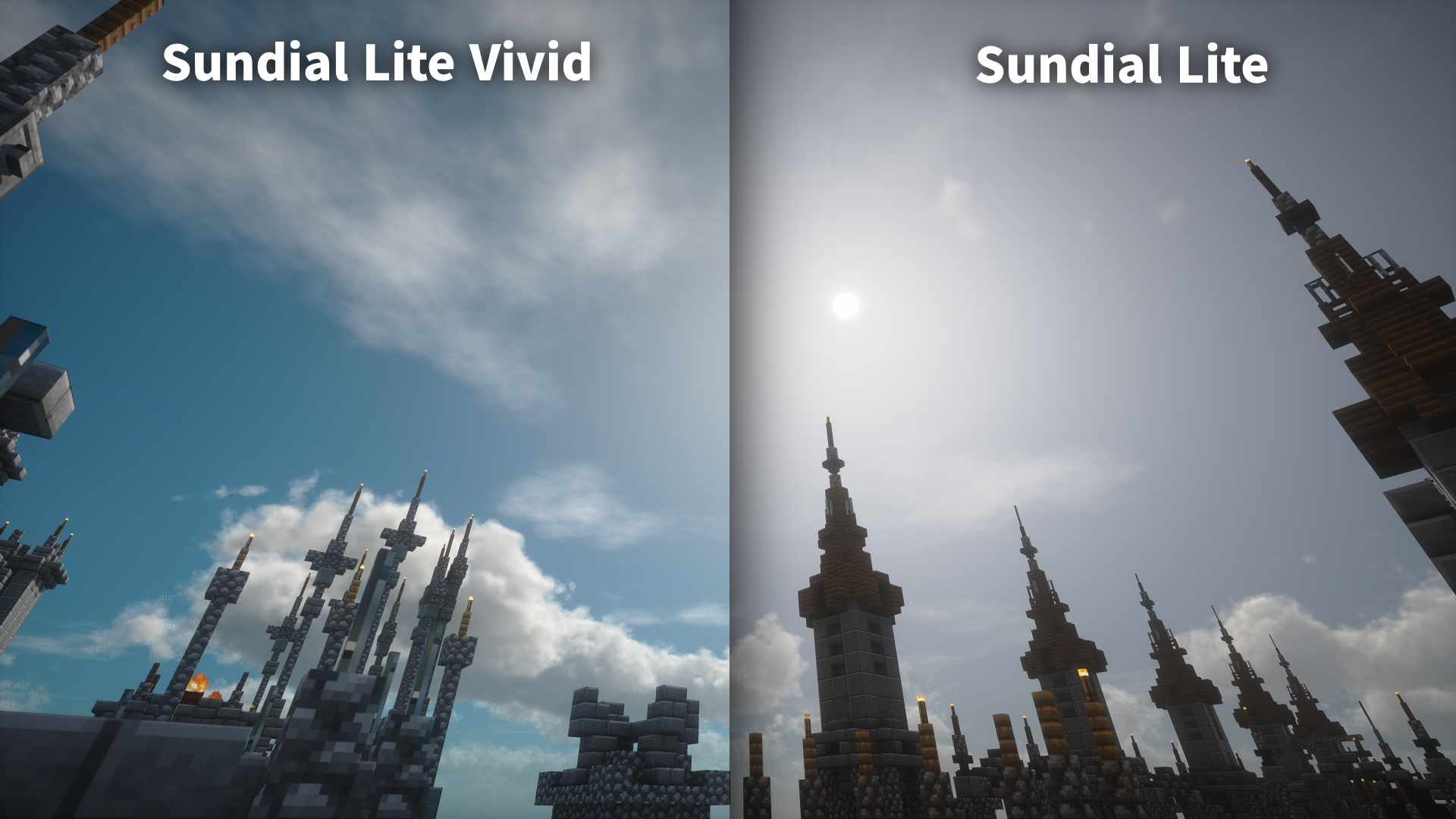
Sundial Lite Vivid is a modified version of Sundial Lite, created with the help of AI. It applies several color adjustments to give the shader a brighter and more vivid appearance.
Changes

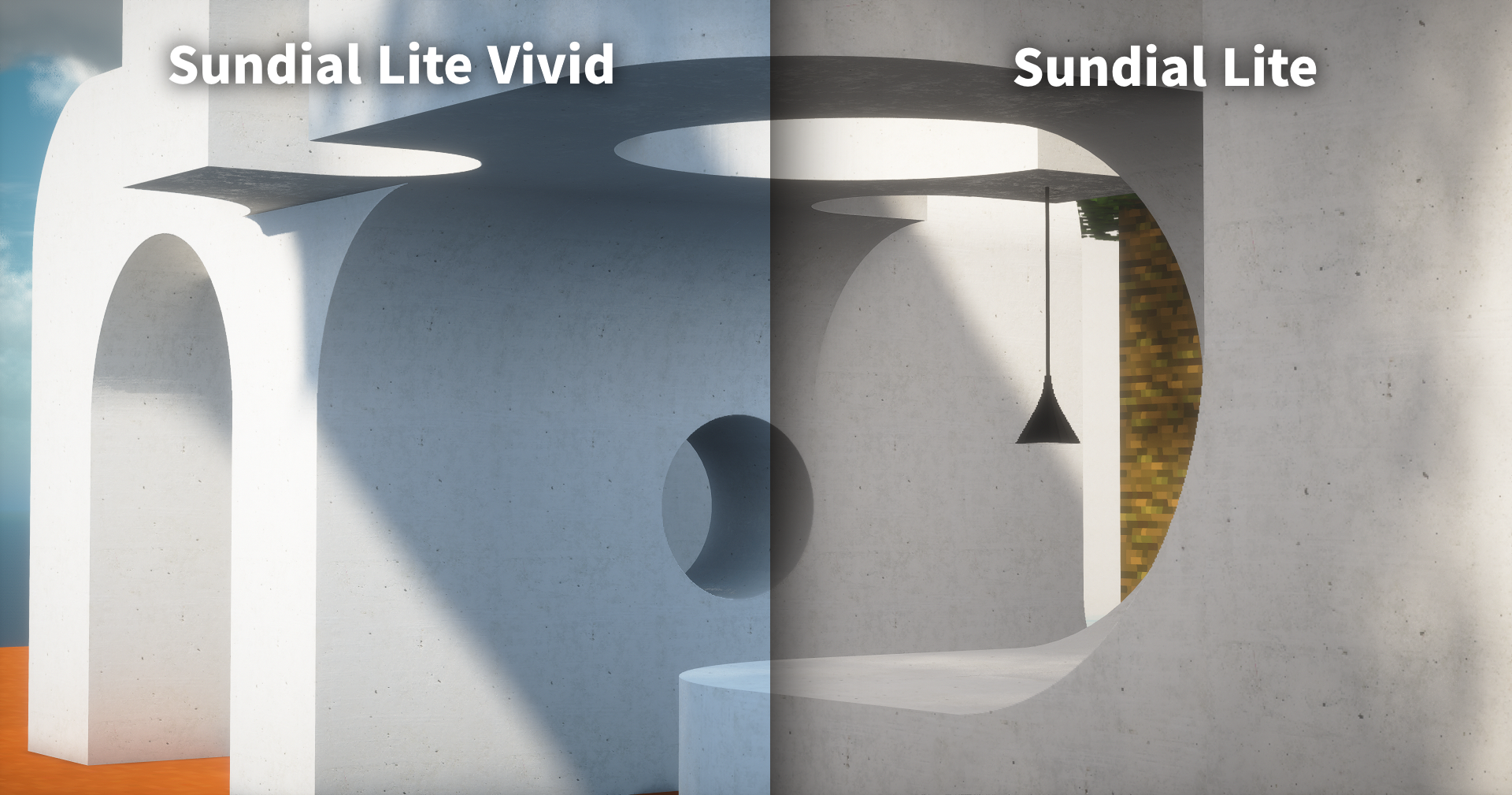
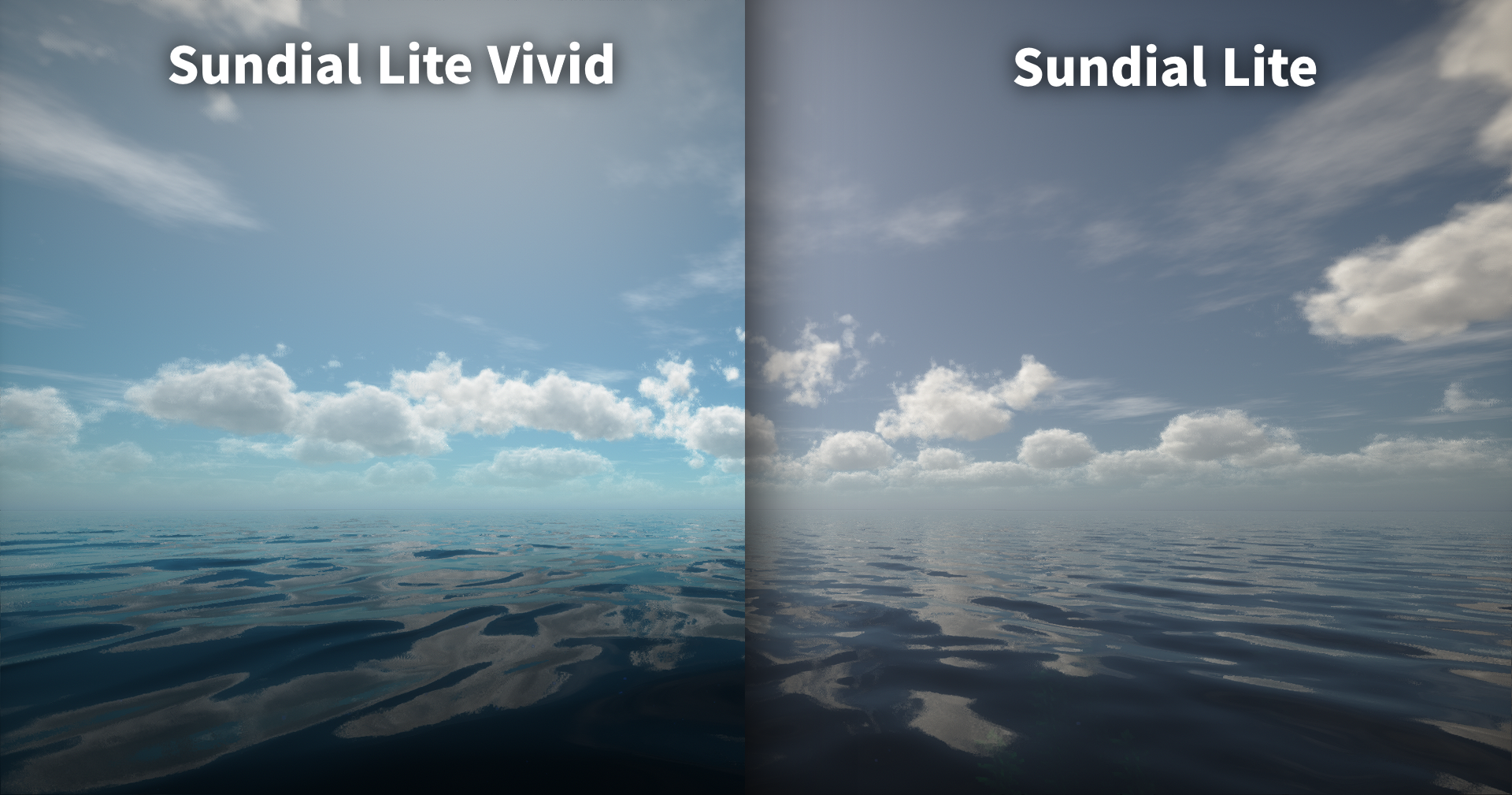
  • Increased atmospheric saturation.
    • Added sliders for directly adjusting the atmosphere's HSV values.
  • Matches the fog color to the atmospheric color.
  • Natural lighting and the shadows affected by it now inherit the atmospheric color.
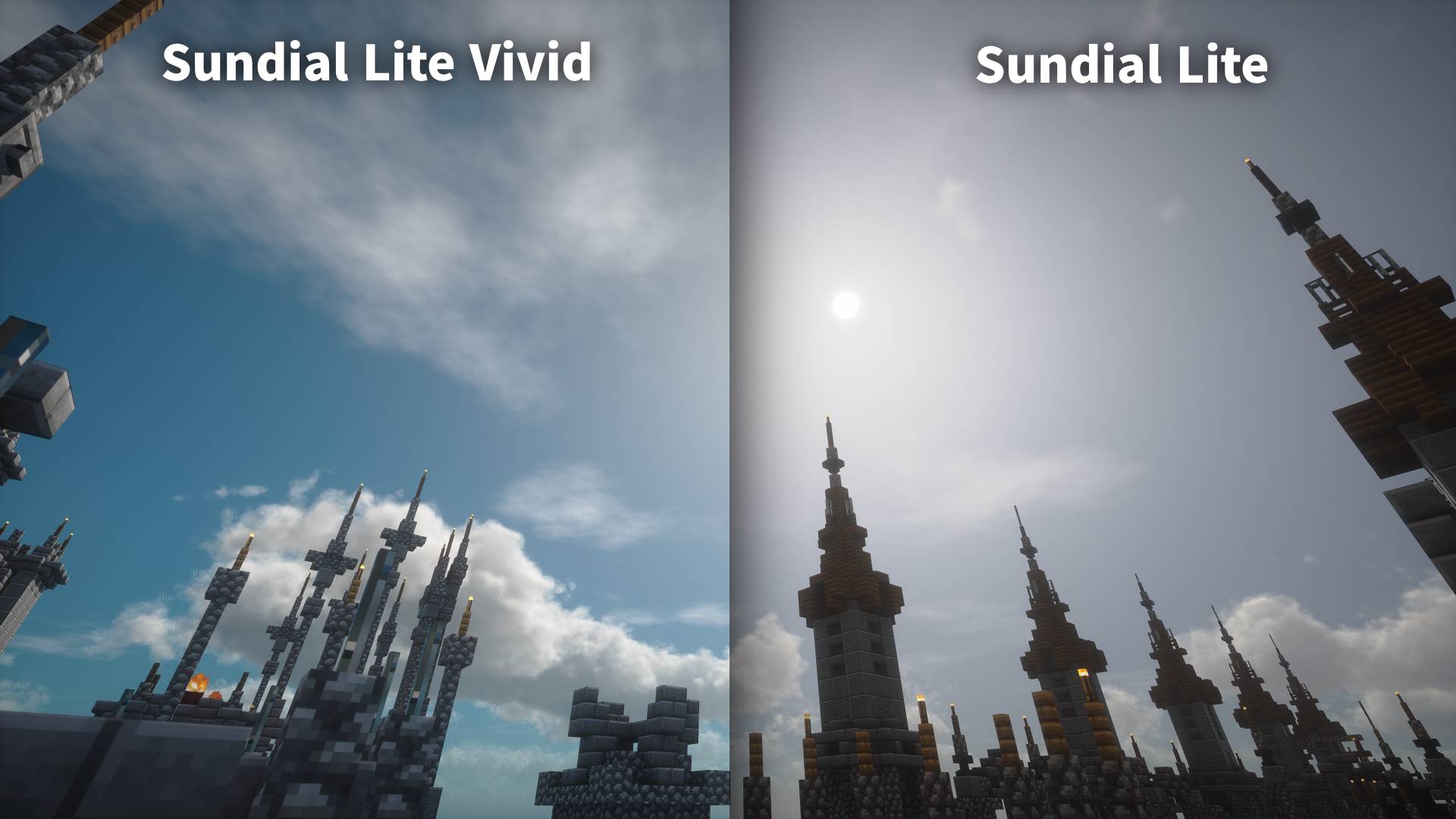
  • Cloud lighting and shading now inherit the atmospheric color.
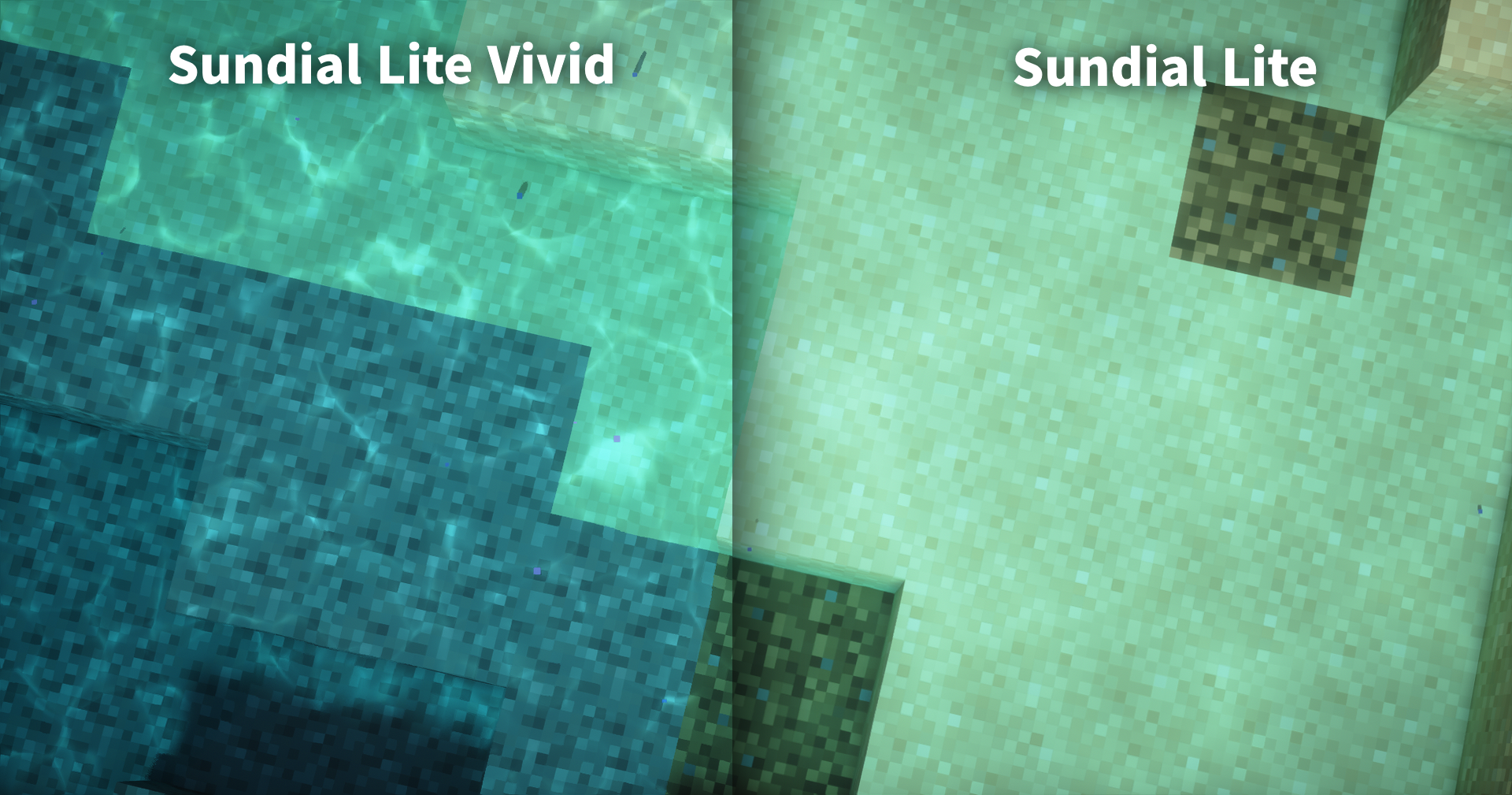
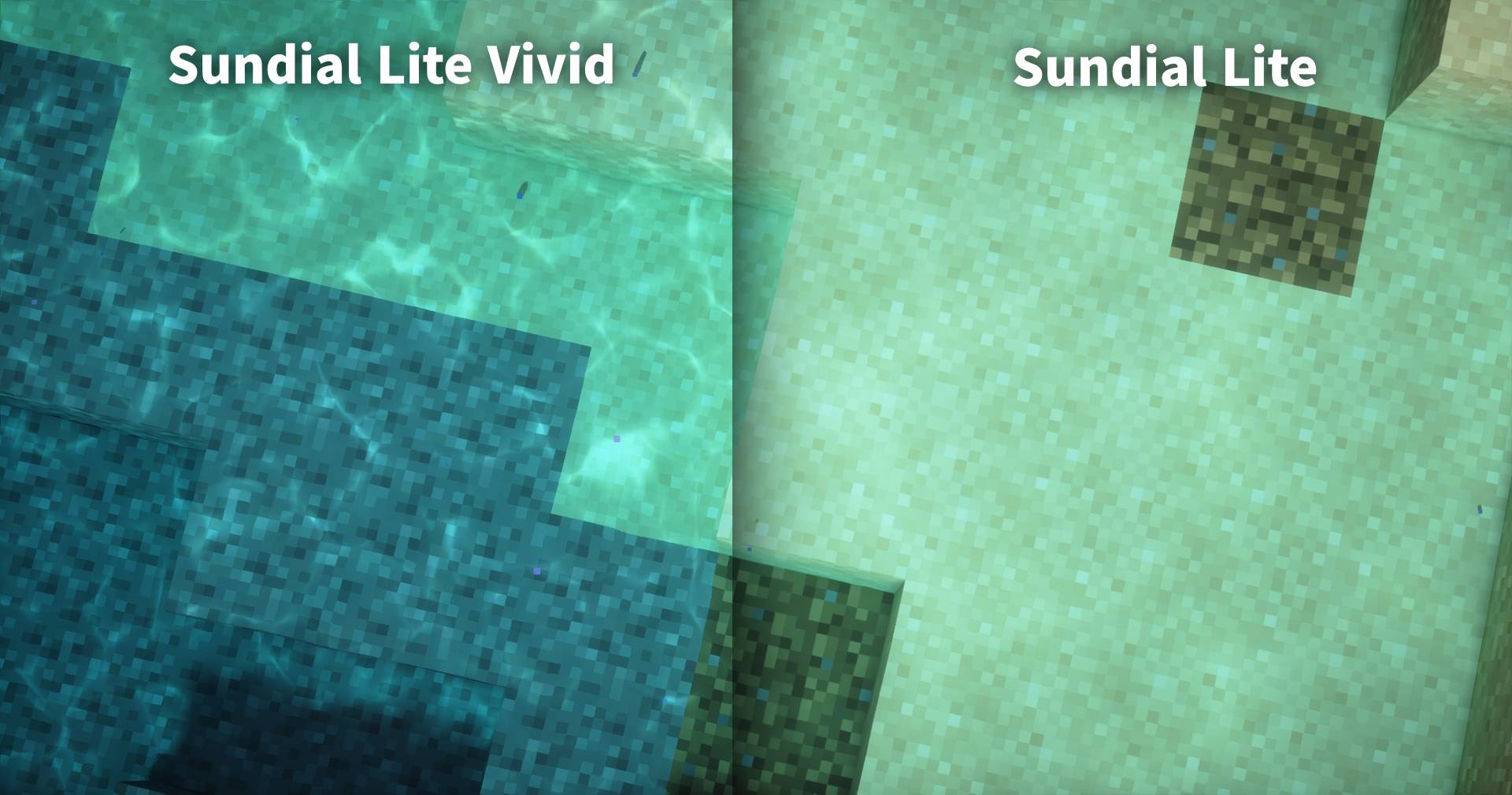
  • Reworked the water caustics to make them sharper and more visible.
  • Reduced excessive bloom around the sun.

Comparison screenshots


Frequently asked questions

  • Isn't this just AI slop made by stealing an existing shader?
    Most of the implementation was done by AI. This version contains only relatively small additions and is distributed under the terms permitted by the original project's GPL license.

    However, rather than leaving most color- and sharpness-related values for AI to decide, I asked it to create tools that allowed me to adjust those values myself and tuned them manually.

  • What should I do if I find a bug?
    Most bugs are inherited from Sundial Lite. Please check whether the same issue also occurs in the original Sundial Lite shader before reporting it there.


Licenses

Sundial Lite and Sundial Lite Vivid

The original Sundial Lite project is licensed under the GNU General Public License v3.0. Sundial Lite Vivid is a derivative of that project and, except for the caustics code identified below, is distributed under the same GPL-3.0 license.

Water caustics

The water caustics code in shaders/libs/WaterCaustics.glsl is licensed separately under the Creative Commons Attribution-NonCommercial-ShareAlike 3.0 Unported License (CC BY-NC-SA 3.0).

The code was adapted from Shadertoy ssfBDf and modified for top-down Minecraft XZ mapping, fixed visual settings, and integration with Sundial Lite's shadow and per-pixel lighting passes.


Sundial Lite Vivid 1.0
MC 1.16.3, 1.13.1, 1.9.3, 1.17.1, 1.9.1, 1.21, 1.16.1, 1.18.1, 1.14.3, 1.15, 1.16, 1.13, 1.16.5, 1.10.2, 1.19.3, 1.20.2, 1.19.4, 1.21.8, 1.9.4, 1.9.2, 1.14.4, 1.14.1, 1.12.1
Release 2026-08-05 Get

Requirements & install

How to use this shader in Minecraft
Shader loader
Iris or OptiFine
Minecraft
1.16.5 – 1.21.8
Install folder
.minecraft/shaderpacks

How to install shaders

  1. Install a shader loader for your Minecraft version: Iris (with Sodium) or OptiFine.
  2. Download the shader pack .zip file (do not extract it).
  3. Put the .zip into the shaderpacks folder (.minecraft/shaderpacks).
  4. In game open Options → Video Settings → Shader Packs, select the pack and apply it.
Browse more: Iris shaders OptiFine shaders Shaders for 1.21.8 All shaders

More from Dominokorean

Advertisement Remove ads with Premium →

You Might Also Like