Mineuniverse
Shaders
Salicylic Shaders

Salicylic Shaders

SHADER
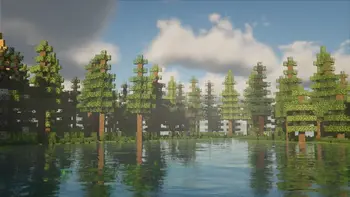
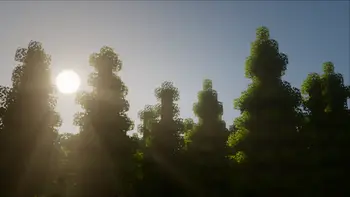
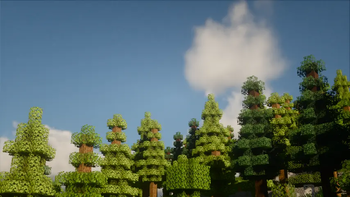
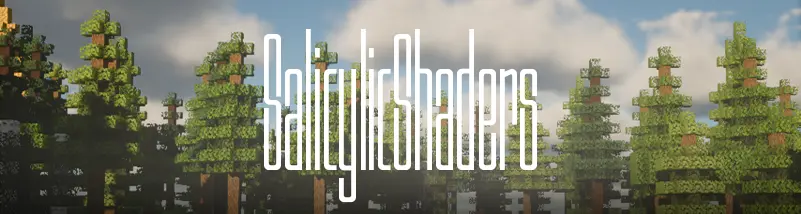
SalicylicShaders brings a cinematic, atmospheric look to Minecraft.
by eptune
Download Claim this project
595 downloads
0 likes
Updated Oct 14, 2026
0 hypes
Fantasy Realistic
Advertisement Remove ads with Premium →

Overview

SalicylicShaders

SalicylicShaders is a Minecraft shader pack built around strong reflective surfaces and atmospheric detail. Water bodies, farmland, and rain-soaked paths all pick up sharp reflections of the surrounding environment, including nearby foliage, structures, and lighting. During rainfall, wet blocks and pathways reflect ambient and artificial light sources, adding a slick, cinematic feel to nighttime and stormy scenes.

The shader pack also features soft, well-defined volumetric clouds that add depth to the sky, along with layered settings for lighting, atmosphere and fog, and post-processing.

Cool Features

A standout inclusion is the "Cool Features" configuration panel, which offers a collection of retro/glitch-style visual effects, including:

  • Old TV effect with adjustable scanline intensity, density, and CRT curve strength
  • CRT flicker and CRT bar sizing
  • Letterbox mode with adjustable bar size
  • VHS effect with wobble, grain, and color bleed controls
  • Digital glitch effects with adjustable block count and RGB split

These give users the option to layer stylized, vintage-inspired visual distortion on top of the shader's realistic base rendering.

License

Released under the MIT license, allowing free use, modification, and distribution.

SalicylicShaders_v1
MC 1.21.2-Snapshot, 1.21, 1.21.6-snapshot, 1.20.2-Snapshot, 1.20.5-Snapshot, 1.19-Snapshot, 1.21.1-Snapshot, 1.19.3, 1.20.2, 1.19.4, 1.21.8, 1.19.4-Snapshot, 1.20.5, 1.21.5, 1.21.4
Release 2026-08-20 Get

Requirements & install

How to use this shader in Minecraft
Shader loader
Iris or OptiFine
Minecraft
1.20.5 – 1.21.8
Install folder
.minecraft/shaderpacks

How to install shaders

  1. Install a shader loader for your Minecraft version: Iris (with Sodium) or OptiFine.
  2. Download the shader pack .zip file (do not extract it).
  3. Put the .zip into the shaderpacks folder (.minecraft/shaderpacks).
  4. In game open Options → Video Settings → Shader Packs, select the pack and apply it.
Browse more: Iris shaders OptiFine shaders Shaders for 1.21.8 All shaders

More from eptune

Advertisement Remove ads with Premium →

You Might Also Like