Badges update automatically and link to the shader page on MineUniverse.
Nythra Shaders is an all-in-one Minecraft shaderpack designed to bring a cinematic, atmospheric look to Minecraft while remaining accessible across a wide range of hardware.
Choose between Low / Potato, High, and Cinematic profiles and experience the same Nythra visual identity with different performance budgets.
Beautiful day, sunset, twilight, and night transitions
Directional moonlight for realistic nighttime illumination
Warm artificial and emissive lighting
Improved environmental contrast and depth
Soft, atmospheric shadows
Atmospheric sky and horizon rendering
Dynamic clouds
Immersive rain and storm atmosphere
Atmospheric fog and distance depth
Distinct lighting throughout the day/night cycle
Overworld
Natural sunlight and atmospheric skies
Dynamic weather
Improved terrain depth and lighting
Beautiful sunsets and moonlit nights
Nether
Warm volcanic atmosphere
Strong lava and emissive lighting
Distinct Nether color grading
Atmospheric depth and fog
Unique warped-forest appearance
The End
Cold, mysterious atmosphere
Deeper void-like environments
Strong silhouettes and contrast
Emissive End Crystal effects
Distinct alien visual identity
Animated water and waves
Refraction and reflective effects
Ambient occlusion
Emissive materials
Bloom and atmospheric glow
Material and gloss-aware rendering
🥔 Low / Potato
For lower-end hardware and players who want better visuals without sacrificing as much performance.
⚡ High
A balanced profile designed for everyday gameplay with a strong combination of visuals and performance.
🎬 Cinematic
For higher-end hardware, enabling the richest visual experience Nythra offers.
Install a compatible Minecraft shader loader such as Iris or OptiFine.
Download the latest Nythra Shaders release.
Place the shader ZIP into your Minecraft shaderpacks folder.
Open Minecraft's shader settings.
Select Nythra Shaders.
Choose the profile that best matches your hardware.
Performance varies depending on your GPU, CPU, resolution, render distance, Minecraft version, mods, and resource packs.
Nythra is designed around one goal:
One shader. Multiple performance levels.
Whether you're using an older PC or a modern gaming system, Nythra lets you choose the rendering profile that fits your hardware without completely changing the shader's visual identity.
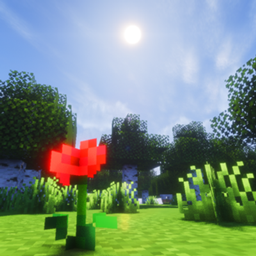
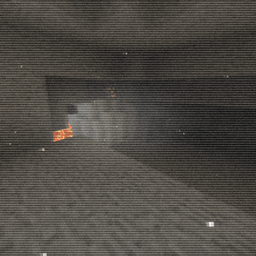
Screenshots below showcase Nythra across different environments, lighting conditions, dimensions, and weather.
Low → High → Cinematic
Created by Harmanpreet Singh
© Harmanpreet Singh 2026. All rights reserved.
Please refer to the included license and project credits for redistribution and usage terms.