Mineuniverse
Shaders
Lumina Craft Shader

Lumina Craft Shader

SHADER
A beautiful Minecraft shader pack focused on realistic lighting, vibrant skies, smooth water, soft shadows, reflections, and a cinematic atmosphere.
by FuzNugzEdits
Download Claim this project
Add a badge to your pageLink to Lumina Craft Shader from a README, website or forum post.
Preview: Badge

Badges update automatically and link to the shader page on MineUniverse.

295 downloads
0 likes
0 followers
Updated Oct 14, 2026
0 hypes
Follow0
Fantasy Realistic Vanilla
Advertisement Remove ads with Premium →

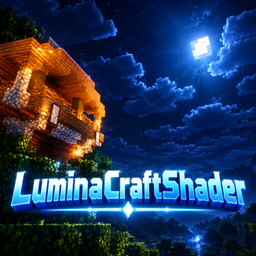
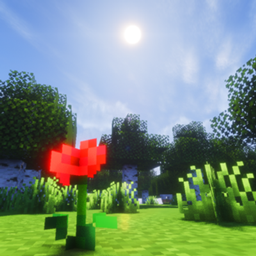
LuminaCraft Shader is a cinematic Minecraft shader pack designed to make your world look more immersive and alive. 🌌✨

Experience dramatically improved lighting, glowing sunsets and moonlight, realistic-looking water, soft shadows, atmospheric clouds, reflections, and enhanced colors while keeping the classic Minecraft style.

Features:

  • 🌅 Cinematic sunrises and sunsets
  • 🌙 Improved moonlight and nighttime atmosphere
  • 💧 Realistic water with reflections and waves
  • ☁️ Enhanced clouds and skies
  • 💡 Dynamic lighting and glowing light sources
  • 🌊 Beautiful environmental reflections
  • 🌲 Improved atmosphere and depth
  • ✨ Bloom and cinematic visual effects
  • 🎮 Designed for Minecraft Java Edition
LuminaCraft v1.5.zip
MC Iris, 26.2
Release 2026-09-30 Get
LuminaCraft v2.1.zip
MC Iris, 26.2
Release 2026-09-30 Get

Requirements & install

How to use this shader in Minecraft
Shader loader
Iris
Minecraft
26.2
Install folder
.minecraft/shaderpacks

Install with Iris

  1. Install Iris with the Iris installer (irisshaders.dev); it sets up Fabric and Sodium for you.
  2. Download the shader pack .zip (do not extract it).
  3. Put the .zip into .minecraft/shaderpacks.
  4. In game open Options → Video Settings → Shader Packs, select the pack and click Apply.
Browse more: Iris shaders OptiFine shaders Shaders for 26.2 All shaders

More from FuzNugzEdits

Advertisement Remove ads with Premium →

You Might Also Like