Mineuniverse
Shaders
LeveReal

LeveReal

SHADER
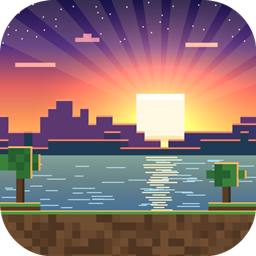
A realistic yet lightweight shader pack: sunset skies, soft shadows, swaying foliage, rich water, wet rainy ground and underwater caustics, with performance profiles from Minimal to Beautiful.
by Bentingv
Download Claim this project
Add a badge to your pageLink to LeveReal from a README, website or forum post.
Preview: Badge

Badges update automatically and link to the shader page on MineUniverse.

33 downloads
0 likes
0 followers
Updated Nov 10, 2026
0 hypes
Follow0
Realistic
Advertisement Remove ads with Premium →


LeveReal V5

A realistic yet lightweight shader pack for Minecraft Java Edition.

LeveReal was built to look good without dragging your game down. It focuses on the effects that matter most (sky, light, water and weather) and skips the heavy stuff, so it stays smooth even on modest setups.

Features

  • Dynamic lighting & shadows – Sun and moon cast shadows, with soft edges on higher profiles. Warm torch light and a cool sky ambient.
  • Atmospheric sky – Procedural sunsets and sunrises, stars, a glowing sun and atmospheric fog that blends naturally into the horizon.
  • Living foliage – Grass, flowers and leaves sway gently in the wind.
  • Improved water – Slow, non-repeating waves, colors that change with depth and biome, sky reflections and sun glints. Optional shoreline foam.
  • Underwater visuals – Biome-tinted water, light absorption with distance, animated caustics on the sea floor, and a Snell's window effect with total internal reflection when looking up at the surface.
  • Rain that matters – Wet and darkened ground, reflective puddles and ripples where the drops land (optional).
  • Polished image – ACES tonemapping, vibrant colors and lightweight edge smoothing.

Performance profiles

  • Minimal – No shadows, maximum FPS
  • Light (default) – Simple shadows
  • Balanced – Soft shadows, full water and rain effects
  • Beautiful – High-resolution shadows

Every effect can also be toggled individually in the shader settings screen.

Requirements

  • Minecraft Java Edition 1.16 or newer (Bedrock is not supported)
  • Iris Shaders + Sodium (recommended) or OptiFine

Installation

  1. Download LeveRealV5.zip and do not extract it.
  2. Put it in your .minecraft/shaderpacks folder.
  3. In game, go to Options → Video Settings → Shader Packs.
  4. Select LeveRealV5 and choose a profile. We recommend starting with Light.

Tips for the best performance

  • Use the Minimal profile if you want the highest possible frame rate.
  • Keep your render distance between 8 and 10 chunks.
  • Make sure Minecraft is running on your dedicated graphics card, if you have one.

Notes

  • The Overworld is the main focus of this pack.
  • Found a bug? Please report it with your game log and the profile you were using.
LeveRealV7.zip
MC 1.21, 1.20.2, 1.21.8, 1.20.5, 1.21.5, 1.21.4, 1.20.1, 1.20, OptiFine, 1.20.6, 1.21.1, 1.21.6, 1.21.3, 1.21.7, 1.20.4, 1.20.3, Iris, 1.21.2, 1.21.9, 1.21.10, 1.21.11, 26.1
Release 2026-11-10 Get
LeveRealV5.zip
MC 1.21, 1.20.2, 1.21.8, 1.20.5, 1.21.5, 1.21.4, 1.20.1, 1.20, OptiFine, 1.20.6, 1.21.1, 1.21.6, 1.21.3, 1.21.7, 1.20.4, 1.20.3, Iris, 1.21.2, 1.21.9, 1.21.10, 1.21.11, 26.1
Beta 2026-11-09 Get

Requirements & install

How to use this shader in Minecraft
Shader loader
Iris OptiFine
Minecraft
1.21.5 – 26.1
Install folder
.minecraft/shaderpacks

How to install shaders

  1. Install a shader loader for your Minecraft version: Iris (with Sodium) or OptiFine.
  2. Download the shader pack .zip file (do not extract it).
  3. Put the .zip into the shaderpacks folder (.minecraft/shaderpacks).
  4. In game open Options → Video Settings → Shader Packs, select the pack and apply it.
Browse more: Iris shaders OptiFine shaders Shaders for 26.1 All shaders
Advertisement Remove ads with Premium →

You Might Also Like