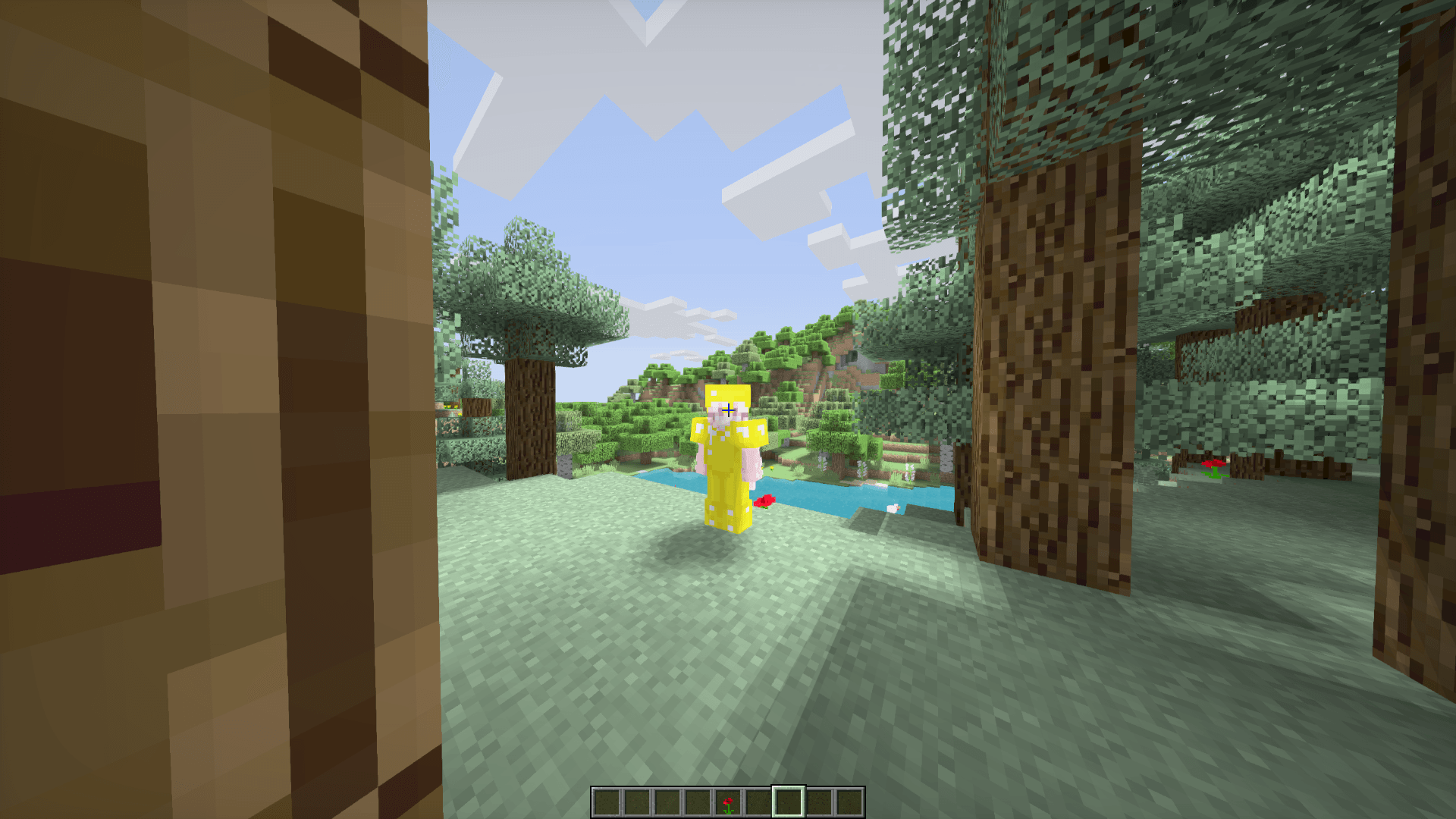
Aetheris Shader is a lightweight, vanilla-plus shader pack built for players who want a visual upgrade without sacrificing performance. It keeps the game's familiar look and feel while adding the details that make the world feel alive.
Features:
- Soft real-time shadows — a 2048-resolution shadow map with smooth PCF filtering means terrain, mobs, and players all cast and receive soft-edged shadows instead of harsh, jagged ones.
- Swaying foliage — grass, flowers, wheat, and leaves animate with a natural wind sway, with independent speed and amplitude per plant type.
- Enhanced water — dedicated water lighting pass for a cleaner, smoother look on lakes, rivers, and oceans.
- Balanced color grading — subtle saturation and gamma tuning plus a soft vignette give scenes a bit more depth without looking over-processed.
- Configurable options — adjust wind strength/speed, animation quality, and water quality to match your hardware and taste.
Aetheris is designed to stay close to vanilla Minecraft's aesthetic — no over-the-top bloom or unrealistic saturation — just cleaner lighting, softer shadows, and a bit of life added to the world around you. Great for players who want a "plus" version of vanilla rather than a full graphical overhaul.