Mineuniverse
Resource Packs
Yoda Totem of Undying

Yoda Totem of Undying

RESOURCE PACK
The Yoda Totem resource pack brings the legendary wisdom and power of Master Yoda into Minecraft, transforming the totem of undying into a symbol of mystical guidance.
by dihogenn
Download Claim this project
Add a badge to your pageLink to Yoda Totem of Undying from a README, website or forum post.
Preview: Badge

Badges update automatically and link to the resource pack page on MineUniverse.

16,534 downloads
0 likes
0 followers
Updated Oct 14, 2026
0 hypes
Follow0
16x Miscellaneous Modern Traditional
Advertisement Remove ads with Premium →

Harness the Force: Yoda Totem


Wise Protection in Every Adventure

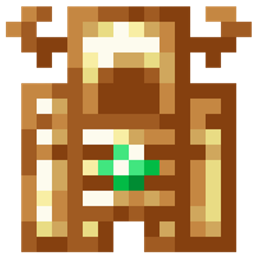
The Yoda Totem resource pack transforms the classic totem of undying in Minecraft into the legendary Master Yoda from Star Wars. This wise and powerful modification infuses your gameplay with the spirit of Yoda, offering guidance and protection with a touch of the Force. Ideal for Star Wars fans and players seeking a mentor figure in their Minecraft world, this totem enhances your survival with a mix of wisdom and mystical power.

Resource Pack Feature


Feature:

  • Iconic Character Design: The totem features the distinct appearance of Yoda, complete with his green skin and wise expression, integrating the essence of Star Wars into Minecraft.

Embrace the wisdom and power of the Yoda Totem and enhance your Minecraft adventures with the Force!

Thanks You Banner


Incorporate the Yoda Totem into your gameplay for a mystical and powerful enhancement to your game's survival elements, blending the wisdom of Yoda with the practicality of Minecraft.

Yoda Totem.zip
MC 1.17.1, 1.16.3, 1.13.1, 1.19.3, 1.20.2, 1.21, 1.16.1, 1.18.1, 1.20.5, 1.21.5, 1.14.4, 1.14.1, 1.12.1, 1.17, 1.12, 1.14.3, 1.15, 1.16, 1.13, 1.19.4, 1.16.5, 1.21.4, 1.11
Release 2025-01-27 Get

Requirements & install

How to use this resource pack in Minecraft
Resolution
16x
Minecraft
1.18.1 – 1.21.5
Install folder
.minecraft/resourcepacks

How to install resource packs

  1. Download the resource pack .zip file (do not extract it).
  2. In Minecraft open Options → Resource Packs → Open Pack Folder.
  3. Drop the .zip into the resourcepacks folder (.minecraft/resourcepacks).
  4. Move the pack to the Selected column and click Done.
Browse more: 16x resource packs 32x resource packs 64x resource packs 128x resource packs 256x resource packs 512x+ resource packs Resource Packs for 1.21.5 All resource packs

More from dihogenn

Advertisement Remove ads with Premium →

You Might Also Like