Mineuniverse
Resource Packs
Removed Portal Animations

Removed Portal Animations

RESOURCE PACK
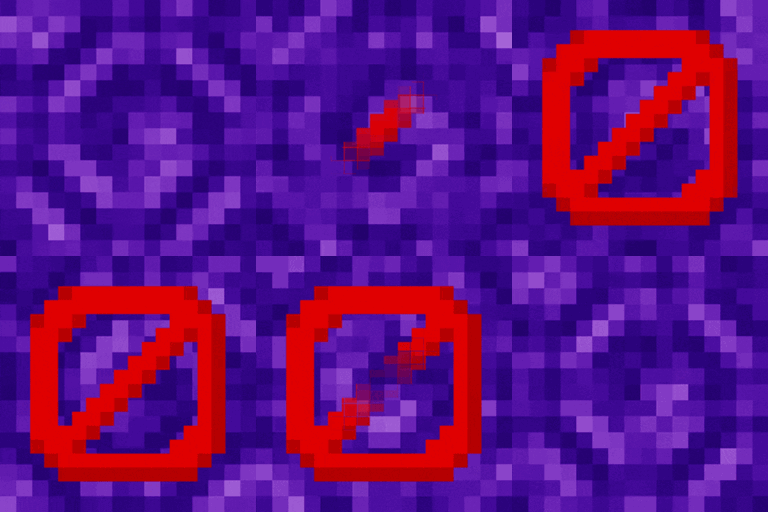
Simple Minecraft Portal without animations
by dihogenn
Download Claim this project
79,446 downloads
0 likes
0 followers
Updated Oct 14, 2026
0 hypes
Follow0
16x Miscellaneous Mod Support Modern Traditional
Advertisement Remove ads with Premium →

Enhance Your Game with Removed Portal Animation


Stabilize Your Minecraft Portals

The Removed Portal Animation Resource Pack removes the swirling portal animations in Minecraft, providing a clear and static portal appearance. This change helps reduce visual distractions and can improve game performance on lower-end devices.

Get the Resource Pack

Features Include:


  • Animation Removal: This pack removes the dynamic animations from all portal types, leading to a cleaner and more stable portal appearance.
  • Performance Enhancement: By eliminating these animations, the pack can help enhance game performance, making it smoother, especially on older or less powerful hardware.
  • Better Focus: With less distraction from flickering animations, players can focus better on their gameplay.

Enhance your portal experience with Removed Portal Animation and enjoy a more focused gameplay!

Join Now

Upgrade to Removed Portal Animation for a cleaner, more performance-friendly gaming experience. This resource pack not only simplifies your visual experience but also improves the functional aspects of the game, making it more enjoyable for players on all types of devices.

Credits: You are free to use Removed Portal Animation in your modpacks.

Without Portal Animations.zip
MC 1.7.6, 1.16-Snapshot, 1.17.1, 1.9.1, 1.5.3, 1.16.3, 1.13.1, 1.9.3, 1.8.7, 1.7.4, 1.7.7, 1.19.3, 1.20.2, 1.21.2-Snapshot, 1.21, 1.15-Snapshot, 1.7.5, 1.4.6, 1.6.1, 1.16.1
Release 2025-01-15 Get

Requirements & install

How to use this resource pack in Minecraft
Resolution
16x
Minecraft
1.16-Snapshot – 1.21.2-Snapshot
Install folder
.minecraft/resourcepacks

How to install resource packs

  1. Download the resource pack .zip file (do not extract it).
  2. In Minecraft open Options → Resource Packs → Open Pack Folder.
  3. Drop the .zip into the resourcepacks folder (.minecraft/resourcepacks).
  4. Move the pack to the Selected column and click Done.
Browse more: 16x resource packs 32x resource packs 64x resource packs 128x resource packs 256x resource packs 512x+ resource packs Resource Packs for 1.21.2-Snapshot All resource packs

More from dihogenn

Advertisement Remove ads with Premium →

You Might Also Like