Mineuniverse
Resource Packs
Visual Traveler's Titles Reforged

Visual Traveler's Titles Reforged

RESOURCE PACK
Visual titles when entering dimensions!
by MoCreaturesRemade
Download Claim this project
Add a badge to your pageLink to Visual Traveler's Titles Reforged from a README, website or forum post.
Preview: Badge

Badges update automatically and link to the resource pack page on MineUniverse.

916,666 downloads
0 likes
0 followers
Updated Oct 14, 2026
0 hypes
Follow0
512x and Higher Miscellaneous Mod Support
Advertisement Remove ads with Premium →

Visual Traveler's Titles

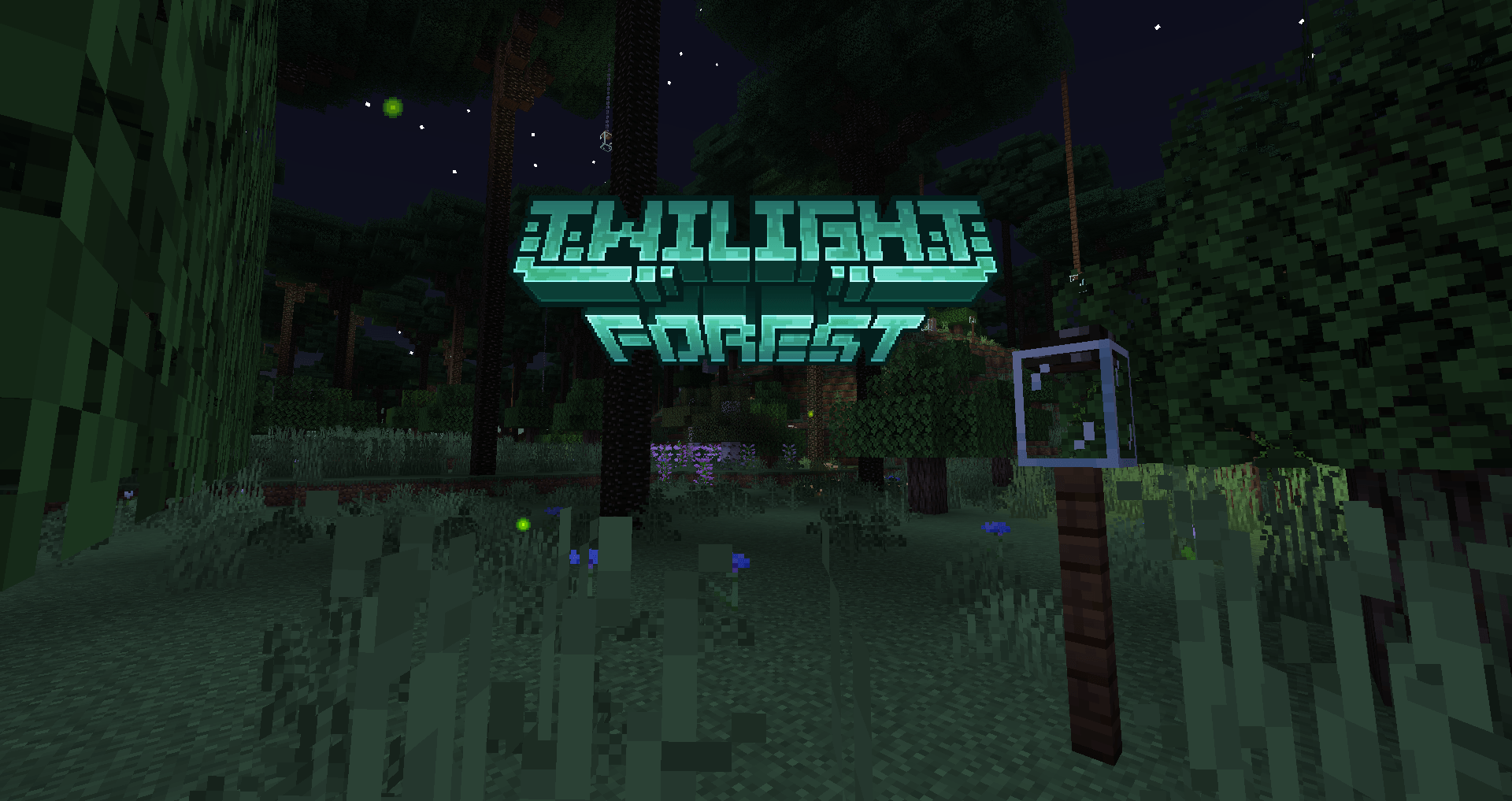
Resource pack that serves as an addition to the Traveler's Titles. Resource pack replaces the 2D names of the dimensions with stylized 3D logos in the Dungeons game style 


🎶 Aviable Languages 


🧱 Supported mods


🐝 Set-up

  • Download and install Traveler's Titles
  • Open Traveler's Titles config and go to "Dimension Titles" (If you use Forge, u should download Configured)
  • Turn off Display text shadow


📝 Frequently Asked Questions

Q: Can I use this rp in my modpack?
A: Sure! Feel free to include this rp in your modpack. Just make sure to give credit, and don't claim Visual TT as your own creation


Q: Can you add the language of my country?

A: Yes and no. At first, the plan is to add as many mods as possible, after which new languages ​​will be added gradually. 


Q: Can I use the logos from the mod outside of the game?

A: Depends on what exactly you want to do with it, either way you can contact me for details

 
visualtitles26.1.zip
MC 26.1
Release 2026-05-31 Get
visualtitles1.21.11.zip
MC 1.21.11
Release 2026-03-21 Get
visualtitles1.20.1.zip
MC 1.20.1
Release 2024-12-05 Get
visualtitles1.21.zip
MC 1.21
Release 2024-12-05 Get

Requirements & install

How to use this resource pack in Minecraft
Resolution
512x+
Minecraft
1.20.1 – 26.1
Install folder
.minecraft/resourcepacks

How to install resource packs

  1. Download the resource pack .zip file (do not extract it).
  2. In Minecraft open Options → Resource Packs → Open Pack Folder.
  3. Drop the .zip into the resourcepacks folder (.minecraft/resourcepacks).
  4. Move the pack to the Selected column and click Done.

512x packs need a strong GPU and at least 4 GB of RAM for Minecraft; a performance mod such as Sodium is strongly recommended.

Browse more: 16x resource packs 32x resource packs 64x resource packs 128x resource packs 256x resource packs 512x+ resource packs Resource Packs for 26.1 All resource packs

More from MoCreaturesRemade

Advertisement Remove ads with Premium →

You Might Also Like