Mineuniverse
Resource Packs
V7_pack_vanadia [x128]

V7_pack_vanadia [x128]

RESOURCE PACK
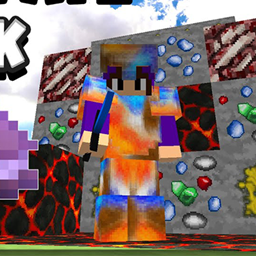
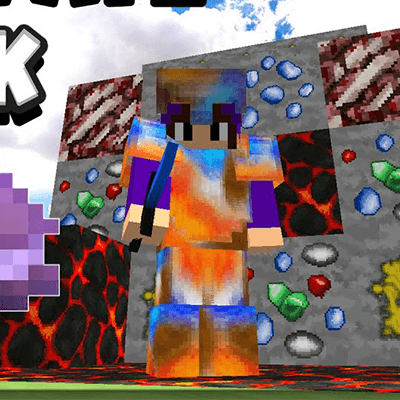
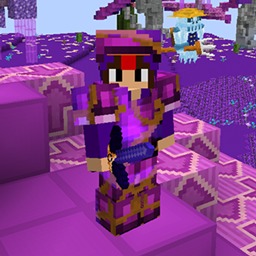
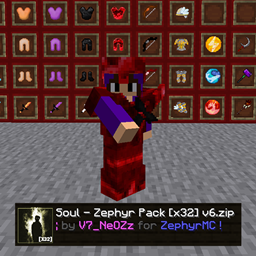
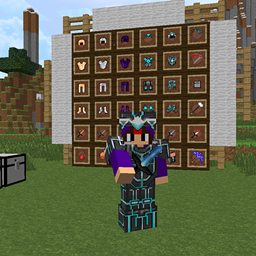
Texture pack for the modded Vanadia server that completely redesigns all PvP items with custom textures for a fresh and unique combat experience.
by V7_NeOZz
Download Claim this project
Add a badge to your pageLink to V7_pack_vanadia [x128] from a README, website or forum post.
Preview: Badge

Badges update automatically and link to the resource pack page on MineUniverse.

4 downloads
0 likes
0 followers
Updated Oct 14, 2026
0 hypes
Follow0
128x
Advertisement Remove ads with Premium →

Custom PvP Texture Pack (Designed for Vanadia)

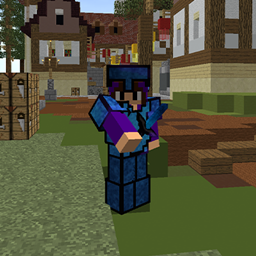
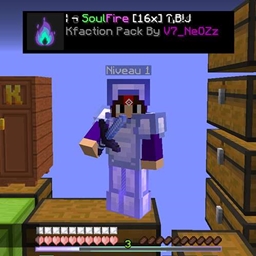
Designed for Vanadia players, V7_Pack_Vanadia [x128] delivers a complete visual overhaul of the server's PvP items with custom high-resolution textures.

Created specifically for the modded Vanadia server, this pack redesigns all PvP-related items with detailed x128 textures, giving weapons, armor, and combat equipment a fresh and distinctive appearance. Every texture is designed to enhance the visual identity of the server while keeping the Minecraft combat experience immersive.

Whether you're upgrading your equipment, preparing for battle, grinding resources, or fighting other players, V7_Pack_Vanadia [x128] brings a refreshed look to your PvP experience.

🔹 Complete redesign of all PvP items
🔹 High-resolution x128 textures for enhanced details
🔹 Custom visuals designed specifically for Vanadia
🔹 A fresh and immersive modded PvP experience

Give it a try and discover Vanadia's PvP equipment with a completely new look!

🎥 Pack Showcase Video:
📌 More packs & updates on Discord: https://discord.gg/xUQwpKs9hf

V7_pack_vanadia [x128].zip
MC 1.8.7, 1.7.4, 1.7.7, 1.7.6, 1.7.5, 1.7.3, 1.7.2, 1.8.8, 1.8.4, 1.7.9, 1.8-Snapshot, 1.8.3, 1.7.10, 1.8, 1.7.8, 1.8.6, 1.8.9, 1.8.1, 1.8.5, 1.8.2
Release 2026-10-09 Get

Requirements & install

How to use this resource pack in Minecraft
Resolution
128x
Minecraft
1.8.2 – 1.8.9
Install folder
.minecraft/resourcepacks

How to install resource packs

  1. Download the resource pack .zip file (do not extract it).
  2. In Minecraft open Options → Resource Packs → Open Pack Folder.
  3. Drop the .zip into the resourcepacks folder (.minecraft/resourcepacks).
  4. Move the pack to the Selected column and click Done.

Packs from 128x upwards need more video memory: install a performance mod such as Sodium for smooth frame rates.

Browse more: 16x resource packs 32x resource packs 64x resource packs 128x resource packs 256x resource packs 512x+ resource packs Resource Packs for 1.8.9 All resource packs

More from V7_NeOZz

Advertisement Remove ads with Premium →

You Might Also Like