Mineuniverse
Resource Packs
TrueSky

TrueSky

RESOURCE PACK
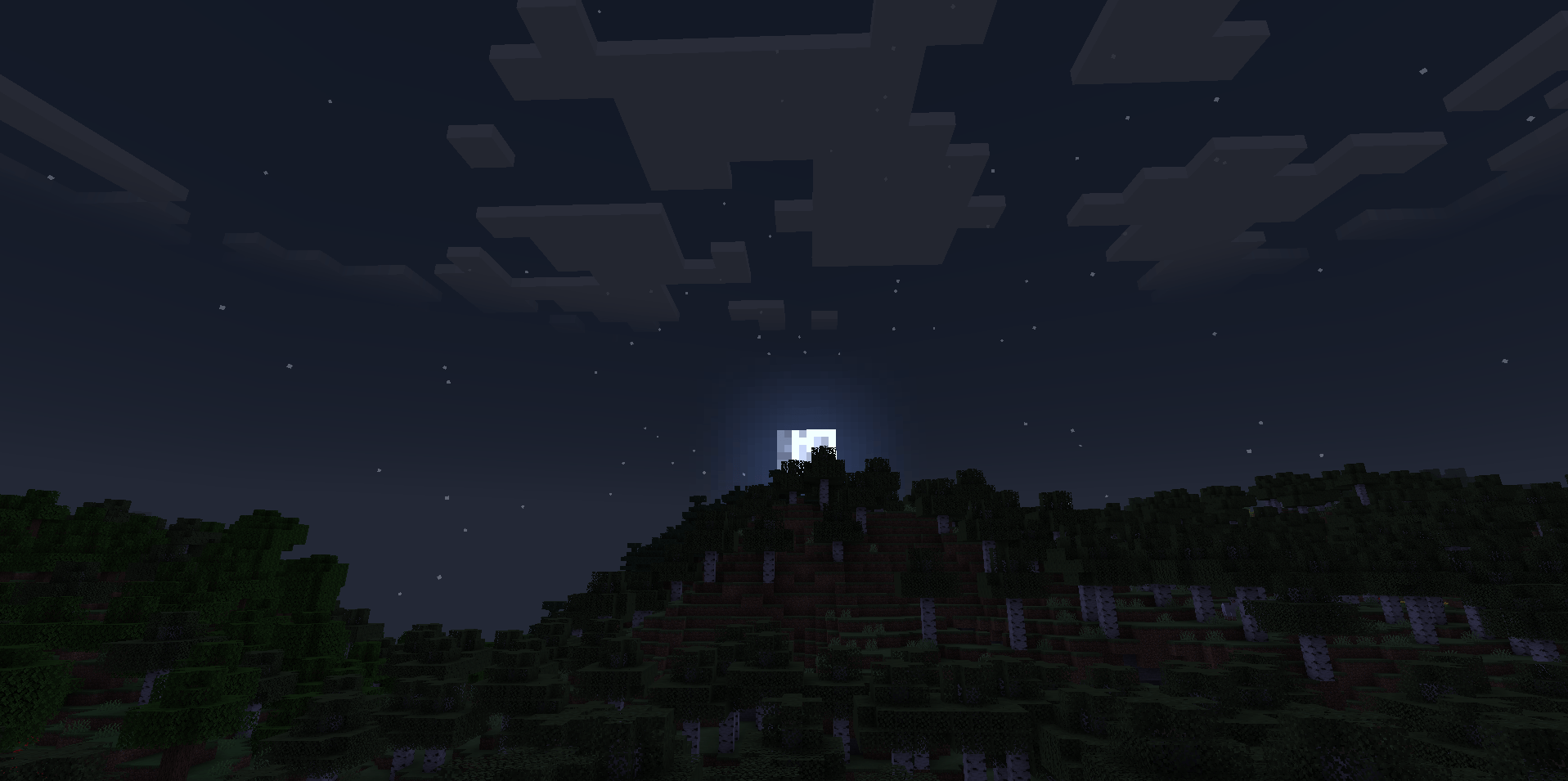
TrueSky transforms the vanilla skybox into a breathtaking, realistic visual experience. Enjoy dynamic colors, beautiful clouds, and immersive atmospheres without altering core gameplay.
by LockInMyPng
Download Claim this project
2,905 downloads
0 likes
0 followers
Updated Oct 14, 2026
0 hypes
Follow0
512x and Higher
Advertisement Remove ads with Premium →

🌤️ Welcome to TrueSky! Are you tired of the flat and boring default sky? TrueSky is a purely visual enhancement mod designed to overhaul the atmospheric experience of your world. While it doesn't change how the game is played, it completely transforms how the game feels.

✨ Key Features (คุณสมบัติที่โปรเจ็กต์นำเสนอ):

  • Realistic Skybox: Replaces the default pixelated sky with high-quality, smooth textures.

  • Dynamic Day/Night Cycle: Experience vibrant, colorful sunrises and sunsets that smoothly transition into a breathtaking starry night.

  • Enhanced Celestial Bodies: (ถ้ามี) Updated Sun and Moon textures to match the new realistic aesthetic.

  • Vanilla-Friendly: Does not add new blocks or items. It is strictly a client-side visual upgrade.

🎮 How it impacts your experience (ผลต่อประสบการณ์ของผู้ใช้):

  • Total Immersion: Whether you are building a massive castle, sailing across the ocean, or just relaxing at your base, the enhanced sky creates a deeply immersive and cozy atmosphere.

  • Perfect for Screenshots: Builders and content creators will love the new lighting and backdrop. Your screenshots will look stunning without needing heavy shaders.

  • Lightweight Performance: Enjoy a beautiful game environment without the massive frame-rate drops often associated with full shader packs.

TrueSky1.0.0.zip
MC 1.16.3, 1.16-Snapshot, 1.17.1, 1.21.2-Snapshot, 1.21, 1.21.6-snapshot, 1.16.1, 1.18.1, 1.20.2-Snapshot, 1.20.5-Snapshot, 1.16, 1.19-Snapshot, 1.21.1-Snapshot, 1.16.5, 1.19.3, 1.20.2
Release 2026-07-06 Get

Requirements & install

How to use this resource pack in Minecraft
Resolution
512x+
Minecraft
1.19.3 – 1.21.6-snapshot
Install folder
.minecraft/resourcepacks

How to install resource packs

  1. Download the resource pack .zip file (do not extract it).
  2. In Minecraft open Options → Resource Packs → Open Pack Folder.
  3. Drop the .zip into the resourcepacks folder (.minecraft/resourcepacks).
  4. Move the pack to the Selected column and click Done.

512x packs need a strong GPU and at least 4 GB of RAM for Minecraft; a performance mod such as Sodium is strongly recommended.

Browse more: 16x resource packs 32x resource packs 64x resource packs 128x resource packs 256x resource packs 512x+ resource packs Resource Packs for 1.21.6-snapshot All resource packs

More from LockInMyPng

Advertisement Remove ads with Premium →

You Might Also Like