Mineuniverse
Resource Packs
Szombie's Particle Effects

Szombie's Particle Effects

RESOURCE PACK
Replaces Sword Sweep and Critical Hit particles.
by szombie_art
Download Claim this project
21,176 downloads
0 likes
0 followers
Updated Oct 14, 2026
0 hypes
Follow0
256x Animated Miscellaneous Traditional
Advertisement Remove ads with Premium →


You can:

  • Showcase the resource pack in any format if you credit me.
  • Share the resource pack with the CurseForge or PlanetMinecraft links.
  • Use the resource pack on any server.
  • Modify the resource pack for private use only!


You can't:

  • Claim the resource pack as your own.
  • Modify the resource pack for public use.
  • Reupload any contents of the resource pack to anywhere.
  • Showcase or share the resource pack without properly crediting the author.

    WARNING: If you disregard ANY of the above statements, measures will be taken to prevent any kind of theft! Thank you for understanding.

ABOUT

(REQUIRES 1.14+)

If you plan to use any of this in your own resource pack, contact me and we can get into agreement!


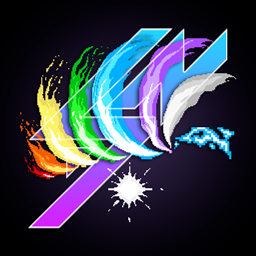
Szombie's Particle Effects resource pack overhauls the original Sword Sweep Particle Effect and the Critical Hit Particle Effect, making the sword combat better and give the player a more satisfying feeling upon hitting an enemy.


  • The sword sweep effects were made in 256x256, while the critical hit effects were made in 128x128 resolution, making them a lot more detailed compared to their original counterparts. Unlike the others, the Lightning Swing Effect and it's Critical Hit Effect was made in 32x32 resolution.
  • It was originally made for my Custom Item (CIT) resource packs, so people can choose their favorite colors to their favorite weapons.
  • For the best experience, I recommend browsing through my weapons that replace swords upon renaming them in an anvil! Check out my other projects here to browse through my resource packs HERE!
  • Please keep in mind that the Sword Sweep effect only activates when you hit something with a sword equipped, it doesn't work with any other items/tools!


INSTALLATION

Place the chosen color's .zip file in your resourcepacks folder, then move it to the top of your Resource Pack List in game! That's it!


THANK YOU!

If you would like to support me, please consider subscribing to my channel for more content like this in the future!


You don't have to, but if you would like to support me with more than a subscribe, you have the option to donate me on PayPal as well! The "Donate" button is around the top right of this page!


I really hope you'll enjoy the resource pack! Have fun!

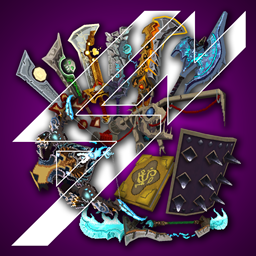
WoW Sword Particles
MC 1.16-Snapshot, 1.17.1, 1.16.3, 1.19.3, 1.15-Snapshot, 1.16.1, 1.18.1, 1.14.4, 1.14.1, 1.17, 1.14.3, 1.15, 1.16, 1.19.4, 1.19-Snapshot, 1.16.5, 1.18.2, 1.19.2, 1.15.2, 1.14
Release 2023-05-23 Get
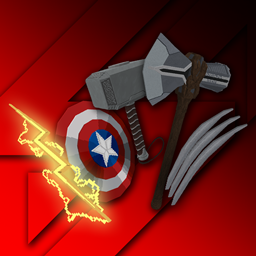
Wolverine Effect
MC 1.16-Snapshot, 1.17.1, 1.16.3, 1.19.3, 1.15-Snapshot, 1.16.1, 1.18.1, 1.14.4, 1.14.1, 1.17, 1.14.3, 1.15, 1.16, 1.19.4, 1.19-Snapshot, 1.16.5, 1.18.2, 1.19.2, 1.15.2, 1.14
Release 2023-03-01 Get
Blue Effect
MC 1.16-Snapshot, 1.17.1, 1.16.3, 1.19.3, 1.15-Snapshot, 1.16.1, 1.18.1, 1.14.4, 1.14.1, 1.17, 1.14.3, 1.15, 1.16, 1.19.4, 1.19-Snapshot, 1.16.5, 1.18.2, 1.19.2, 1.15.2, 1.14
Release 2023-02-04 Get
Gray Effect
MC 1.16-Snapshot, 1.17.1, 1.16.3, 1.19.3, 1.15-Snapshot, 1.16.1, 1.18.1, 1.14.4, 1.14.1, 1.17, 1.14.3, 1.15, 1.16, 1.19.4, 1.19-Snapshot, 1.16.5, 1.18.2, 1.19.2, 1.15.2, 1.14
Release 2023-02-04 Get
Green Effect
MC 1.16-Snapshot, 1.17.1, 1.16.3, 1.19.3, 1.15-Snapshot, 1.16.1, 1.18.1, 1.14.4, 1.14.1, 1.17, 1.14.3, 1.15, 1.16, 1.19.4, 1.19-Snapshot, 1.16.5, 1.18.2, 1.19.2, 1.15.2, 1.14
Release 2023-02-04 Get
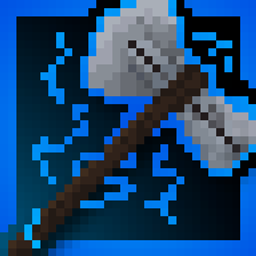
Lightning Effect
MC 1.16-Snapshot, 1.17.1, 1.16.3, 1.19.3, 1.15-Snapshot, 1.16.1, 1.18.1, 1.14.4, 1.14.1, 1.17, 1.14.3, 1.15, 1.16, 1.19.4, 1.19-Snapshot, 1.16.5, 1.18.2, 1.19.2, 1.15.2, 1.14
Release 2023-02-04 Get
Orange Effect
MC 1.16-Snapshot, 1.17.1, 1.16.3, 1.19.3, 1.15-Snapshot, 1.16.1, 1.18.1, 1.14.4, 1.14.1, 1.17, 1.14.3, 1.15, 1.16, 1.19.4, 1.19-Snapshot, 1.16.5, 1.18.2, 1.19.2, 1.15.2, 1.14
Release 2023-02-04 Get
Purple Effect
MC 1.16-Snapshot, 1.17.1, 1.16.3, 1.19.3, 1.15-Snapshot, 1.16.1, 1.18.1, 1.14.4, 1.14.1, 1.17, 1.14.3, 1.15, 1.16, 1.19.4, 1.19-Snapshot, 1.16.5, 1.18.2, 1.19.2, 1.15.2, 1.14
Release 2023-02-04 Get
Red Effect
MC 1.16-Snapshot, 1.17.1, 1.16.3, 1.19.3, 1.15-Snapshot, 1.16.1, 1.18.1, 1.14.4, 1.14.1, 1.17, 1.14.3, 1.15, 1.16, 1.19.4, 1.19-Snapshot, 1.16.5, 1.18.2, 1.19.2, 1.15.2, 1.14
Release 2023-02-04 Get
Yellow Effect
MC 1.16-Snapshot, 1.17.1, 1.16.3, 1.19.3, 1.15-Snapshot, 1.16.1, 1.18.1, 1.14.4, 1.14.1, 1.17, 1.14.3, 1.15, 1.16, 1.19.4, 1.19-Snapshot, 1.16.5, 1.18.2, 1.19.2, 1.15.2, 1.14
Release 2023-02-04 Get

Requirements & install

How to use this resource pack in Minecraft
Resolution
256x
Minecraft
1.17 – 1.19.4
Install folder
.minecraft/resourcepacks

How to install resource packs

  1. Download the resource pack .zip file (do not extract it).
  2. In Minecraft open Options → Resource Packs → Open Pack Folder.
  3. Drop the .zip into the resourcepacks folder (.minecraft/resourcepacks).
  4. Move the pack to the Selected column and click Done.

Packs from 128x upwards need more video memory: install a performance mod such as Sodium for smooth frame rates.

Browse more: 16x resource packs 32x resource packs 64x resource packs 128x resource packs 256x resource packs 512x+ resource packs Resource Packs for 1.19.4 All resource packs

More from szombie_art

Advertisement Remove ads with Premium →

You Might Also Like