Badges update automatically and link to the resource pack page on MineUniverse.
Stennos Stripped Fences
Resource Pack for Minecraft: Java Edition
A simple texture swap Resource Pack, that only modifies Vanilla Textures
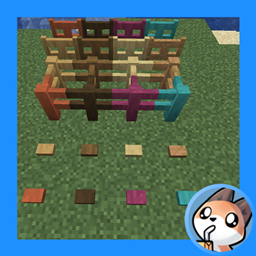
Fence, Gate and Button Textures now use the Stripped Log variant texture instead of Planks
Initially designed for use in Streams & YouTube videos by Stennos


How To Install:
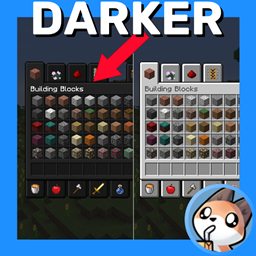
Download > Launch Minecraft: Java Edition > Resource Packs Menu > Open Resource Packs Folder > Copy Resource Pack Downloaded Zip file here > Resource Packs Game Menu > Click Arrow to move “Stennos Dark Mode” to the right side
FAQ:
Is Optifine Needed?
No, this pack works on it’s own, now that we have Monochrome Logo loading screens. Thanks Mojang.
Mod Support?
I do not play modded, and do not currently plan to add support for mods
Can I Leave Feedback?
Yes, in the comments below, or you can chat with me directly when I’m live on Twitch
Do You Have Other Packs?
Yes I do! You can find all of my public packs in my CurseForge Projects Page and always find them quickly at Stennos.com/packs
Can I Use Your Textures?
You can use these edited files, and edit them as well, just provide credit to “Stennos.com/packs” and do not put the pack behind a Pay Wall
License: CC BY-NC-SA 4.0
Screenshots:
Default:

Stennos Stripped Fences:
Default:
Stennos Stripped Fences: