Mineuniverse
Resource Packs
Stennos Green Savanna

Stennos Green Savanna

RESOURCE PACK
Greens up the Savanna & Desert Biome Tint a bit
by Stennos
Download Claim this project
Add a badge to your pageLink to Stennos Green Savanna from a README, website or forum post.
Preview: Badge

Badges update automatically and link to the resource pack page on MineUniverse.

1,209 downloads
0 likes
0 followers
Updated Oct 14, 2026
0 hypes
Follow0
16x Miscellaneous Traditional
Advertisement Remove ads with Premium →

Stennos Green Savanna
Resource Pack for Minecraft: Java Edition


A simple Biome Color Change resource pack, that only modifies Vanilla Textures
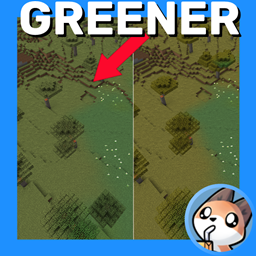
The Savanna & Desert Biome tint is now a brighter shade of green, but still distinctive enough to be it's own biome
Initially designed for use in Streams & YouTube videos by Stennos


Stennos Green Savanna Display 1


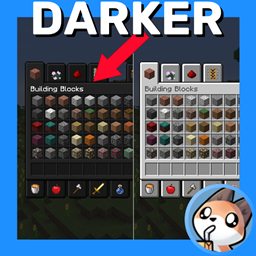
Stennos Green Savanna Display 2

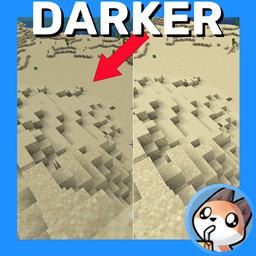
Desert:
The desert is also effected by this change


How To Install:
Download > Launch Minecraft: Java Edition > Resource Packs Menu > Open Resource Packs Folder > Copy Resource Pack Downloaded Zip file here > Resource Packs Game Menu > Click Arrow to move “Stennos Dark Mode” to the right side


FAQ:
Is Optifine Needed?
No, this pack works on it’s own.

Mod Support?
I do not play modded, and do not currently plan to add support for mods

Can I Leave Feedback?
Yes, in the comments below, or you can chat with me directly when I’m live on Twitch

Do You Have Other Packs?
Yes I do! You can find all of my public packs in my CurseForge Projects Page and always find them quickly at Stennos.com/packs

Can I Use Your Textures?
You can use these edited files, and edit them as well, just provide credit to “Stennos.com/packs” and do not put the pack behind a Pay Wall
License: CC BY-NC-SA 4.0


Screenshots:

Default


Stennos Green Savanna

Default

Stennos Green Savanna


Stennos Green Savanna 1.18.zip
MC 1.18.1, 1.18.2, 1.18, 1.18-Snapshot
Release 2022-07-16 Get
Stennos Green Savanna 1.19.zip

MC 1.19-Snapshot, 1.19.1, 1.19
Release 2022-07-16 Get

Requirements & install

How to use this resource pack in Minecraft
Resolution
16x
Minecraft
1.18-Snapshot – 1.19.1
Install folder
.minecraft/resourcepacks

How to install resource packs

  1. Download the resource pack .zip file (do not extract it).
  2. In Minecraft open Options → Resource Packs → Open Pack Folder.
  3. Drop the .zip into the resourcepacks folder (.minecraft/resourcepacks).
  4. Move the pack to the Selected column and click Done.
Browse more: 16x resource packs 32x resource packs 64x resource packs 128x resource packs 256x resource packs 512x+ resource packs Resource Packs for 1.19.1 All resource packs

More from Stennos

Advertisement Remove ads with Premium →

You Might Also Like