Mineuniverse
Resource Packs
Squishy's Enchanted Picks

Squishy's Enchanted Picks

RESOURCE PACK
This adds Special Textures depending on the enchantment that is on your pick
by MrSirSquishy
Download Claim this project
1,542 downloads
0 likes
Updated Oct 14, 2026
0 hypes
16x Medieval Miscellaneous Traditional
Advertisement Remove ads with Premium →

This Pack adds Special Textures depending on the enchantment that is on your pick.(Works 1.16 and up and requires Optifine)


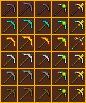
Enchantments(left to right):


Basic: the basic pick, the only difference is gold which looks better now.


Efficiency: the pick has a larger handle and a sharper head to help drill it's way through whatever stone-like material your mining.


Silk Touch: the pick is now all cute and small so it can gently pick up materials for you.


Mending: The pick is experience themed to represent how mending works by collecting XP.


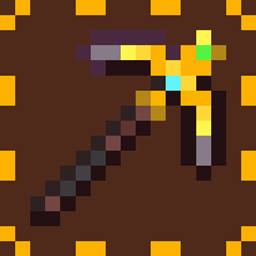
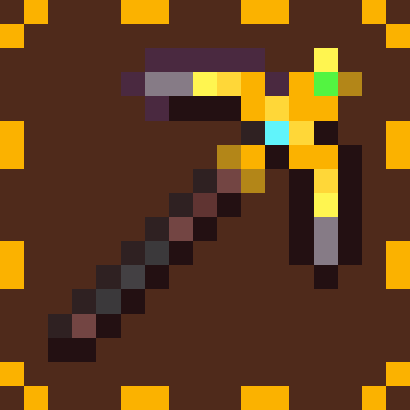
Fortune: the pick is decked out in gold and gems(the gold pick is extra snazzy)


A higher quality version of the chart can be found here: https://docs.google.com/document/d/1425a3acRDEtUrJ871Ks5Dhp374zGslm1Ac-aAU7Rr10/edit?usp=sharing


- There are also Values for each enchantment that determine which enchantment will show when the pick has more than one enchantment, you can edit these all you like in the files.


Want more Textures from me? I have a Fiverr page where I can take requests!

https://www.fiverr.com/share/WkzjA7


Come Check out my other Resource Packs!:

 

Squishy's Enchanted Swords


Squishy's Enchanted Axes


Squishy's Enchanted Tridents


Squishy's Enchanted Bows

Squishy's Enchanted Picks.zip
MC 1.16-Snapshot, 1.16.3, 1.16.1, 1.16, 1.16.5, 1.16.4, 1.16.2
Release 2021-07-20 Get

Requirements & install

How to use this resource pack in Minecraft
Resolution
16x
Minecraft
1.16-Snapshot – 1.16.5
Install folder
.minecraft/resourcepacks

How to install resource packs

  1. Download the resource pack .zip file (do not extract it).
  2. In Minecraft open Options → Resource Packs → Open Pack Folder.
  3. Drop the .zip into the resourcepacks folder (.minecraft/resourcepacks).
  4. Move the pack to the Selected column and click Done.
Browse more: 16x resource packs 32x resource packs 64x resource packs 128x resource packs 256x resource packs 512x+ resource packs Resource Packs for 1.16.5 All resource packs

More from MrSirSquishy

Advertisement Remove ads with Premium →

You Might Also Like