Mineuniverse
Resource Packs
Semos Villagers Biome Fix

Semos Villagers Biome Fix

RESOURCE PACK
Display biome outfits for my villagers packs on 1.21.9+
by Seb_Semos
Download Claim this project
Add a badge to your pageLink to Semos Villagers Biome Fix from a README, website or forum post.
Preview: Badge

Badges update automatically and link to the resource pack page on MineUniverse.

56 downloads
0 likes
0 followers
Updated Oct 14, 2026
0 hypes
Follow0
64x Miscellaneous
Advertisement Remove ads with Premium →

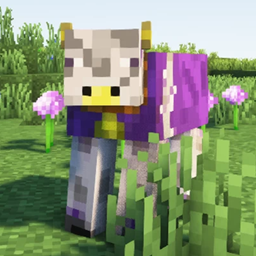
This pack fix the lack of job display of my villagers pack on 1.21.9 and up [Hermitcraft Villagers], [Songs Of War Villagers] and [Alex and Steve Villagers]

Require version 3.0.4 minimum of Hermitcraft and Songs of War and 6.0.4 of Alex and Steve
Keep track of what versions of my packs are compatible with wich addon version with this file: [with this link]
The pack order has no importance

Compatibility:

  • This pack uses the vanilla location of the textures and therefore should be compatible with any ressource pack that change or variate those.
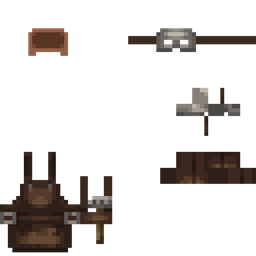
  • In addition to vanilla texturing, you can have hats like the farmer or fisherman in the biome outfit. Texture location is the same as the jobs outfit
  • Compatible with my job fix pack

Advanced Control:

You can toggle the visibility of the biome texture for each entity by putting one of the following in their name:
no biome body biome left arm biome right arm biome head biome right leg biome left leg biome

Qwerks:

  • Head textures are resized to match the player head. So they're mixels.
  • Depending of the player face, head equipement like glasses can be far away from the eyes and look funny
  • Same goes for the hats

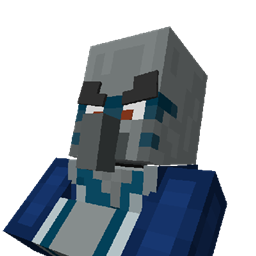
Compatibility example using Extra Villagers from [iHopeICanChangeThis]

Semos Villagers Biome 1.0.2.zip
MC 1.21.9, 1.21.10, 1.21.11-snapshot, 1.21.11, 26.1
Release 2026-03-29 Get
Semos Villagers Biome 1.0.0.zip
MC 1.21.9-snapshot, 1.21.9, 1.21.10, 1.21.11-snapshot
Release 2025-11-23 Get
Semos Villagers Biome 1.0.1.zip
MC 1.21.9-snapshot, 1.21.9, 1.21.10, 1.21.11-snapshot
Release 2025-11-23 Get

Requirements & install

How to use this resource pack in Minecraft
Resolution
64x
Minecraft
1.21.9-snapshot – 26.1
Install folder
.minecraft/resourcepacks

How to install resource packs

  1. Download the resource pack .zip file (do not extract it).
  2. In Minecraft open Options → Resource Packs → Open Pack Folder.
  3. Drop the .zip into the resourcepacks folder (.minecraft/resourcepacks).
  4. Move the pack to the Selected column and click Done.
Browse more: 16x resource packs 32x resource packs 64x resource packs 128x resource packs 256x resource packs 512x+ resource packs Resource Packs for 26.1 All resource packs

More from Seb_Semos

Advertisement Remove ads with Premium →

You Might Also Like