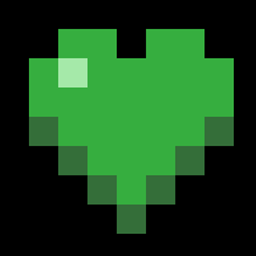
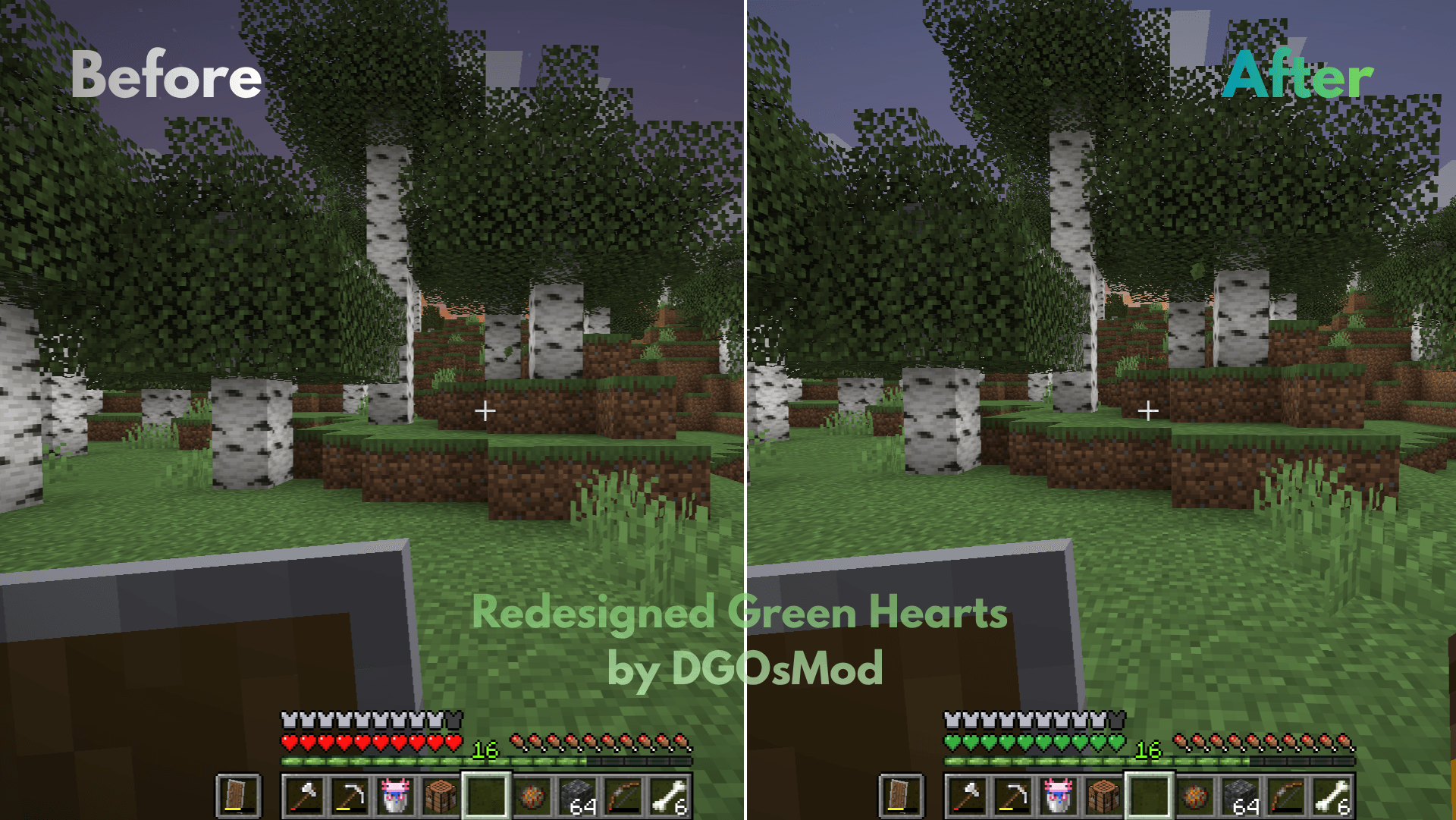
Tired of the same old red health bar? Green Hearts is a fresh, vibrant, and aesthetic resource pack that transforms your classic Minecraft heart icons into beautiful, custom-designed green hearts!
Whether you love nature aesthetics, want to match your UI with emeralds, or just want a unique look for your competitive PvP sessions, this pack gives your HUD a clean and refreshing update.
Vibrant Green Health Bar: Replaces the vanilla red hearts with sleek, glowing green/lime hearts.
Hardcore Mode Support: Customized stylized green hearts tailored for the ultimate hardcore challenge.
Status Effect Optimization: Poison and Wither effects are perfectly color-tweaked to remain highly readable while maintaining the green theme.
Pet & Particle Hearts: Breeding and taming animals will now trigger lovely green heart particles.
Download the resource pack .zip file.
Open Minecraft and head over to Options > Resource Packs.
Click on Open Pack Folder.
Drag and drop the downloaded .zip file into this folder.
Select the pack from the in-game list, click Done, and enjoy your fresh new look!
⚠️ Important: This pack is fully optimized for Minecraft 26.2, 26.1 and all 1.21, 1.20, 1.19, 1.8, 1.17 and 1.16.1 versions. It can also be layered seamlessly on top of any other PvP or default-edit texture pack!
If you like this pack, please consider leaving a comment and sharing it with your friends. Green power! 🐍💚