Mineuniverse
Resource Packs
RajMahal

RajMahal

RESOURCE PACK
Build palaces, forts and courtyards in Minecraft with a Mughal and Rajasthani architecture texture pack. Rajmahal turns familiar blocks into carved sandstone, white marble and jali-style glass.
by Ramansh_Rajput
Download Claim this project
5 downloads
0 likes
Updated Oct 14, 2026
0 hypes
16x Medieval Miscellaneous Traditional
Advertisement Remove ads with Premium →

# Rajmahal

Build palaces, forts and courtyards in Minecraft with a Mughal and Rajasthani architecture texture pack. Rajmahal turns familiar blocks into carved sandstone, white marble and jali-style glass.

## What's included

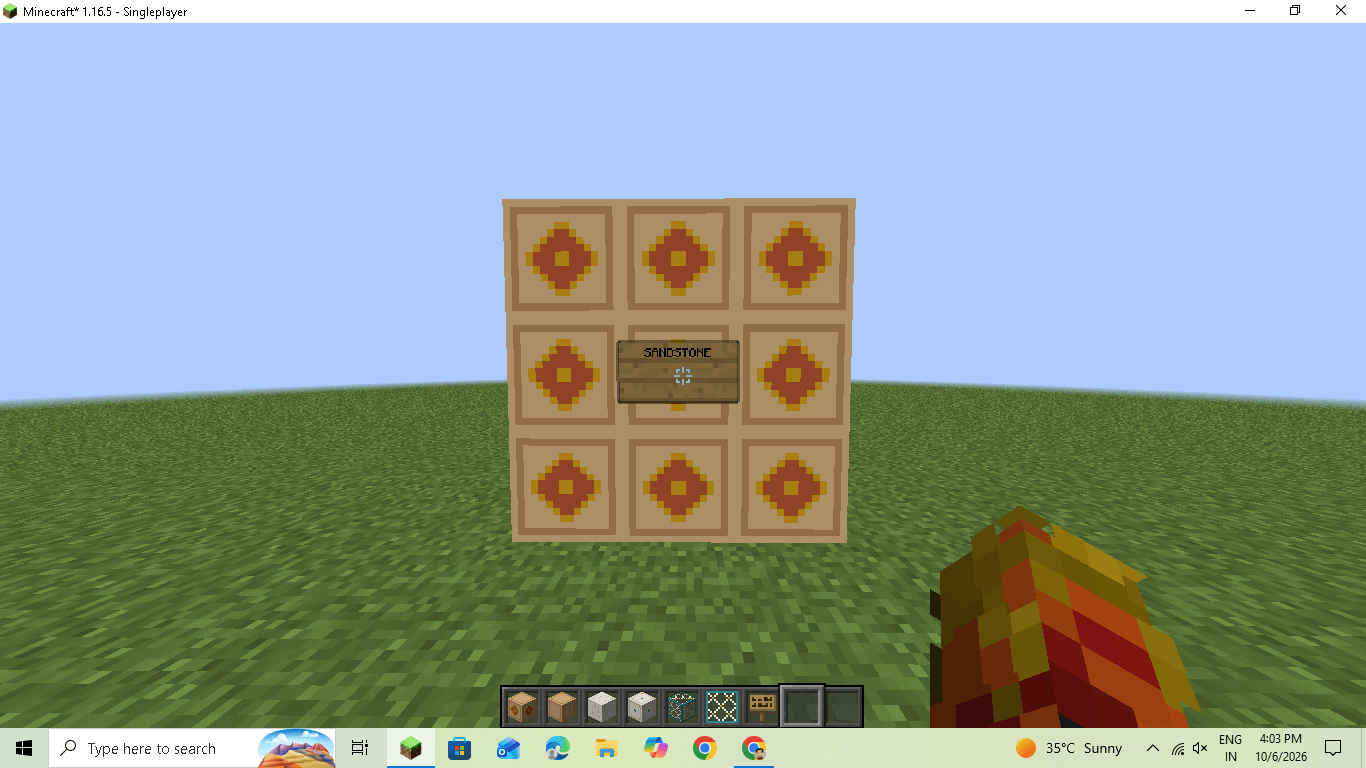
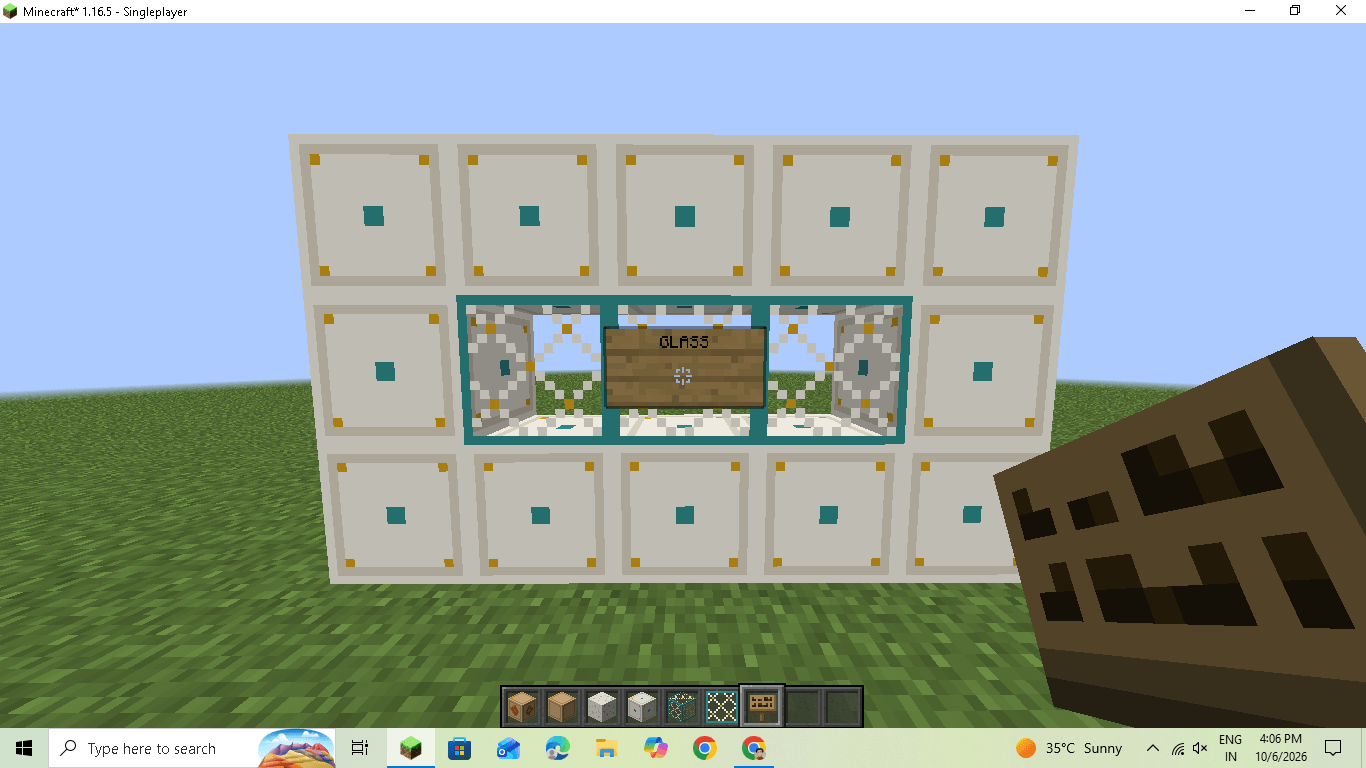
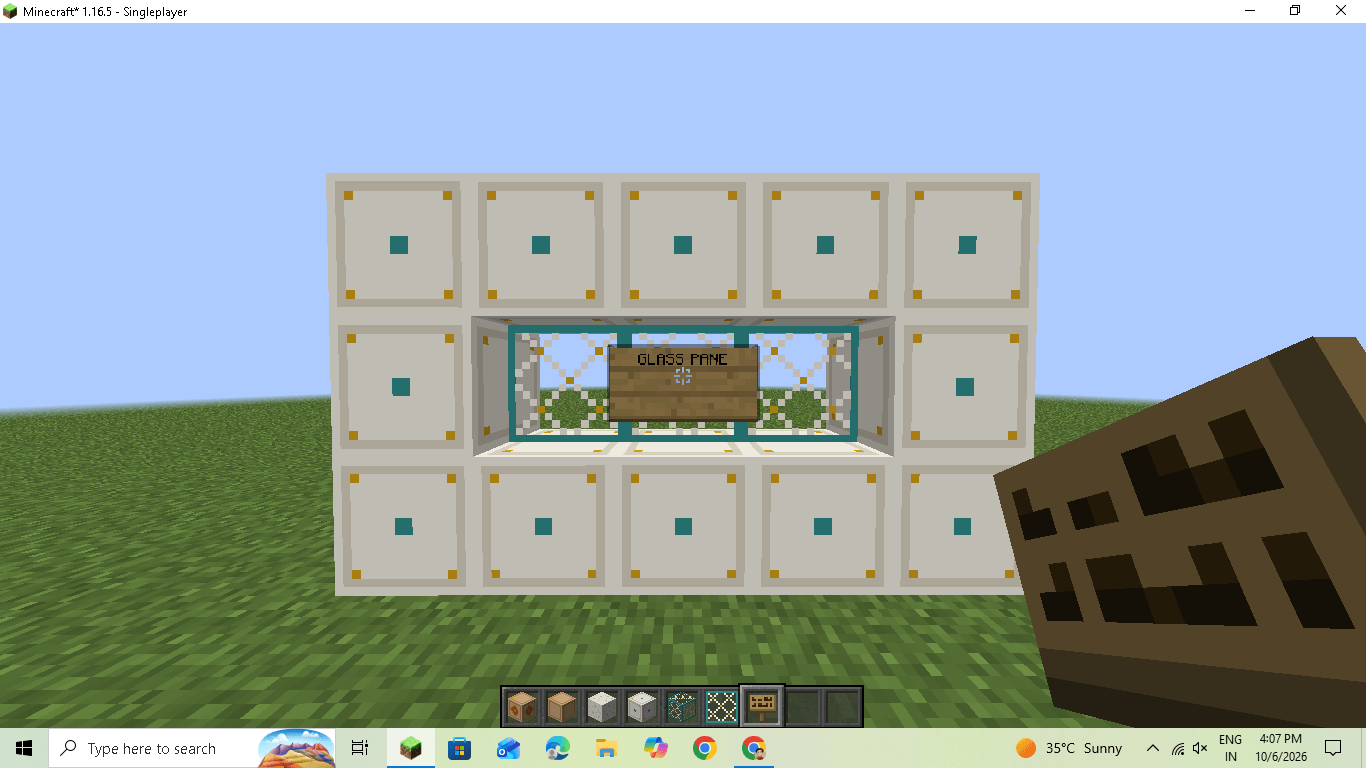
- **Sandstone:** carved diamond pattern with a gold and terracotta inlay on the sides, plus matching top and bottom
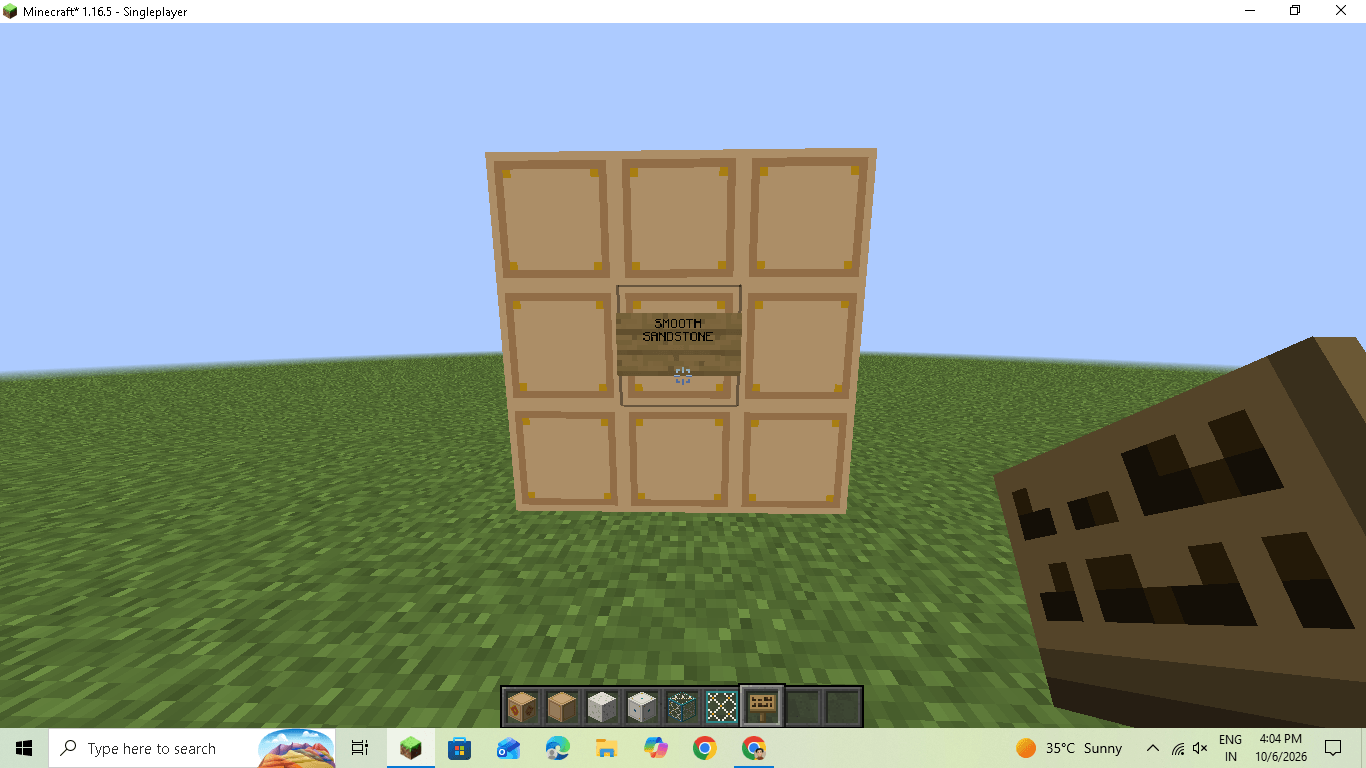
- **Smooth sandstone:** a clean, framed style that fits with the carved blocks
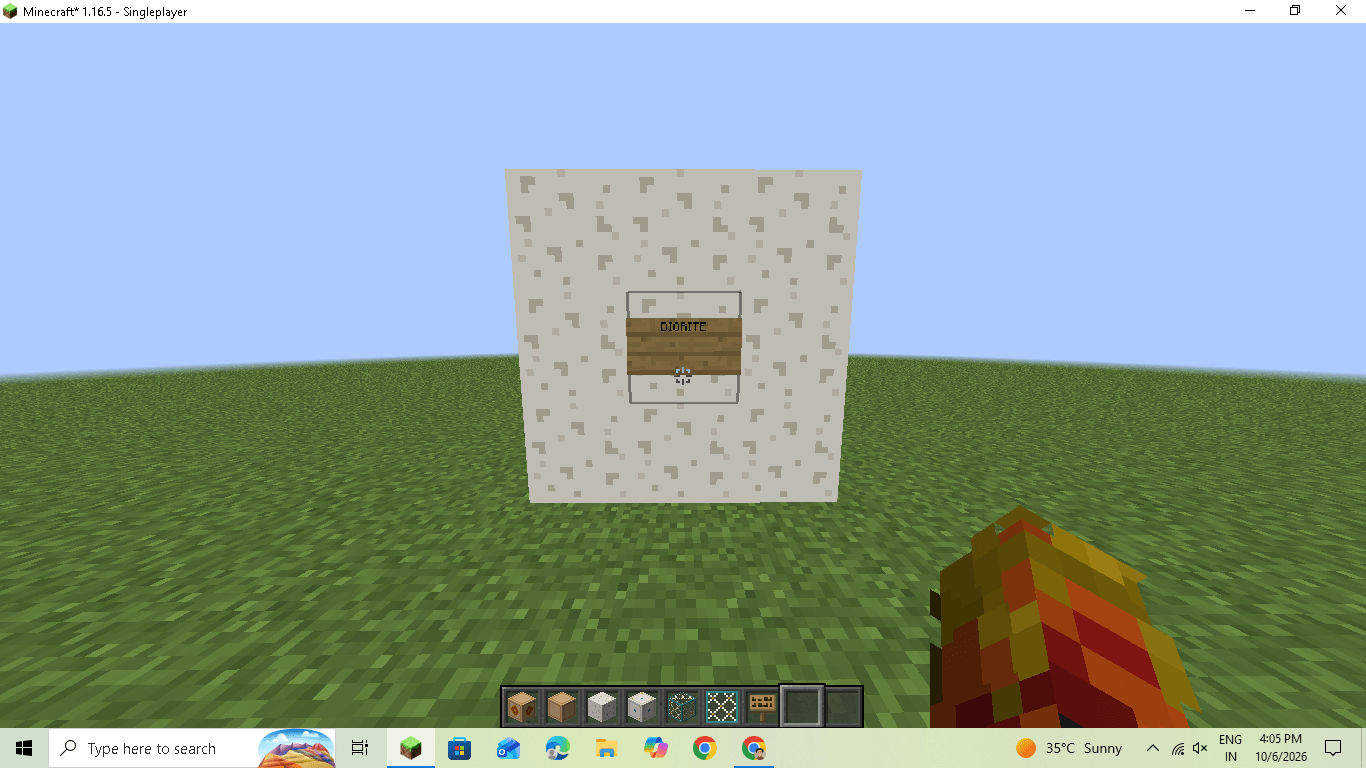
- **Diorite:** soft white marble with light grey specks
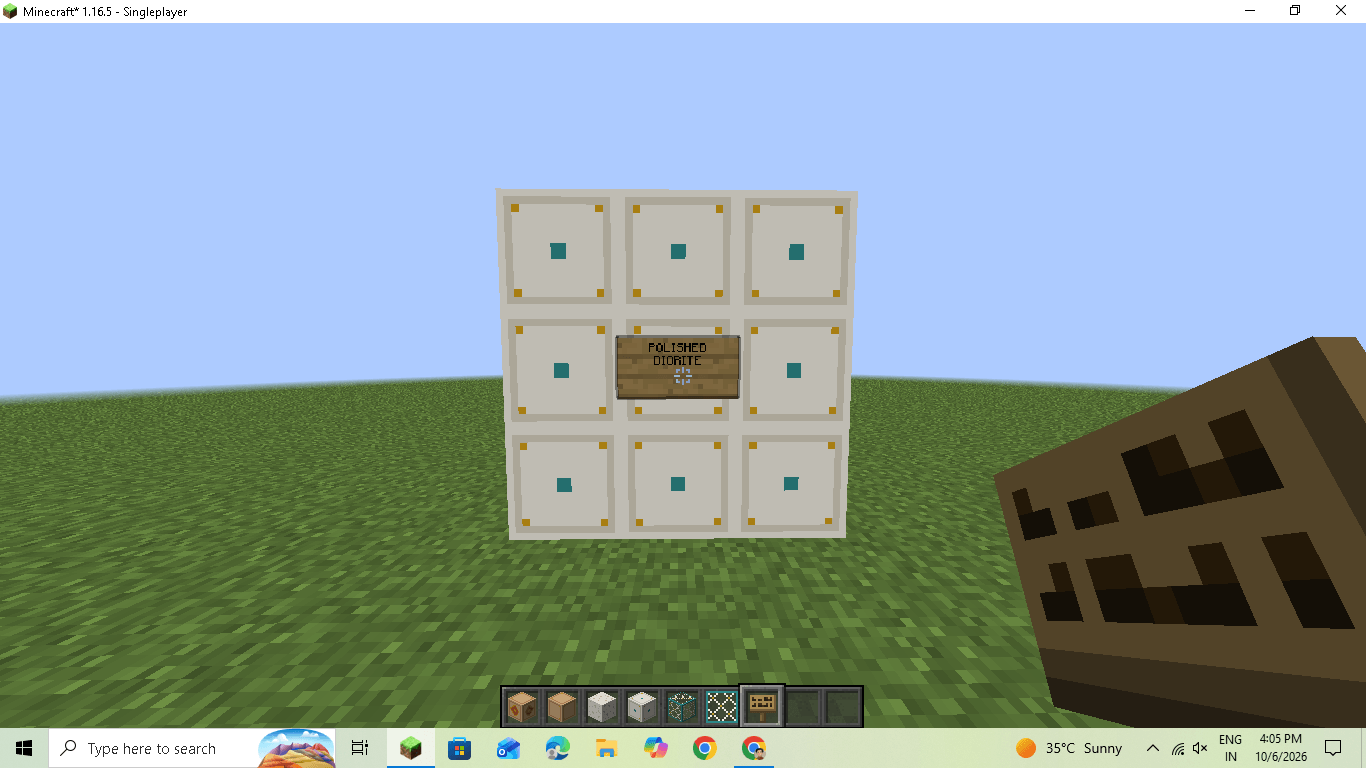
- **Polished diorite:** marble tile with a grey border, gold corners and a turquoise center
- **Glass and glass panes:** a jali lattice look, ideal for palace windows

## Colors

A small palette keeps everything matching: marble white, warm sandstone, terracotta, deep red, gold and turquoise.

## Compatibility

- Made and tested on **Minecraft 1.16.5**
- Other versions are being tested, and updates will follow
- Works in vanilla Minecraft. No mods needed.
- Resolution: 16x

## Coming soon

More blocks are on the way, including stone bricks, cobblestone, planks and terracotta. Follow the project to get updates.

## Feedback

Found a block that looks wrong or have an idea? Leave a comment, and it will help shape the next version.

RajMahal
MC 1.16.3, 1.16-Snapshot, 1.16.1, 1.16, 1.16.5, 1.16.2, 1.16.4
Release 2026-10-07 Get

Requirements & install

How to use this resource pack in Minecraft
Resolution
16x
Minecraft
1.16-Snapshot – 1.16.5
Install folder
.minecraft/resourcepacks

How to install resource packs

  1. Download the resource pack .zip file (do not extract it).
  2. In Minecraft open Options → Resource Packs → Open Pack Folder.
  3. Drop the .zip into the resourcepacks folder (.minecraft/resourcepacks).
  4. Move the pack to the Selected column and click Done.
Browse more: 16x resource packs 32x resource packs 64x resource packs 128x resource packs 256x resource packs 512x+ resource packs Resource Packs for 1.16.5 All resource packs

More from Ramansh_Rajput

Advertisement Remove ads with Premium →

You Might Also Like