Mineuniverse
Resource Packs
PvPCrossHair_

PvPCrossHair_

RESOURCE PACK
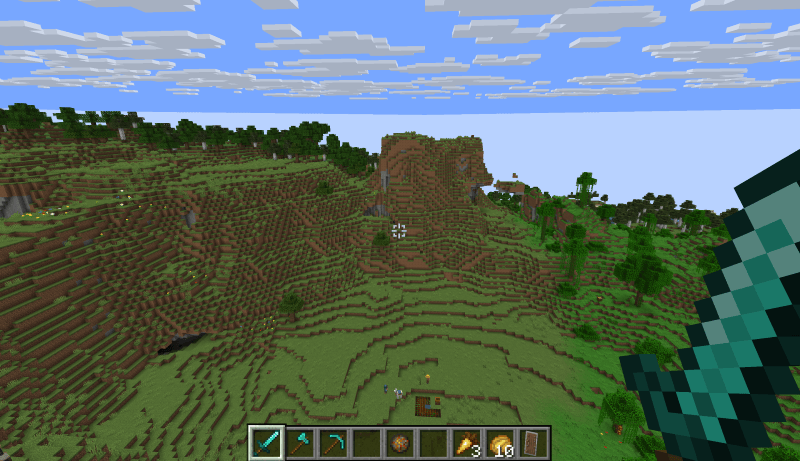
PvPCrosshair replaces Minecraft’s default targeting reticle with an ultra-precise, high-contrast crosshair optimized for fast-paced PvP and ranged combat.
by GraceBlok
Download Claim this project
179 downloads
0 likes
0 followers
Updated Oct 14, 2026
0 hypes
Follow0
64x
Advertisement Remove ads with Premium →

PvP Crosshair sharpens your aiming precision by swapping the bulky vanilla reticle for a sleek, high-visibility crosshair built for competitive combat.

Features:

Maximum Precision: Clean pixel edges ensure you never lose track of your opponent during intense combos.

High Visibility: Outstanding contrast on any background—daylight, caves, the Nether, or the End.

Zero FPS Impact: Ultra-lightweight file with no performance cost.

Universal Compatibility: Pairs seamlessly with all PvP overlays and custom texture packs.
PvPCrossHair 26.3.zip
MC 26.3
Release 2026-09-19 Get

Requirements & install

How to use this resource pack in Minecraft
Resolution
64x
Minecraft
26.3
Install folder
.minecraft/resourcepacks

How to install resource packs

  1. Download the resource pack .zip file (do not extract it).
  2. In Minecraft open Options → Resource Packs → Open Pack Folder.
  3. Drop the .zip into the resourcepacks folder (.minecraft/resourcepacks).
  4. Move the pack to the Selected column and click Done.
Browse more: 16x resource packs 32x resource packs 64x resource packs 128x resource packs 256x resource packs 512x+ resource packs Resource Packs for 26.3 All resource packs

More from GraceBlok

Advertisement Remove ads with Premium →

You Might Also Like